It reads the brief before laying out
Seedream 5.0 Pro thinks through layout logic before rendering — hierarchy, whitespace, and reading order live in the structure, not patched on after.
ByteDance Seed · Seedream 5.0 Pro · July 8, 2026
ByteDance Seed's July 8, 2026 image model reads briefs as design specs, not decorative prompts. One prompt can turn data and long copy into finished layout; unsatisfied? Click, lasso, or brush on the result and change only that region — no full reroll. Realistic materials, portrait detail down to skin texture, 10+ languages native out of the box.
Seedream 5.0 Pro thinks through layout logic before rendering — hierarchy, whitespace, and reading order live in the structure, not patched on after.
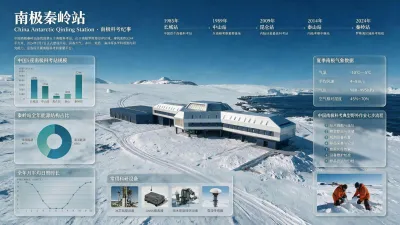
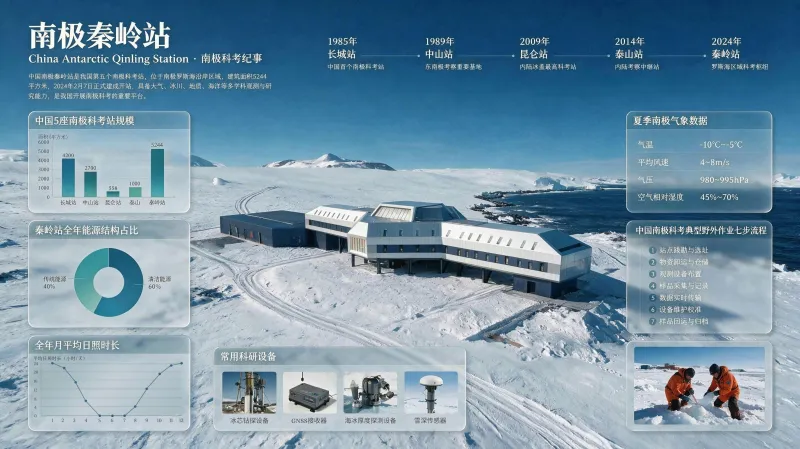
Timelines, bar charts, pie charts, annotated photos, process steps — all in one frame. Boards like this used to take a designer an afternoon.
Click, lasso, or brush a sketch. Change color with a Hex value, swap materials with a reference, split results into layers, blend multiple assets into one — small edits without rerolling the whole image.
Chinese, English, French, German, Russian, Japanese, Korean, Spanish, Arabic — write prompts and render in-image text directly, each following its own typographic rules.
Data dashboards, event posters, product stills, portraits, layer composites — all from ByteDance Seed's official release page.
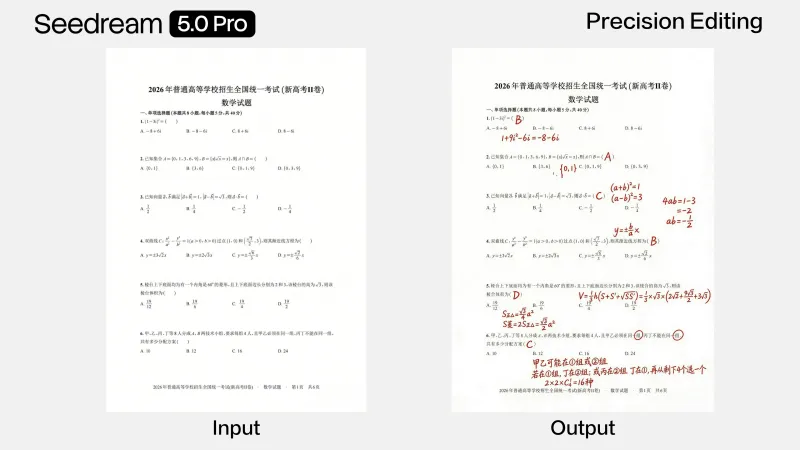
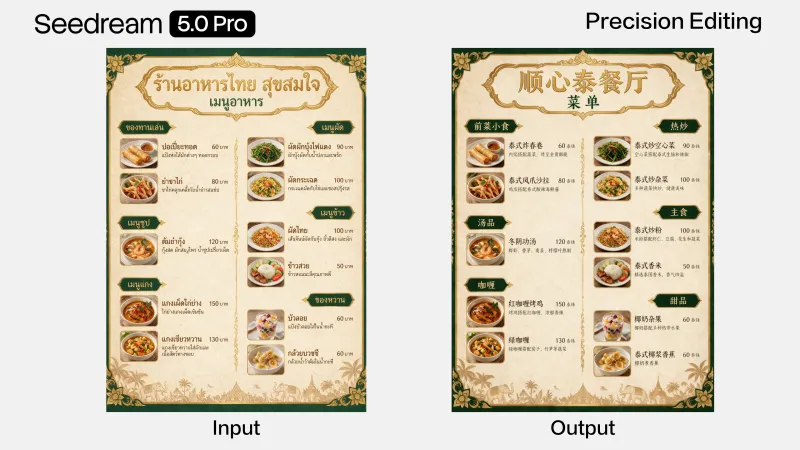
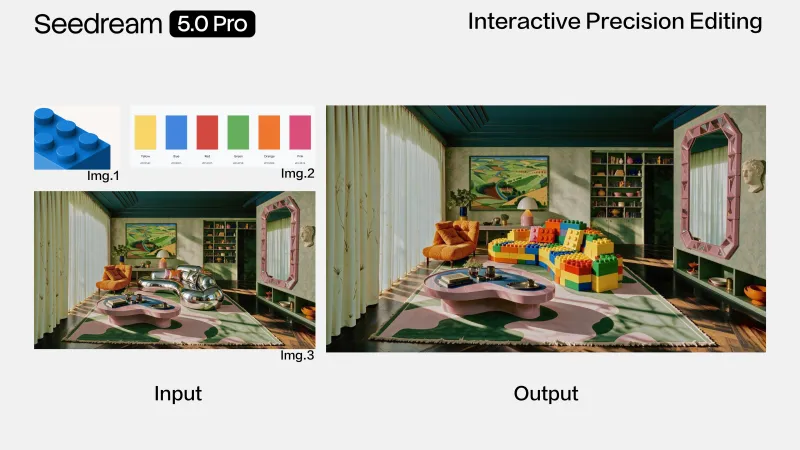
Seedream 5.0 Pro vs its predecessor Seedream 4.5, OpenAI's GPT Image 2, and Google's Nano Banana Pro — layout intelligence, dense text, local editing, materials, and language coverage side by side.
| Dimension | Seedream 5.0 Pro | Seedream 4.5 | GPT Image 2 | Nano Banana Pro |
|---|---|---|---|---|
| Layout & design intelligence | Built around design intent | Strong layout, no planning step | Excellent | Excellent |
| High-density infographics | Charts, timelines, flows in one frame | Suited to simpler boards | Strong with Thinking too | Search-grounded knowledge diagrams |
| In-image text | Handles multi-level dense copy | Excellent | Excellent | Industry-best text precision |
| Local-level editing | Click · lasso · brush · recolor · rematerial | Prompt-only edits | High-fidelity edit + identity hold | Local edit · light · depth · color |
| Layers & multi-image fusion | Layer export + multi-image fusion | Limited | Multi-image input, single-layer output | Up to 14 reference images |
| Materials, light & skin | Physical-grade materials · portrait skin | Strong | Excellent | Excellent |
| Native language coverage | 10+ languages native | Multilingual support | Multilingual support | Multilingual support |
| Default pick | Information-dense design work | Lower-cost Seedream baseline | OpenAI 4K production default | Premium typography & final polish |
Official four breakthroughs — design reasoning, local editing, realistic materials, native multilingual — plus the layout chops that make them shippable.
It decides what the image is for before setting structure — headline hierarchy, grid, negative space that would hold up in layout software.
Multi-level headlines, chart labels, footnotes, bilingual notes in one frame — density that usually turns to garble on other models.
Click or lasso a region, brush a sketch, or drop a Hex value or material reference. The rest of the frame stays untouched.
Reflection and refraction that make sense — shop window glass, brushed metal, cliffside concrete, panning motion blur, all sitting naturally in ambient light.
Dimensional skin detail, soft matte key light — from cinematic portrait photography to AAA game characters, wardrobe, figure, and environment aligned.
Write prompts in one language, output posters in another — including RTL Arabic and accented Spanish, each respecting local typographic convention.
From research dashboards to localized packaging — dense, structure-heavy work most image models quietly refuse.
Timeline, bar chart, pie chart, field photos, and seven-step flow in one frame — legible in a deck and in print.
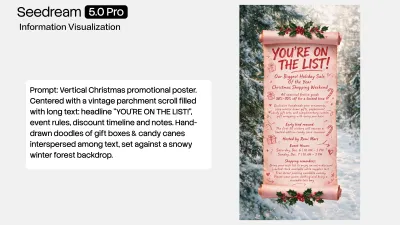
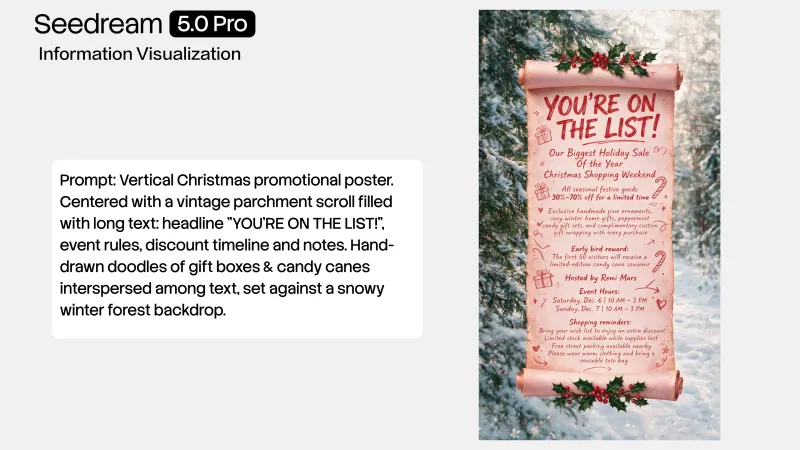
Headline, subcopy, discount tiers, dates, fine print at the bottom — spacing that looks hierarchy-aware.
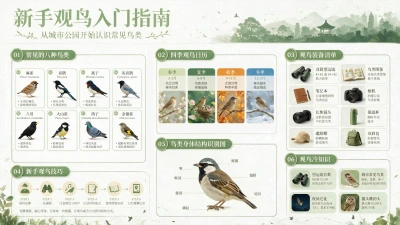
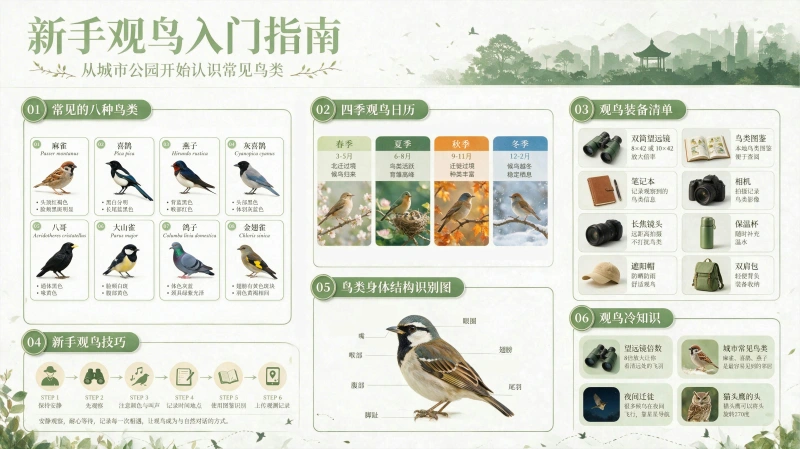
Annotated diagrams and step visuals for courses, exhibitions, and onboarding — one wrong label and the whole board is scrap.
E-commerce homepage layouts, packaging key visuals, material-accurate product shots at prototype speed.
Cinematic portrait photography, game characters, panning sports shots, and multi-asset group composites.
Client wants a new sofa fabric or a button one shade warmer. Lasso it, specify it, done — no reroll, no lost composition.
Same art direction, nine markets. Rerender the copy layer, not rebuild the design from scratch.
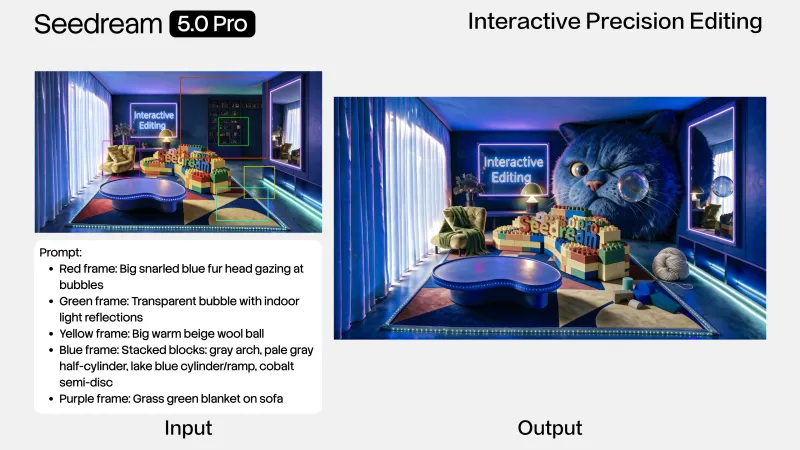
Split finished art into editable layers so design can finish the last 10% in their own tools.
When the deliverable has type, data, and hierarchy, the gap shows up immediately.
Layout exploration with structure baked in, plus layer export for final polish in your own tools.
Multilingual campaign assets — one wrong discount line costs more than the ad spend.
Homepage modules, packaging narratives, material-accurate product shots without booking a studio.
Revision loops solved with click and lasso, not a full reroll for every note.
Explainers and series graphics that actually teach — charts that still hold up when screenshotted.
Pitch decks, one-pagers, and data pages before design is on the calendar.
Enter the iMini image workspace and select Seedream 5.0 Pro — same account and credits as your other models.
List charts, text hierarchy, language, and materials. For edits, say which region and how — a Hex value, a material image, a translated line.
Edit locally instead of rerolling, swap copy layers per market, export for pitch, store, or print.
Official example prompts. Hover for full text, copy in one click, run on iMini.
A visual infographic documenting Antarctic Qinling Station research. Center the main station building. Surround with: station development timeline, bar chart comparing five stations' scale, pie chart of energy mix, monthly sunshine line chart. Add real field equipment photos, summer weather panel, seven-step field workflow diagram, and on-site sampling photography.
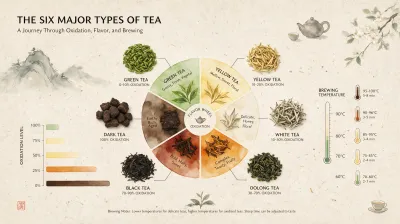
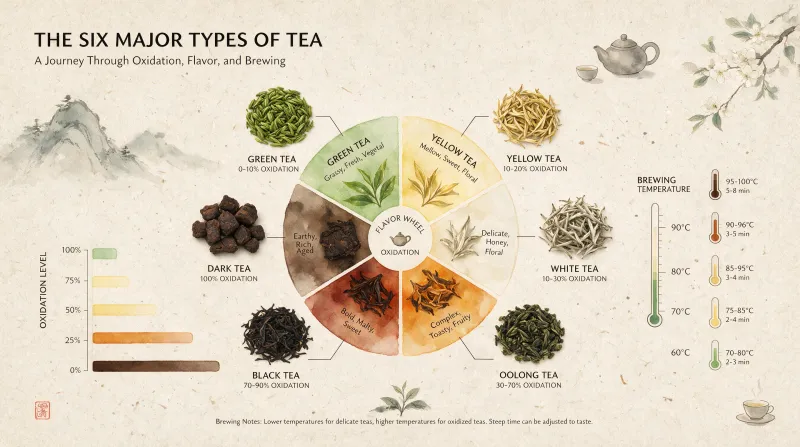
Six tea categories infographic, center a delicate watercolor gradient flavor wheel. Overhead tea leaf photos around the wheel showing different fermentation levels, connected to fermentation color bar and brewing temperature gauge. Hand-made rice paper texture background, minimalist zen layout, refined and balanced.
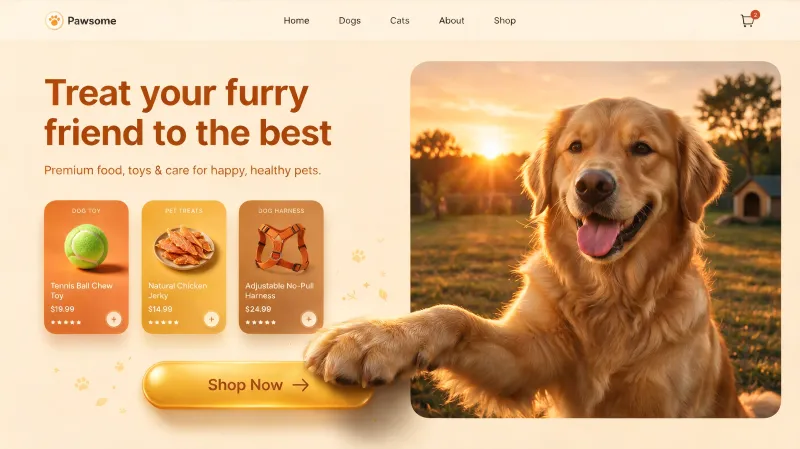
16:9 pet e-commerce homepage UI, warm sunset palette with layered shadows. Top navigation bar. Left cream-beige area with copy, product cards, and a gold capsule button. Right golden retriever with 3D effect — front paws break the right frame edge and rest on the left button.
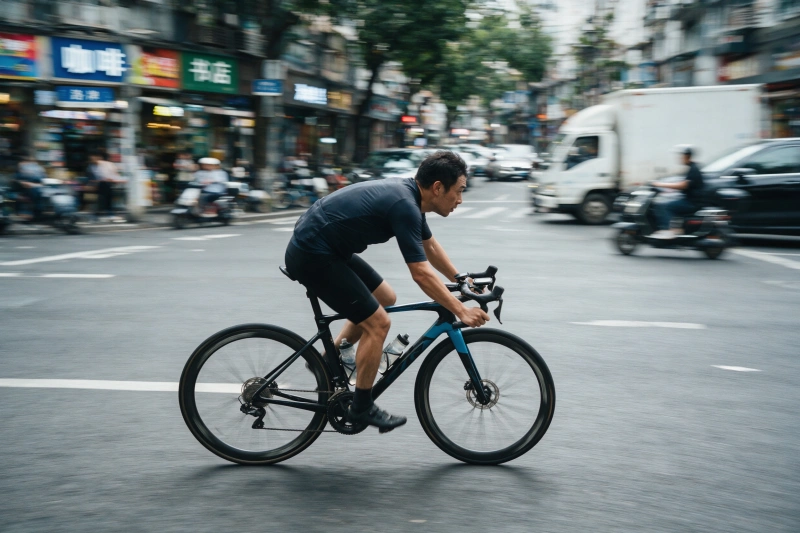
Panning photograph of a cyclist. Rider and bike sharp and crisp, background street stretched into horizontal motion blur, wheel spokes with rotational blur, conveying speed.
Worth reading before your first generation.
Design-native layouts, click-lasso-brush edits, realistic materials and 10+ languages — on iMini alongside GPT Image 2, Nano Banana Pro, and Imagen.
Use Seedream 5.0 Pro freeNo ByteDance account needed — one iMini account is enough.
.png.png!w640_webp)