Reasoning that draws information
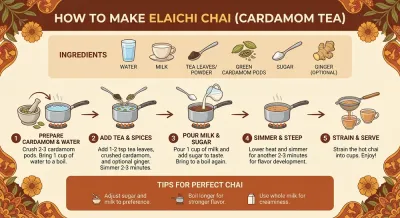
Handwritten notes to charts, recipes to step boards. For weather or sports needing live facts, search first then draw into the infographic—one fabricated number means redoing the whole teaching or ad review.
Google DeepMind · Gemini 3 Pro Image · November 20, 2025
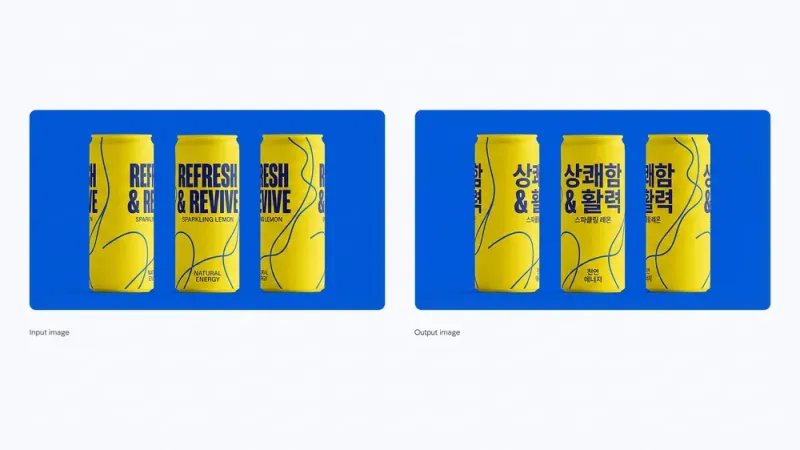
Nano Banana Pro is Gemini 3 Pro Image, released by Google DeepMind on November 20, 2025—the Banana family's final-polish image model. Google's split is clear: high-frequency prompt swaps and cost-first drafts go to Nano Banana 2; print-ready typography, multi-reference collages, web-verified facts before drawing, and local lighting polish default to Nano Banana Pro. Generation and editing in one flow: multilingual in-image text stays readable; up to ~14 references and 5 people identity-locked per run; web search when facts must be checked before infographics; 2K / 4K and flexible aspect ratios. Blurry type, wrong labels, drifting faces—one bad frame can void an ad page or packaging run. Pro exists to push those failures before sign-off.
Handwritten notes to charts, recipes to step boards. For weather or sports needing live facts, search first then draw into the infographic—one fabricated number means redoing the whole teaching or ad review.
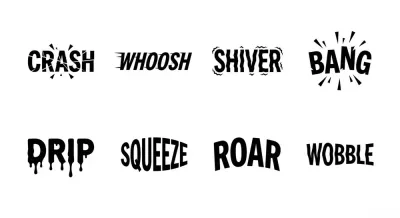
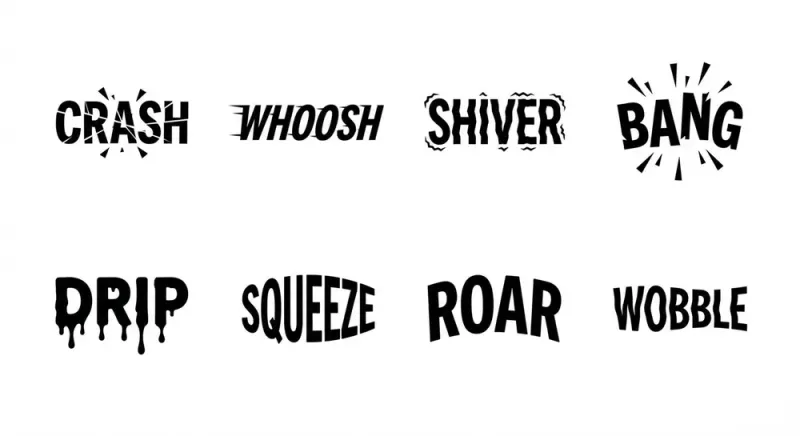
Short headlines to long paragraphs, calligraphy and textured type, in-place localization—Google positions Nano Banana Pro as the strongest in-image text channel. Blurry type kills poster and packaging mockups outright.
Sketches, products, and people composited into one frame. Faces and brand silhouettes stay stable in complex collages. One drifting subject voids the fashion set or character series.
Local polish, camera angle, depth of field, color grade, day-to-night—without a full re-roll. Aspect ratios from social to print; changing one detail beats reshooting a set.
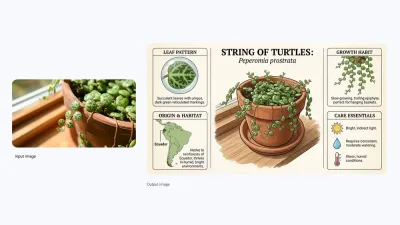
Plant care boards, recipe steps, typography sets, localized cans, character group shots, fashion collages—each frame from a single prompt.
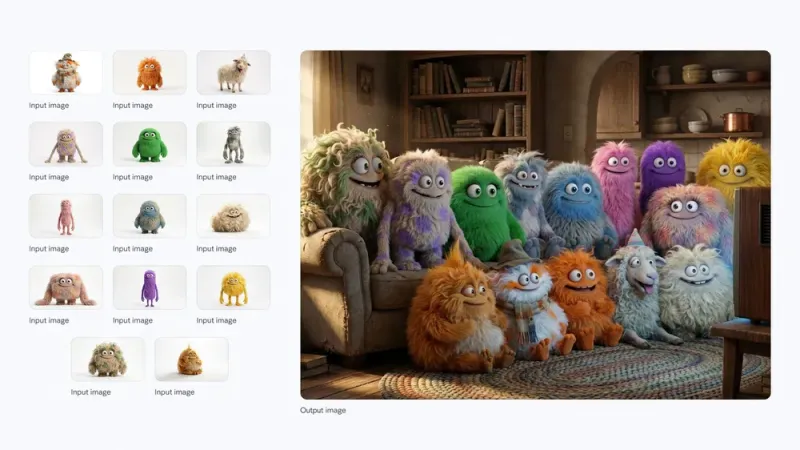
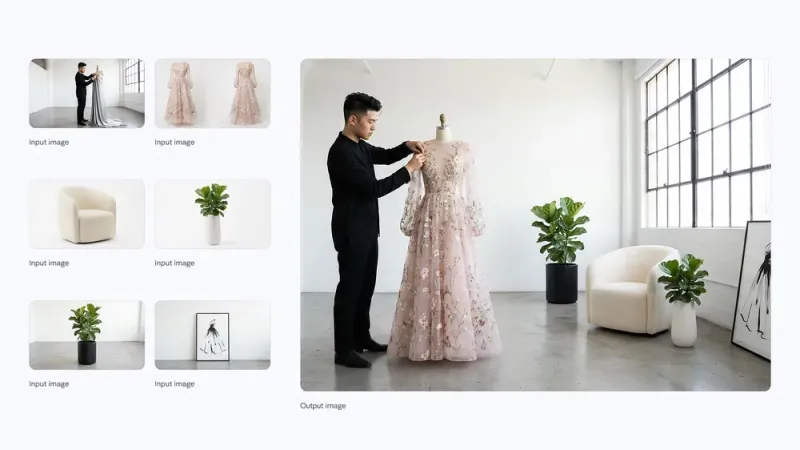
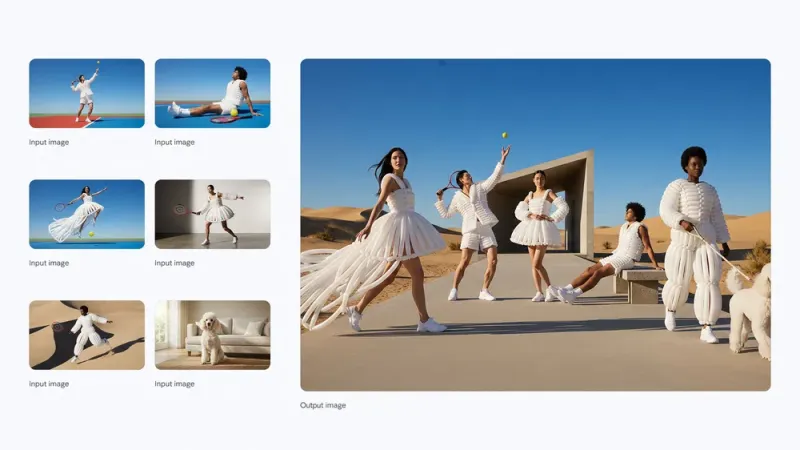
Nano Banana Pro (Gemini 3 Pro Image) vs. Nano Banana 2, GPT Image 2, and Imagen 4 Ultra—resolution, in-image text, reasoning & web search, references, people lock, editing, and default picks.
| Dimension | Nano Banana Pro | Nano Banana 2 | GPT Image 2 | Imagen 4 Ultra |
|---|---|---|---|---|
| Max resolution | Up to 4K | Up to 4K | Native 4K (3840×2160) | Up to 2K |
| In-image text | Multilingual long copy readable | Short copy readable · localization | Short copy readable · localization | Imagen 4 text upgrade tier |
| Reasoning / web search | Gemini reasoning + web search | Adjustable thinking depth · fast path | Images 2.0 Thinking | No dedicated thinking path |
| Multi-reference | Up to 14 reference images | Multi-reference / multi-image input | Multi-reference / multi-image input | Limited |
| People identity lock | Up to 5 people consistent | Strong identity hold | High-fidelity input by default | Limited |
| Local / studio editing | Local edit · lighting · DOF · color grade | Basic edit / regenerate | High-fidelity edit + identity hold | Limited |
| Speed profile | Quality-first Pro channel | Fastest (Nano Banana 2) | Instant fast gen + quality tiers | Quality-first |
| Default pick | Premium typography & final polish default | Speed + cost default | OpenAI production default · native 4K | Strictest Imagen prompt alignment |
In-image text, web knowledge infographics, 14-reference collages, 5-people lock, studio local edits, 2K / 4K native output.
Posters, packaging, mockups, and long copy blocks with clear letterforms. In-place language swaps while preserving packaging design—one wrong label voids the whole localization kit.
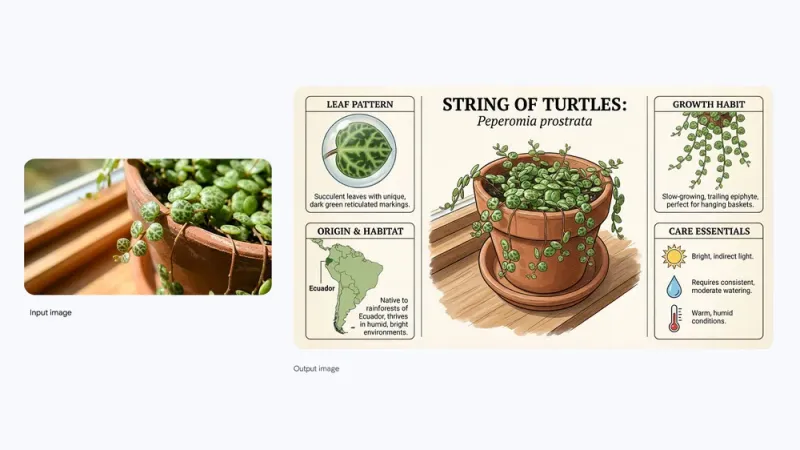
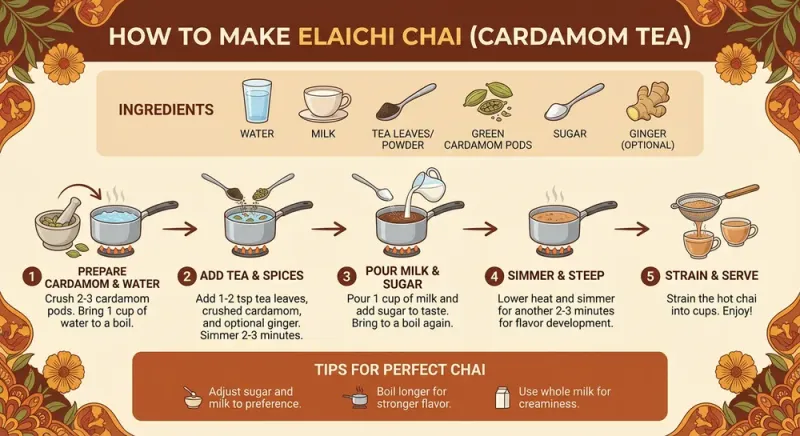
Plant care, recipe steps, and teaching boards. When live context matters, search first then draw weather or sports snapshots—avoids wrong numbers on infographics.
Up to 14 inputs per run—sketch to product, blueprint to 3D, brand kits consistent across touchpoints. Drifting references break the whole asset set.
Fashion collages and group shots with camera moves while faces and outfit identity hold steady. One drifting face means reshooting the lookbook.
Select a region to relight, pull focus to a flower, day-to-night—without repainting the whole image. One revision beats reopening a full round.
Aspect ratios from social to print. High-resolution options when leaving feeds for print—avoids upscaled blur.
From knowledge boards to localized packaging—matching Google's launch demos. What often took a designer day or a studio shoot now starts as reviewable output from one prompt.
Plant care, science explainers, and annotated charts—facts and hierarchy visible at once. Blurry type or messy hierarchy makes teaching pages unusable.
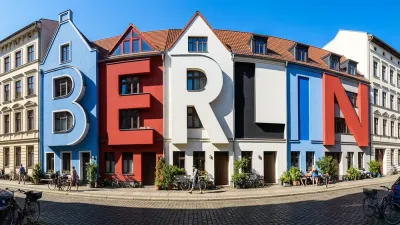
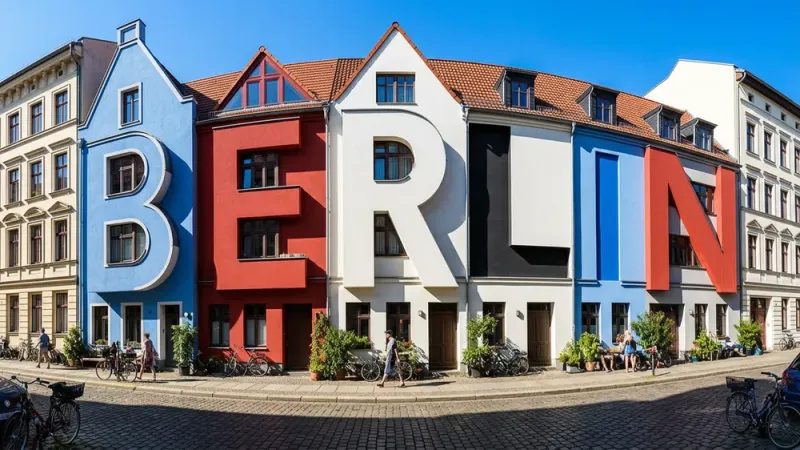
Tight headlines, textured fonts, and letter sculptures—still look like design at zoom. Typography collapse before print voids the poster.
People, clothing, and scenes composited into one editorial frame with identity held across angles. One drifting face or outfit means redoing the set.
Cans and ad copy swapped in-place—composition and art direction unchanged. One mistranslation voids the multi-market packaging run.
Wide / medium / close / push-in boards for film and product stories. Without identity lock, storyboard continuity breaks.
Day-to-night, contrast, blur, and focus shifts on existing frames—without a full re-roll for light changes.
Step visuals and lifestyle product scenes that survive real-world fact checks. One wrong step makes the whole recipe page untrustworthy.
Multi-character frames for series posts and campaign IP—faces and silhouettes consistent across posts. One drifting character voids the set.
When deliverables move from draft to final, the difference is: typography that survives print, 14-reference collages that hold, local relighting without full re-rolls—these default to Nano Banana Pro.
Catalog variants and localized packaging. Reshooting every market blows cost and schedule.
Text-forward ads and seasonal sets—typography failure often voids the whole draft before media buy.
Mockups, storyboards, and brand systems rely on multi-reference lock. Drifting references double client review rounds.
Characters and series content that stay consistent across posts. One drifting face and fans won't recognize the IP.
Client tweaks to lighting or copy while faces and brand geometry hold—fewer full redo rounds.
Charts and recipe boards that actually teach. One wrong annotation layer makes the whole page unusable.
Select Nano Banana Pro in iMini's image workspace—same account as Nano Banana 2 and GPT Image 2.
State task (infographic, poster, editorial), text that must stay readable, and references to lock.
Iterate with local edits and lighting, download, or compare side-by-side with Nano Banana 2 and GPT Image 2.
Close to Google's launch examples. Hover for full text, one-click copy, run directly on iMini. Chinese prompts supported.
Create an infographic for this plant highlighting interesting facts: origin, care tips, and growth patterns. Clear labels, readable type, soft botanical color palette.
Bold TYPOGRAPHY design on textured off-white paper. Heavy condensed block letters, bright blue and hot pink halftone overlays, vintage screen-print feel, 16:9.
Place these people in one desert fashion editorial. Keep identity and outfits consistent, natural light and color, vary camera angle as the scene requires.
Translate all English on these three yellow-blue cans to Korean. Change nothing else—composition, lighting, and packaging design stay identical.
Worth reading before generating: free credits, how to choose vs. Nano Banana 2, reference limits.
Multilingual in-image text · 14 references · 2K/4K—compare side-by-side with Nano Banana 2 and GPT Image 2.
Generate free on iMiniNo separate Gemini subscription—your iMini account is enough.

.png.png!w640_webp)
.png.png!w640_webp)