Google DeepMind · Nano Banana 2.1 · 2026-10-06

Nano Banana 2.1 — Better design, more precise edits

More deliberate poster layouts, edits that preserve the subject, and steadier products and people across scenes. Explore the new official examples, then bring your prompt to iMini.

  • Better visual design
  • Improved masked edits
  • Subject consistency
  • More natural images
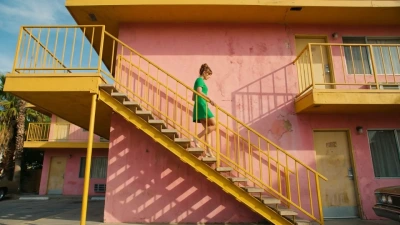
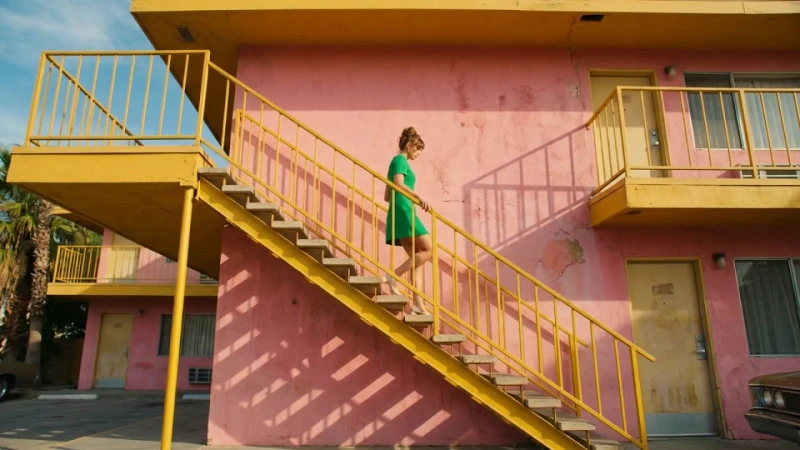
Nano Banana 2.1: pink motel, yellow stairs and a woman in green
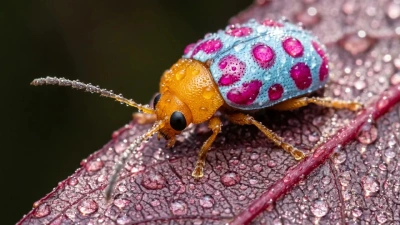
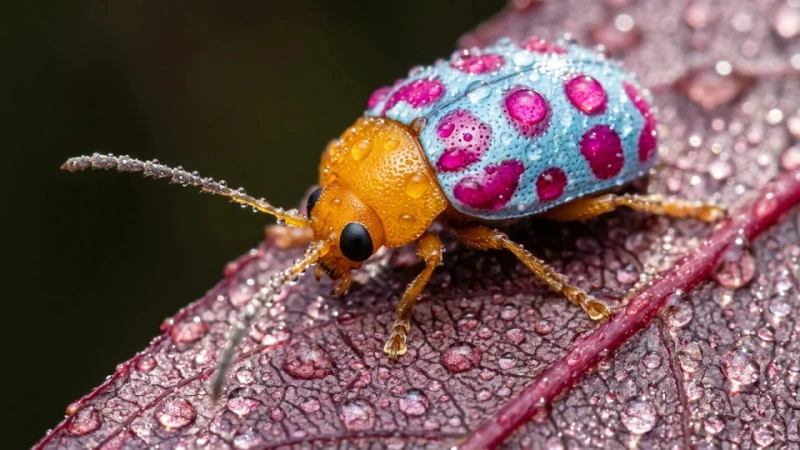
Nano Banana 2.1: colorful beetle macro on a wet leaf
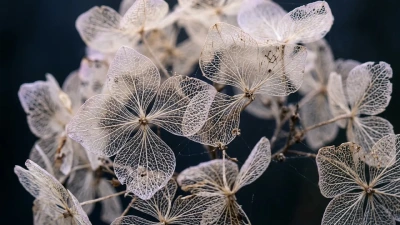
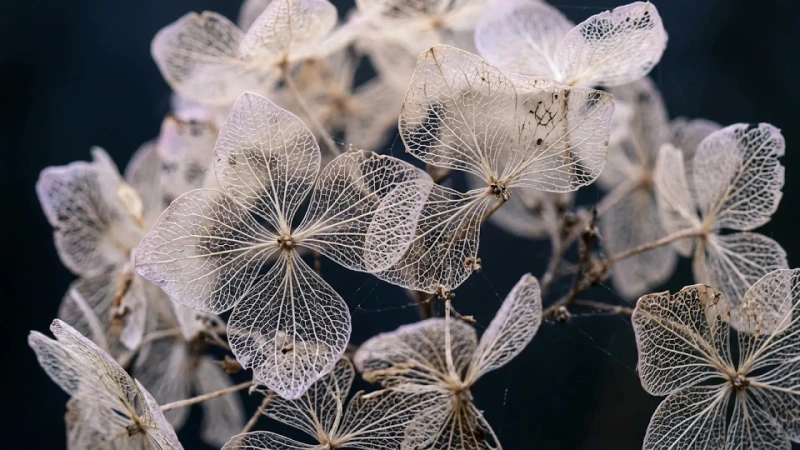
Nano Banana 2.1: dried hydrangea skeletons and shallow focus
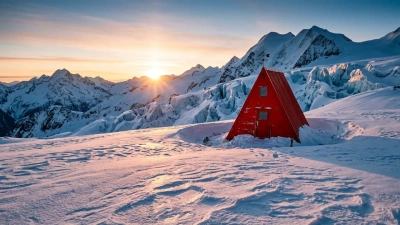
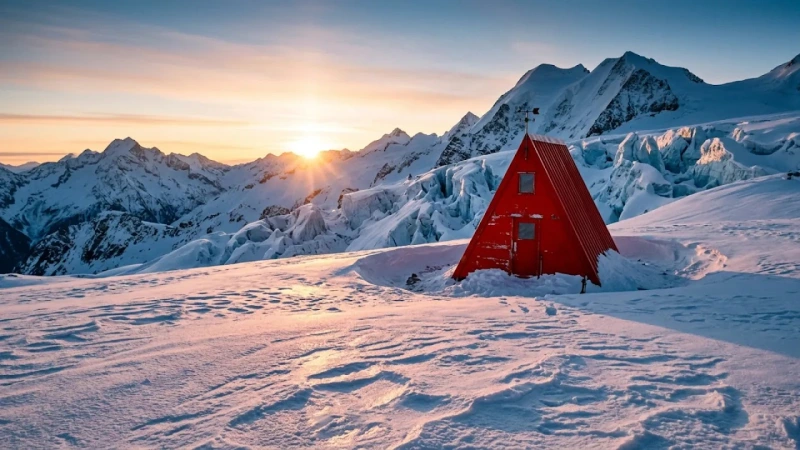
Nano Banana 2.1: red alpine shelter at sunrise
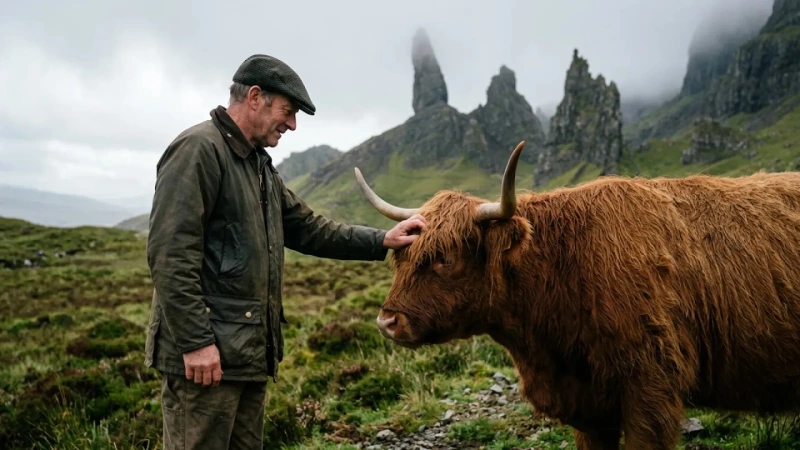
Nano Banana 2.1: Scottish crofter and Highland cow

What changed in Nano Banana 2.1?

Nano Banana 2.1 is Google’s October 2026 Flash-tier image generation and editing update. Its API name is gemini-nano-banana-2.1; the model card identifies Gemini 3.6 Flash as its base. The update focuses on visual design, mask-based editing, subject consistency and natural-looking detail. The new official examples cover text-led posters and web layouts, background changes that preserve an object’s placement, product variations, multi-person composites and close-up texture. On iMini, choose 1K, 2K or 4K, add up to 14 reference images and request 1–4 outputs to explore these directions with your own brief.

Developer
Google DeepMind
Model card published
2026-10-06
Base model
Gemini 3.6 Flash
iMini resolutions
1K / 2K / 4K
iMini references
Up to 14 images
iMini outputs
1–4 per request

Compose the image and the typography together

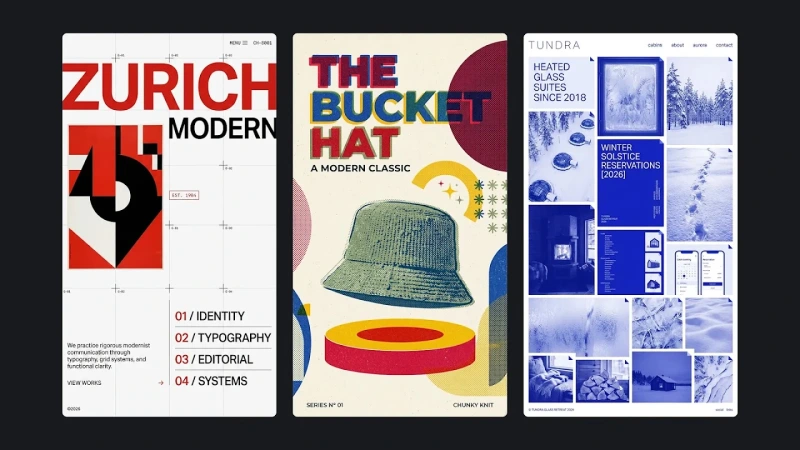
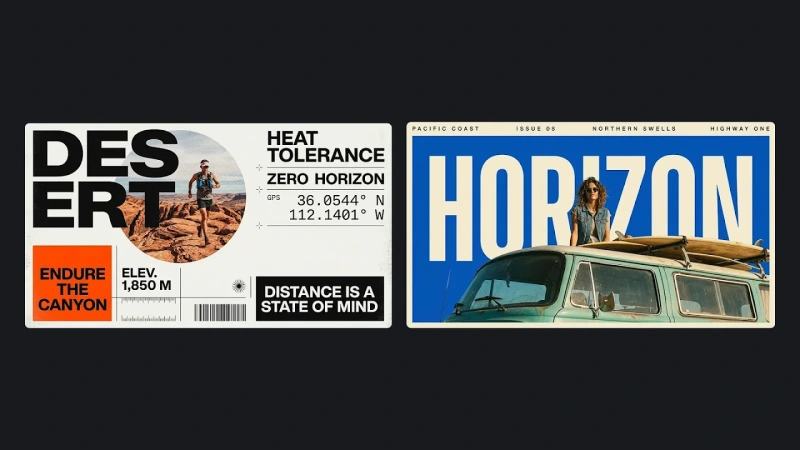
New official posters and website layouts organize headlines, photos, shapes and information blocks as a design. Use that direction for brand visuals and layout drafts rather than generating only a background.
Change the setting while preserving the subject

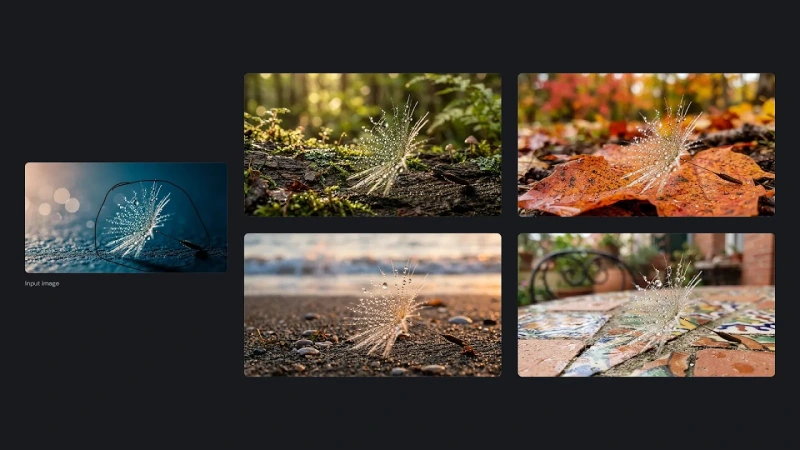
The masked-edit example places a droplet-covered seed in different surroundings while preserving its size and position. Define the edit boundary, then explore settings without replacing the entire composition.

Carry products and people across images

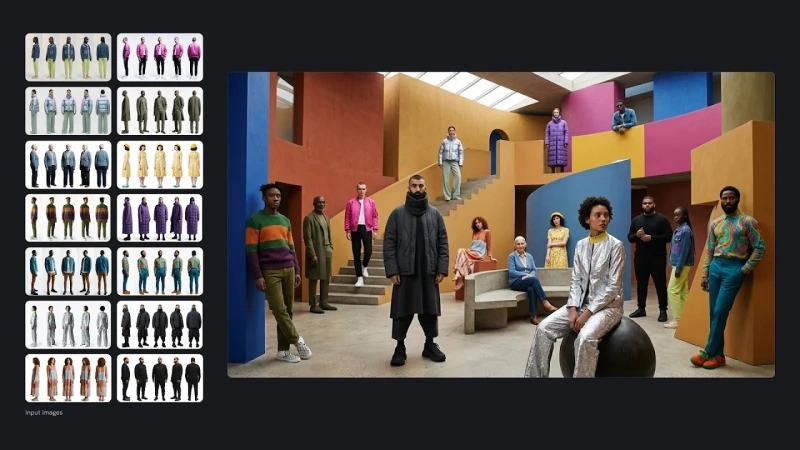
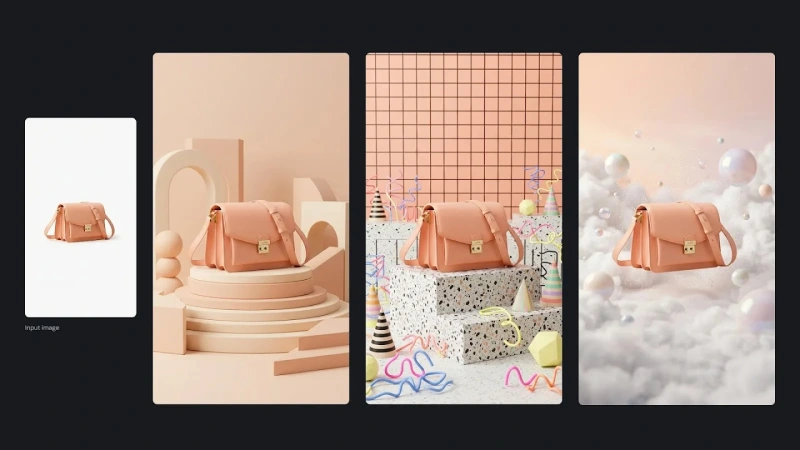
The official examples show one bag in several sets and people combined from reference images. Build a series around the same references instead of redefining appearance and clothing for every frame.

Give small details a natural visual role

New flower skeletons, wet beetle macro shots and alpine morning light demonstrate texture, focus and lighting. The useful change is detail that supports a photographic image, rather than sharpness alone.

Official Nano Banana 2.1 examples

From Google’s “Introducing Nano Banana 2.1” section: photographic detail, visual design, product variations and multi-person composites.

Nano Banana 2.1: pink motel, yellow stairs and a woman in green
Nano Banana 2.1: colorful beetle macro on a wet leaf
Nano Banana 2.1: dried hydrangea skeletons and shallow focus
Nano Banana 2.1: red alpine shelter at sunrise
Nano Banana 2.1: Scottish crofter and Highland cow
Nano Banana 2.1: DESERT sports and HORIZON travel posters
Nano Banana 2.1: one peach leather bag in three photographic sets
Nano Banana 2.1: fashion group assembled from clothing references

How does the update compare in Google’s evaluations?

Side-by-side human preference evaluations from Google’s October 2026 model card. Higher Elo is better; both columns use Thinking. Scores and uncertainty are official evaluations, not iMini tests or success rates.

EvaluationNano Banana 2.1 · ThinkingNano Banana 2 · Thinking
Overall image preference1050 ± 14990 ± 7
Infographic design1048 ± 17961 ± 12
Mask / ink-based editing1049 ± 15965 ± 12
Multi-character consistency1106 ± 14978 ± 10
Product consistency1024 ± 18955 ± 22

What workflows do the new examples support?

Connect model capabilities to deliverables: layout, localized edits, image series and photographic texture.

Complete visual design

Sports posters and blue web collages organize type and images as one design. Explore covers, posters and branded page drafts.

Text and infographic layout

The official API documentation highlights improved lettering and infographic layouts. Specify exact copy, then review spelling and shapes before delivery.

Masked and annotated edits

The official example marks the subject and changes its environment. iMini’s entry accepts prompts and reference images; dedicated mask controls depend on the workbench.

Multi-reference consistency

One bag appears in three sets and people from separate references share a scene. Explore campaigns that reuse a product, person or outfit.

Macro, natural light and materials

Flower veins, droplets, fabrics and alpine light feature in the new examples. Specify camera position, lighting and material so detail supports the composition.

Ultra-wide and tall formats

Google documents reduced tiling artifacts at 2K/4K for 1:4, 4:1, 1:8 and 8:1. iMini offers these ratios for wide banners and tall designs.

Eight new examples, eight creative directions

Every illustration below belongs to the new 2.1 section and anchors a distinct design or editing task.

Type-led commercial posters

Type-led commercial posters

DESERT and HORIZON combine large headlines, photographic subjects and small information blocks. Set a clear hierarchy and exact copy for a coherent advertising draft.

Brand and editorial layouts

Brand and editorial layouts

ZURICH, the hat poster and TUNDRA explore different graphic languages. Use them as layout and brand-direction examples; a website image is a visual mockup, not working code.

Keep the object, change the environment

Keep the object, change the environment

A droplet-covered seed moves among moss, leaves, sand and a tabletop. Mark the subject to preserve and specify the new setting when extending an existing visual.

One product, several sets

One product, several sets

The peach bag appears on soft geometric platforms, a terrazzo stage and clouds. Build a product series from your references, then review silhouette, color and hardware.

Several people in one scene

Several people in one scene

Outfits and people from separate references share a colorful architectural set. Specify placement, depth and clothing for group fashion or event imagery.

Flowers and translucent texture

Flowers and translucent texture

Dried hydrangea veins and translucent structures stand against a dark background. Explore close-up visuals for florals, fragrance and natural materials.

Droplets and macro detail

Droplets and macro detail

The colorful beetle and wet leaf demonstrate shallow focus, droplets and surfaces. Adapt the camera and lighting approach to small objects or material close-ups.

People within natural surroundings

People within natural surroundings

A Scottish crofter and Highland cow share soft mountain light and a quiet gesture. Explore lifestyle, human stories and environmental portrait directions.

Who can use this workflow?

Choose the workflow for the deliverable: exact copy for layouts, references for a series and clear preservation boundaries for edits.

Content creators

Explore covers, posters and close-up imagery in one workflow, then iterate on people and lettering.

Brand and marketing teams

Use the new poster examples to explore hierarchy and recurring products or people across campaign settings.

Ecommerce teams

Change sets around product references while reviewing shapes and key details across a coherent series.

Designers

Explore Swiss typography, retro posters or blue collages before refining a direction, rather than generating only backgrounds.

Agencies

Organize candidates around a client’s product, people and style references, then make localized edits to the selected direction.

Educational teams

Improved lettering and infographic design support structured drafts that still need factual and label review.

Use Nano Banana 2.1 in three steps

Step 1

Open the dedicated workbench

Open the Nano Banana 2.1 image workbench and check the selected model and available credits.

Step 2

Set the prompt, references and controls

Define the subject, exact text, style and edit scope. Add references when needed, then choose resolution, ratio and 1–4 outputs.

Step 3

Generate and review

Check subjects, text and composition against your references. Download a suitable result or describe the next edit precisely.

Adapt the new examples into your own prompts

These original prompt briefs adapt the composition and workflows of the new 2.1 examples. Add your own references for product edits.

Sports poster: type and graphics together

Make a vertical running poster with warm white paper, orange and black accents. Set DESERT in large stacked bold type beside a circular runner photograph. Arrange RUN BEYOND and DISTANCE 20 KM in aligned lower modules with small icons and measurement lines. Keep a clear hierarchy and spell the quoted text exactly.

Keep the bag, replace the set

Use the uploaded bag as the only product reference. Preserve its silhouette, leather texture, color and metal clasp. Place it on a peach geometric pedestal with simple spheres and arches, soft studio light and subtle shadows. Center the product in 9:16. Do not add logos or redesign it.

Hydrangea: translucent macro texture

Photograph dried hydrangea petals reduced to delicate translucent vein networks. Use ivory and pale lavender hues, sharp foreground detail and fading focus against a nearly black blue background. Soft side-back light passes through the thin structures. Quiet, natural composition, 16:9.

Cinematic color: yellow stairs and pink walls

A horizontal cinematic frame at a pink motel. A bright yellow outdoor steel staircase cuts diagonally across the composition. An adult in a green dress descends with one hand on the railing. Clear sunny shadows, believable surfaces and strong architectural geometry. No lettering, 16:9.

Nano Banana 2.1 FAQ

Model capabilities, official examples and iMini workbench options.

It is Google’s updated Flash-tier image generation and editing model, named gemini-nano-banana-2.1 in the API. Its model card, published October 6, 2026, identifies Gemini 3.6 Flash as its base.

Create your next visual with Nano Banana 2.1

Bring exact copy, product or character references, then explore layout, setting and texture. The dedicated workbench offers 1K/2K/4K and 1–4 outputs.

Try Nano Banana 2.1

Check the workbench for available credits and generation costs.