

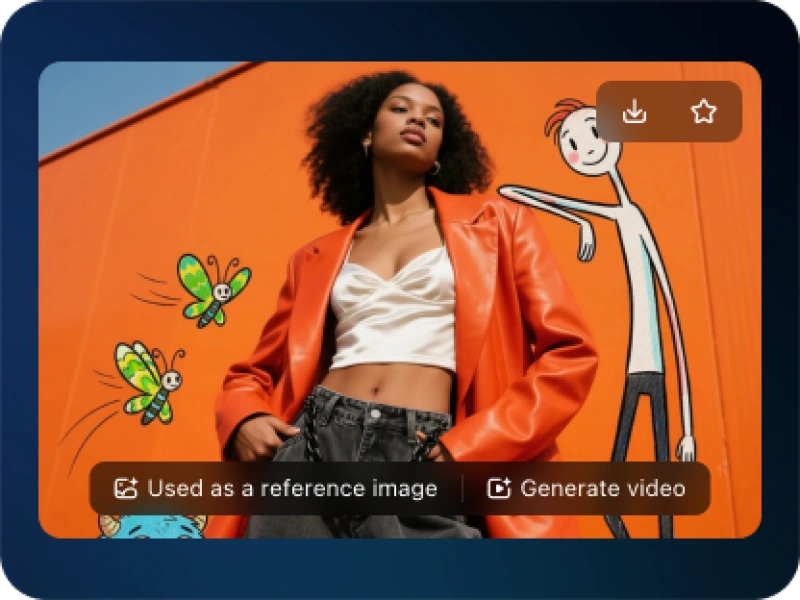
Dynamic AI Fan Cam Shots K-Pop Style Concert Close-Up Portrait AI Image Generator
Fan Cam Shots AI Generator: Craft dynamic, pro-level fan cam clips for idols effortlessly.
Sign up to unlock daily free generations
Dynamic AI Fan Cam Shots K-Pop Style Concert Close-Up Portrait GALLERY
THREE SIMPLE STEPS TO CREATE
FREQUENTLY ASKED QUESTIONS
What is iMini AI?
iMini is your personal Al assistant. It supports LLM conversations, and can generate slides, Al-powered docs, images with one prompt-saving hours per project and boosting productivity.
What are the advantages of iMini AI?
It aggregates full-category Agent services with the innovative "Super iMini Agent" model. All needs are solved via one chat interface, no tool switching required.
How to use iMini AI?
Describe your needs in text (e.g., "Create a new energy slide with market data"), send it, and iMini generates results quickly—simple to operate.
Why choose iMini AI?
One Max membership delivers productivity close to 4 regular employees - creating 70 presentations monthly. slides creation, deep research, report writing take only ~10 mins, saving 5 hrs on average.
What is a Dynamic AI Fan Cam Shots K-Pop Style Concert Close-Up Portrait AI Generator?
It’s an AI tool that creates dynamic, fan-style videos (fan cams) of celebrities, athletes, or fictional characters. It simulates handheld, cinematic, or POV camera movements to mimic professional fan footage—no filming or editing skills needed.
Can I customize the camera style and movement in generated fan cams?
Yes. Most tools offer options like handheld shakes, slow-motion, FPV-style flights, or snor cam (chest-mounted) perspectives. You can also adjust pacing, lighting, and color grading to match your vision.
Do I need to upload reference images/videos for character consistency?
Many generators support reference uploads (JPG/PNG) to ensure the AI maintains consistent character looks, outfits, or backgrounds. This is ideal for creating fan cams of specific idols or scenes.
What file formats and resolutions are available for exports?
Exports typically include high-res MP4 files (1080p or 4K) optimized for social media. Some tools offer vertical (9:16) for TikTok/Reels and horizontal (16:9) for YouTube, with fast generation times (under 60 seconds for most clips).
Do I need video editing skills to use this AI generator?
No. The tool is beginner-friendly—simply input a text prompt (e.g., “K-pop idol fan cam with dynamic tracking shot”) or use presets. Built-in editors let you refine clips without advanced software like Premiere Pro.
Can I add music, text, or filters to the generated fan cams?
add trending music, overlay text (e.g., fan chants), or apply filters (VHS, cinematic) to enhance the fan cam’s vibe before exporting.