
How to Create Codex AI Marketing Campaign Visuals (Step-by-Step)

June 15, 2026
Codex AI marketing campaign visuals have transformed what's possible for lean teams in 2026. A campaign that once required a designer, a photographer, and an art director can now be built end-to-end with the right AI workflow — if you know how to run it.

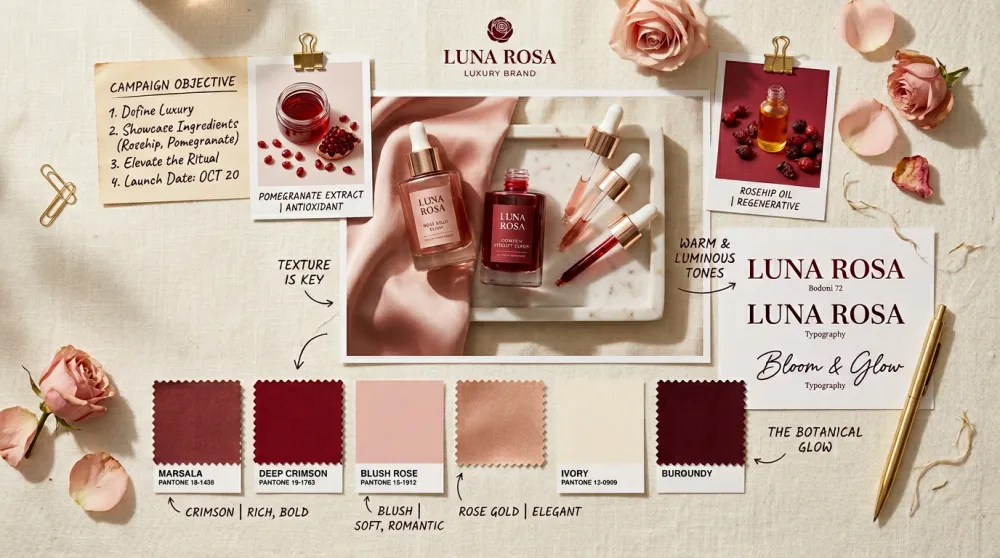
Step 1: Define the Campaign Creative Brief
Before you generate anything, document your brief: campaign goal (awareness, conversion, retention, or reactivation), target audience as a specific emotional state rather than just demographics, one core message in a single sentence, three adjectives that describe how the visuals should feel, and every deliverable format — hero banner dimensions, email header, social specs, ad sizes.
A clear brief is the difference between a cohesive campaign and a collection of unrelated images.
Step 2: Build the Campaign's Visual Anchor Image
Every campaign needs one hero image that establishes the visual language for everything else. Generate this first — it becomes the style reference for all subsequent assets.
Use this prompt structure for your hero:
[Campaign mood and tone] hero image for [brand type] campaign, [visual style: photography/illustration/3D/mixed], [color palette], [composition notes: centered/rule of thirds/dynamic], [specific visual elements], cinematic quality, wide 16:9 format suitable for hero banner

Step 3: Generate the Full Asset Suite from the Hero
Once you approve the hero direction, reference it explicitly in every subsequent prompt. Consistency comes from repeating the same visual descriptors across all formats.
Email Header Banner
Email newsletter header banner in the same visual style as [hero image description], 600px wide email-optimized format, left-aligned text area with [headline placeholder], clean layout that works in email clients, same color palette as campaign hero

Social Media Square Post
Social media post design matching [campaign visual style and palette], 1080x1080px square format, campaign visual elements adapted for square crop, space for text overlay in lower third, same mood and color temperature as hero campaign image

Vertical Story / Ad Format
Vertical 9:16 format version of [campaign visual], adapted composition for tall mobile format, key visual element repositioned for vertical crop, same color palette, CTA button area at bottom, Instagram Stories or TikTok ad format

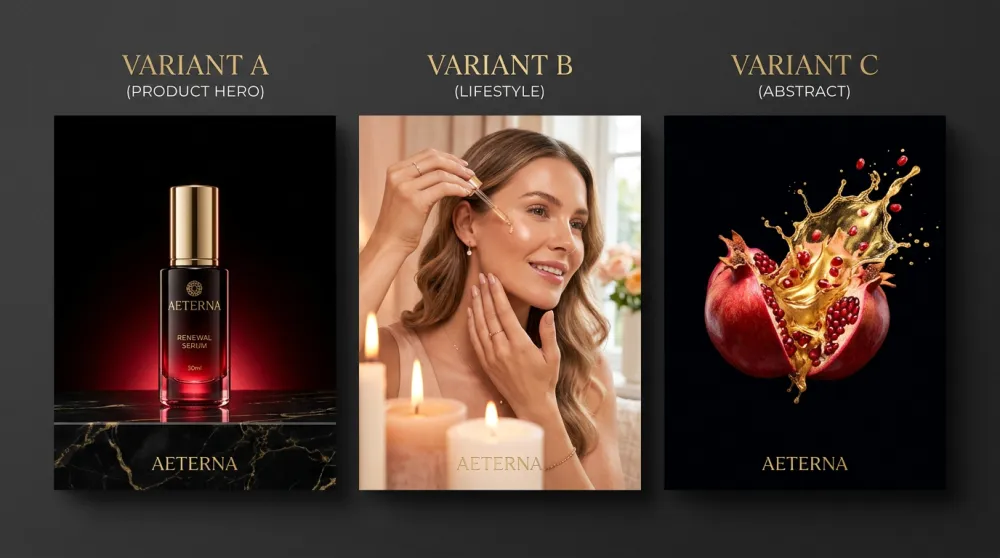
Step 4: Build A/B Test Variations
Performance campaigns require testing. Generate three variations of your hero with different emotional entry points: Variation A — product as the visual hero; Variation B — a person in an aspirational context with the product; Variation C — an abstract or conceptual representation of the emotion you're selling. All three share the same color palette and visual language. The variable is the emotional angle, not the style.
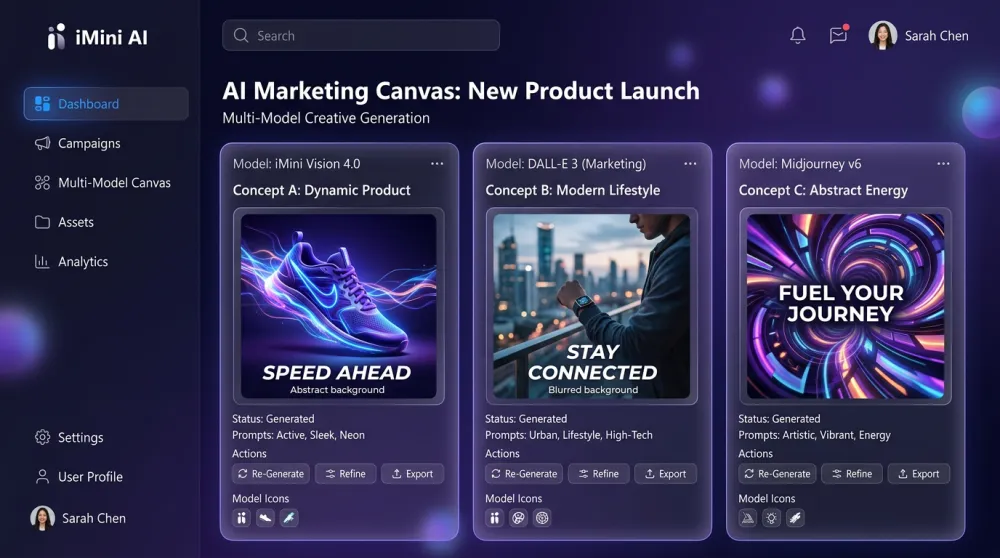
Step 5: Manage Campaign Assets in iMini AI
iMini AI's multi-model canvas is built for this workflow. Organize all campaign assets in one view, compare A/B variations side by side, and run the same prompt through Codex AI, Claude, and other models simultaneously to find the strongest output. Saved prompts let you regenerate consistent assets as the campaign evolves.
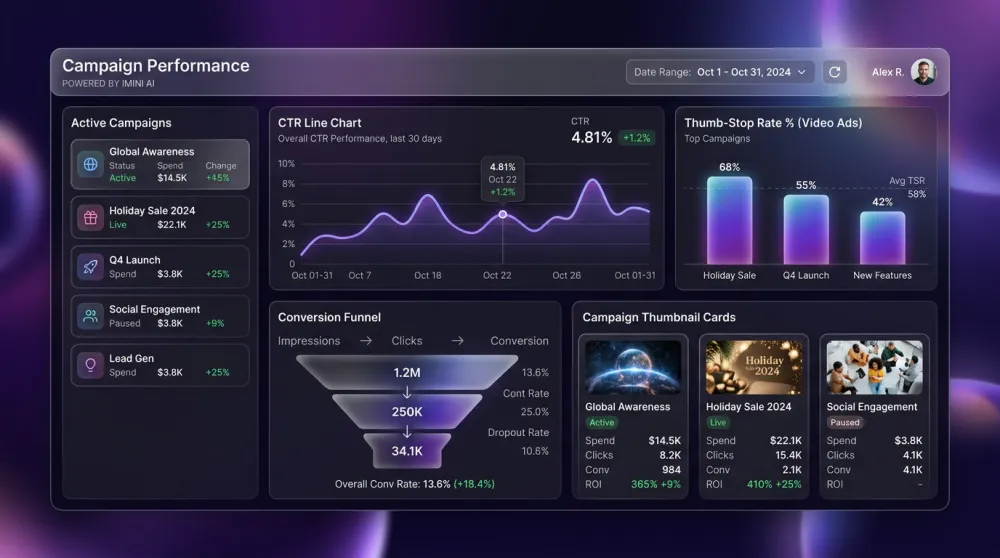
Measuring Campaign Visual Performance
Track by format: for paid ads, monitor CTR and thumb-stop rate. For email, open rate (hero image load) and click rate. For social, save rate and shares. According to HubSpot's 2026 Marketing Report, campaigns with a consistent visual system across channels perform 23% better on attribution than campaigns with inconsistent creative.
About iMini AI
iMini AI is the creative platform where Codex AI meets professional visual production. For marketing teams building Codex AI marketing campaign visuals, iMini AI accelerates every stage — brief to hero image, hero to full asset suite, generation to performance-ready output.
The multi-model canvas runs Codex AI alongside Claude, Gemini, and other leading models simultaneously, so you can compare outputs for A/B visual testing without switching tabs. Built-in image editing (background removal, upscaling, style transfer) takes raw AI output to publication-ready asset in the same workspace. Whether you're a solo marketer or a full creative team, iMini AI is the fastest path from Codex AI prompt to finished campaign visual.
Start with one clear brief, generate your hero image in Codex AI on iMini AI, then expand outward — email, social, stories, and A/B variations all follow from the same visual anchor. That's the complete Codex AI marketing campaign workflow: from blank brief to full campaign suite, measured in hours, not days.