
AI Image Prompt Engineering in 2026: A Practical Formula for Better Visuals
If your AI-generated images keep coming back blurry, generic, or just off, the problem almost certainly isn't the model — it's the prompt. Most creators treat prompts like Google searches: a few keywords, hit enter, hope for the best. The ones consistently getting scroll-stopping visuals are working from a formula. This guide gives you that formula, plus 10 copy-paste templates you can use today across every use case from blog covers to cinematic scenes.
Why Most AI Image Prompts Fail
Vague prompts produce vague images. "A person working on a laptop" could mean anything — a stock photo cliché, a cartoon, a dark cinematic still. The model doesn't know what you actually want because you haven't told it the four things that matter: what's in the frame, what it should look like, how it's lit, and what mood it should carry.
The second failure mode is over-prompting: a wall of 200 words that contradicts itself halfway through. Models interpret conflicting signals by averaging them out, which is how you end up with muddy, mid-everything images. A tight, structured prompt beats a long, chaotic one every time.
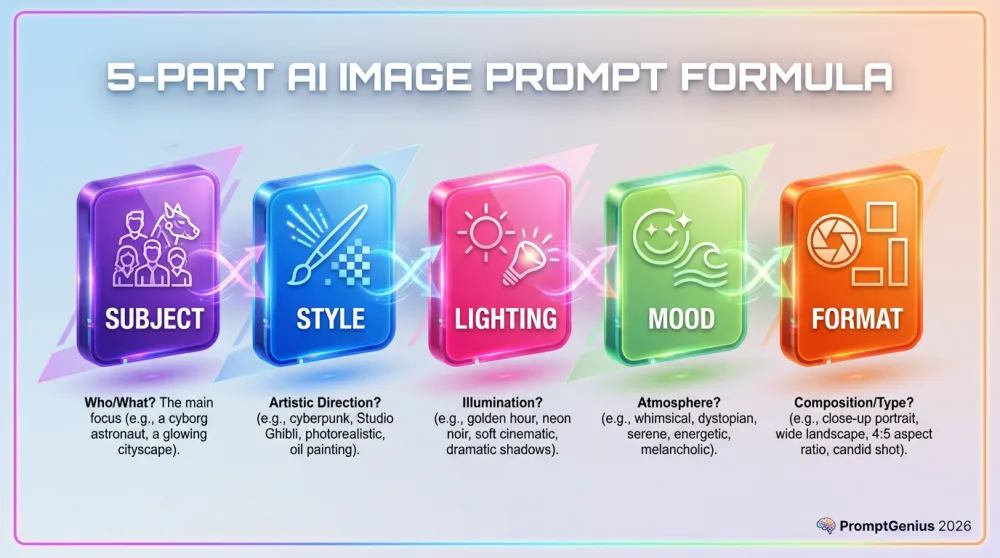
The 5-Part AI Image Prompt Formula
Every high-performing AI image prompt can be broken into five components. Master these and you can construct a strong prompt for any use case in under two minutes.
Part 1: Subject — What You Want to See
Be specific. Not "a woman" but "a Gen Z woman with curly hair and a confident expression, wearing a bright yellow jacket." Include count, appearance, and action. The more specific the subject, the less the model guesses.
Part 2: Style — How It Should Look
Name a visual reference the model can anchor to: "flat vector illustration," "hyper-realistic commercial photography," "editorial fashion photo," "Pixar 3D render." Style sets the entire visual language of the output.
Part 3: Lighting — The Mood Maker
Lighting is the single most underused lever in AI image prompt engineering. "Soft diffused daylight" produces a completely different result from "dramatic low-key studio lighting with deep shadows" — same subject, entirely different emotional impact. Always specify it.
Part 4: Composition — How to Frame It
Tell the model where to put things: "wide establishing shot," "tight close-up on the face," "rule-of-thirds framing, subject on the left third," "overhead bird's-eye view." Composition determines what the viewer's eye lands on first.
Part 5: Quality Modifiers — The Polish Layer
Close every prompt with quality signals: "ultra-sharp, 8K detail, professional color grading, cinematic depth of field, award-winning commercial photography." These push the model toward its highest outputs. They cost nothing — always include them.
10 Copy-Paste AI Image Prompt Templates
The fastest way to apply the formula is to start from a proven template and swap in your own details. Each template below is complete and ready to paste into any AI image generator. Replace the bracketed placeholders with your content and run it.
Template 1 — Blog Cover: Modern SaaS Style
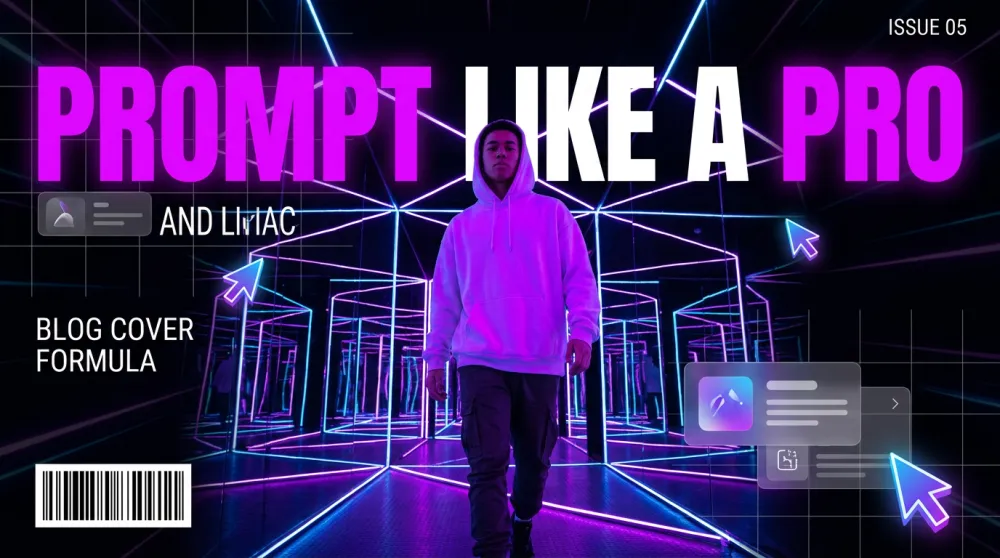
Use this for any tech or software blog. It consistently produces clean, professional covers that look like they came from a $500/hour design studio.
A [subject or scene] shown as a high-quality modern SaaS-style illustration.
Visual style: clean flat vector art with subtle 3D depth, glassmorphism UI elements, isometric perspective.
Color palette: [2-3 colors, e.g. "deep purple, electric blue, and white"].
Lighting: soft ambient glow with gentle depth-of-field blur on background elements.
Composition: centered subject, clean negative space on [left/right] side for text overlay.
Mood: professional, forward-thinking, confident.
Quality: ultra-sharp vector lines, 16:9 aspect ratio, professional SaaS marketing aesthetic.

Subject/Scene: [YOUR BLOG TOPIC VISUAL]
Primary color: [YOUR BRAND COLOR]
Template 2 — Product Hero Shot
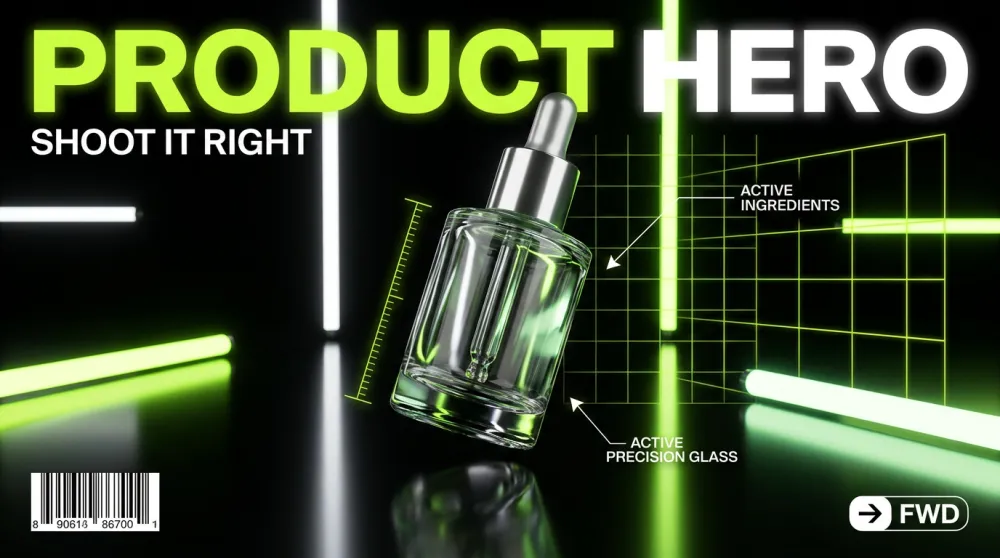
For ecommerce listings, landing pages, or any time you need a product to look aspirational and click-worthy.
A [product name] photographed in a [setting, e.g. "minimalist white studio"].
Style: hyper-realistic commercial product photography, shot with a high-end DSLR, crisp focus on product.
Lighting: [e.g. "soft box studio lighting with subtle rim light"].
Composition: product centered, slight three-quarter angle, floating above surface with soft shadow.
Background: [e.g. "pure white" or "blurred bokeh lifestyle environment in matching brand colors"].
Mood: premium, desirable, trustworthy.
Quality: 8K product photography, commercial-grade retouching, zero noise, studio-perfect exposure.

Product: [PRODUCT NAME]
Setting: [STUDIO / OUTDOOR / LIFESTYLE]
Brand colors: [YOUR COLORS]
Template 3 — Social Media Portrait
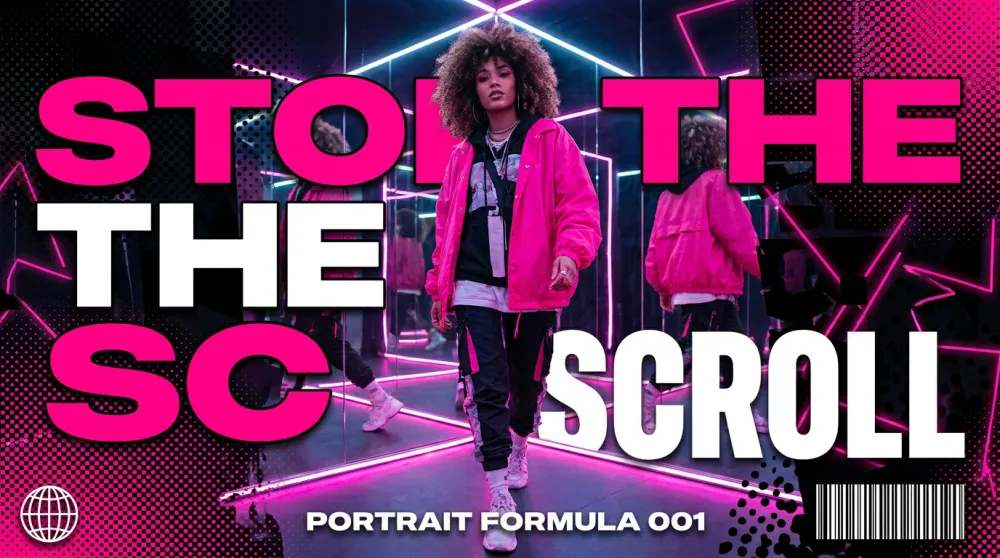
A people-forward image that stops the scroll on Instagram, LinkedIn, or anywhere faces perform better than objects.
A [description of person: age, style, expression] in a [setting].
Style: [e.g. "editorial lifestyle photography" or "vibrant Gen Z social media aesthetic"].
Outfit: [describe clothing and colors that match your brand palette].
Lighting: [e.g. "bright natural daylight, slightly overexposed for an airy feel"].
Composition: portrait orientation, face fills top half of frame, expressive eyes sharp in focus.
Background: [e.g. "soft pastel pink bokeh" or "graphic color block in brand color"].
Mood: [e.g. "confident, joyful, authentic"].
Quality: fashion magazine photo quality, skin texture preserved, no airbrushing artifacts.

Person description: [YOUR SUBJECT]
Brand aesthetic: [DESCRIBE YOUR VISUAL IDENTITY]
Template 4 — YouTube Thumbnail
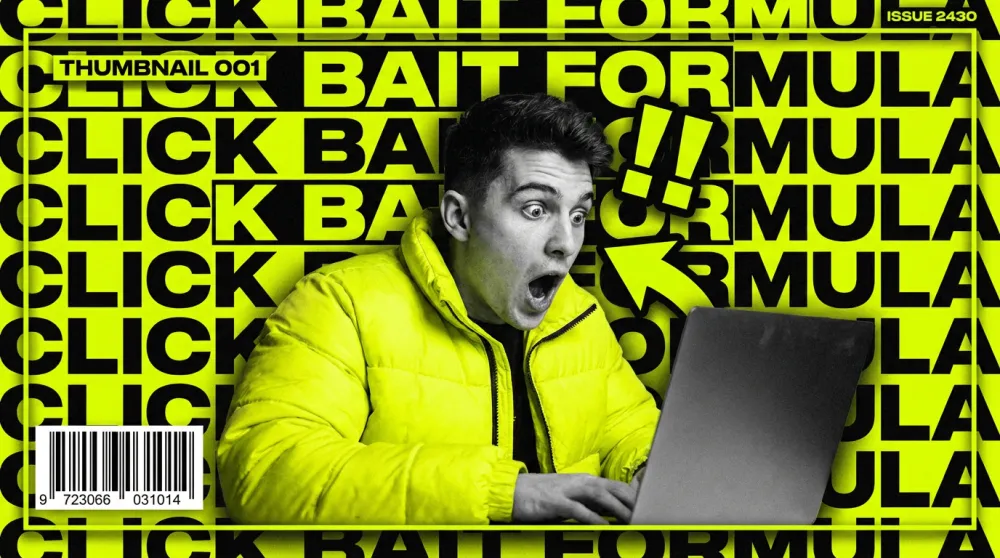
Thumbnails live or die by contrast and emotional intensity. This template is tuned for maximum click-through.
A [subject or scene] designed as a high-impact YouTube thumbnail.
Style: bold graphic design fused with photorealistic photography, strong visual contrast.
Key elements: [main subject] + [secondary element: e.g. "large bold text overlay"].
Color palette: [high-contrast colors, e.g. "neon yellow, black, and white"].
Lighting: dramatic, high-contrast — no soft naturalistic looks.
Composition: rule of thirds, subject on [left/right], graphic element on opposite side. 16:9 ratio.
Text overlay: "[YOUR BOLD HEADLINE IN 3-5 WORDS]" in thick block font.
Mood: urgent, surprising, high-energy.
Quality: crisp edges, ultra-saturated, thumbnail-optimized contrast.

Main subject: [DESCRIBE THE KEY VISUAL]
Headline text: [3-5 WORD HOOK]
Template 5 — Flat Vector Illustration
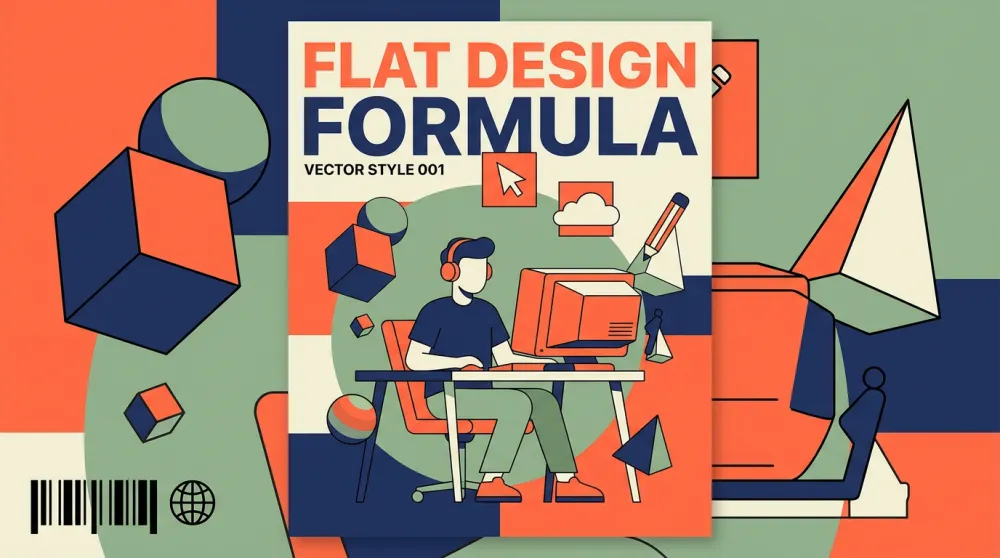
For infographics, explainer articles, or any content that needs a clean, friendly, non-photographic visual.
A flat vector illustration of [subject or concept].
Style: modern flat design with subtle 2.5D depth, clean geometric shapes, no heavy gradients.
Color palette: limited to 4-5 colors — [your palette, e.g. "coral, navy, cream, and sage green"].
Characters (if any): simple stylized figures with rounded features, diverse representation.
Composition: [e.g. "isometric layout" or "centered hero with supporting elements around it"].
Background: flat [color, e.g. "off-white"].
Mood: approachable, clear, informative.
Quality: vector-precision lines, print-ready quality, scalable flat design aesthetic.

Subject/Concept: [WHAT TO ILLUSTRATE]
Use case: [BLOG / INFOGRAPHIC / PRESENTATION]
Template 6 — 3D Character Illustration
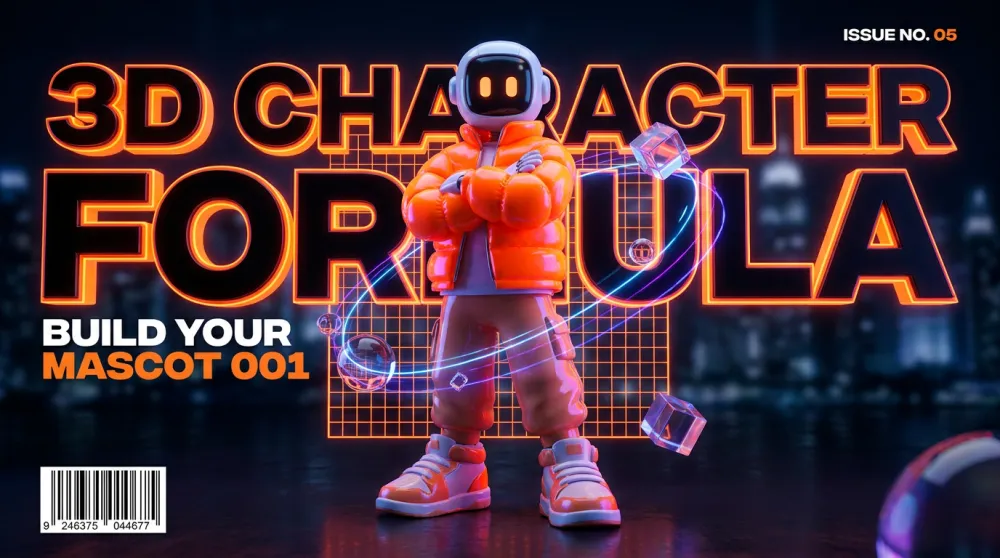
For mascots, explainer visuals, or any brand asset that needs personality and warmth without live photography.
A 3D character illustration of [character description].
Style: Pixar/Blender 3D render — soft subsurface scattering, realistic material textures, expressive features.
Lighting: three-point studio lighting — key light from [left/right], soft fill, rim light for depth.
Character design: [specific details: outfit, color, proportions].
Expression: [e.g. "warm smile, eyes slightly squinted with joy"].
Pose: [e.g. "three-quarter turn, one hand raised in greeting"].
Background: [e.g. "soft gradient from light blue to white"].
Mood: friendly, approachable, brand-safe.
Quality: render-quality 3D, clean anti-aliasing, professional character design.

Character: [DESCRIBE YOUR CHARACTER]
Brand colors: [YOUR COLORS]
Template 7 — Brand Lifestyle Ad
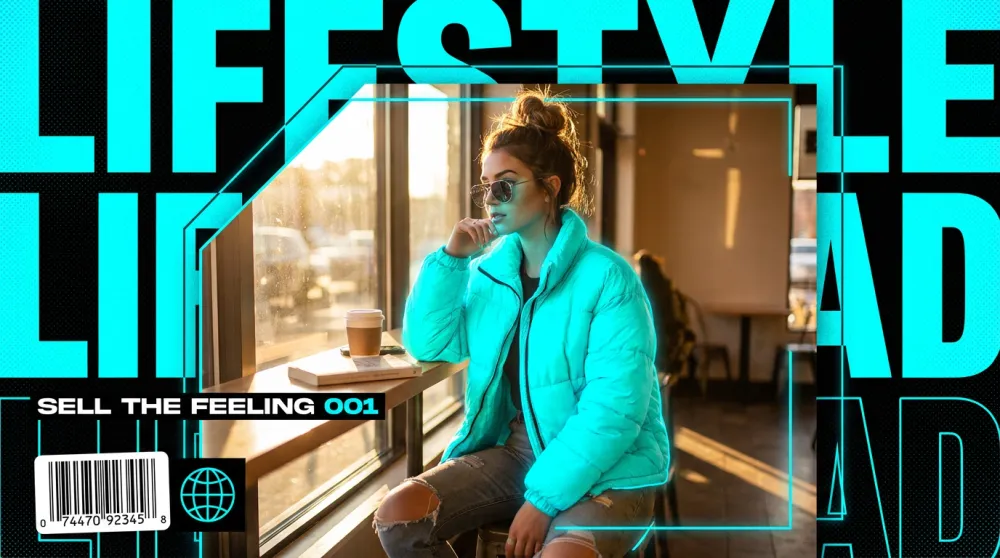
When you need an image that sells a feeling, not a product spec. Perfect for social ads, hero banners, and email headers.
A lifestyle advertisement image for [brand or product category].
Style: high-end commercial photography with subtle graphic design elements — think Glossier or Apple campaign aesthetic.
Scene: [describe the lifestyle scenario, e.g. "young professional enjoying morning coffee in a bright apartment"].
Subject interaction: person naturally engaging with [product or concept] — never posed stiffly.
Color palette: [brand palette].
Lighting: [e.g. "golden morning window light, soft and warm, slight lens flare"].
Composition: wide shot, subject occupies left two-thirds, negative space for text on right.
Mood: [e.g. "aspirational, calm, modern luxury"].
Quality: fashion editorial quality, natural skin tones, zero stock photo feel.

Brand/Product: [YOUR BRAND]
Lifestyle moment: [DESCRIBE THE SCENE]
Template 8 — Tech Infographic
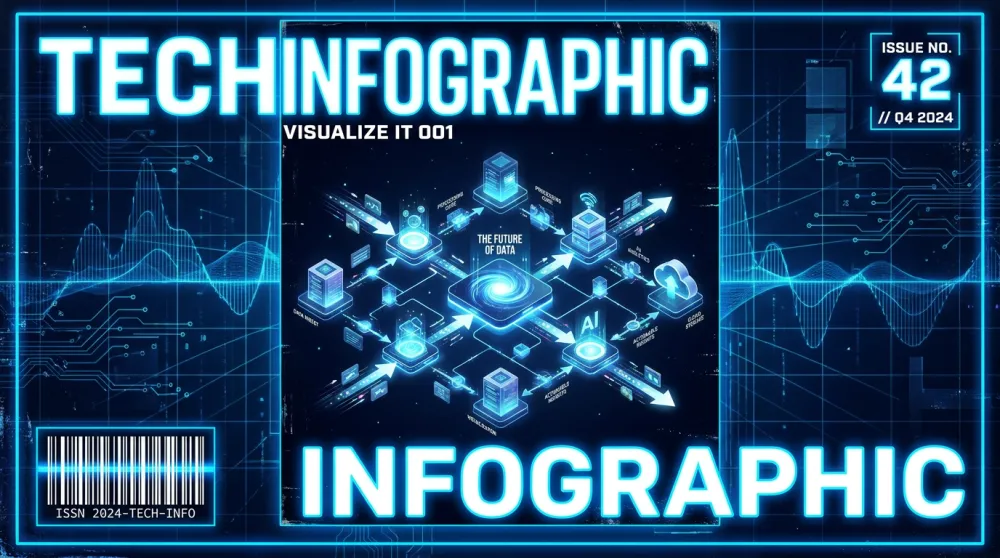
For explainers, how-it-works diagrams, or any visual that needs to communicate a system or process clearly.
A technical infographic of [subject or process].
Style: isometric 3D illustration combined with flat icon elements and bold typographic labels.
Layout: [e.g. "horizontal flow left to right" or "circular process diagram"].
Color coding: each step uses a distinct color from: [your palette].
Elements: labeled icons representing [list key concepts or steps].
Typography: bold sans-serif for step names, smaller weight for descriptions.
Lines/connectors: clean arrows showing flow/relationships.
Background: [e.g. "deep navy" or "clean white"].
Mood: authoritative, clear, modern.
Quality: crisp vector-style precision, professional data visualization aesthetic.

Topic: [YOUR SUBJECT OR PROCESS]
Number of steps: [NUMBER]
Template 9 — Editorial Fashion
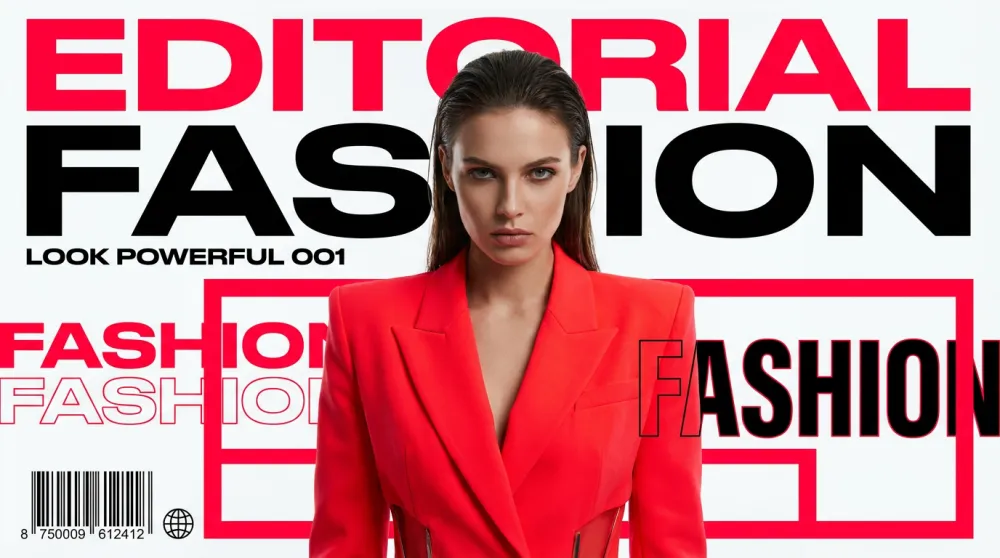
For fashion brands, creative agencies, or any content that needs a strong editorial aesthetic and commanding visual presence.
An editorial fashion photograph of [subject].
Style: high-fashion editorial — referencing [style direction, e.g. "Vogue Italia minimalism" or "Y2K Dazed and Confused aesthetic"].
Outfit: [describe clothing in detail — silhouette, fabric, color, key styling details].
Lighting: [e.g. "dramatic single-source key light casting bold shadows"].
Makeup/Hair: [e.g. "bold graphic liner, slicked-back hair"].
Pose: [e.g. "confrontational direct gaze, slight chin tilt, strong posture"].
Background: [e.g. "stark white studio" or "brutalist concrete"].
Composition: full-length portrait, centered, generous breathing room around subject.
Mood: [e.g. "powerful, avant-garde, unapologetic"].
Quality: medium-format editorial quality, razor-sharp clothing texture, fashion-week production level.

Subject: [DESCRIBE PERSON / MODEL TYPE]
Style direction: [YOUR AESTHETIC REFERENCE]
Template 10 — Cinematic Scene
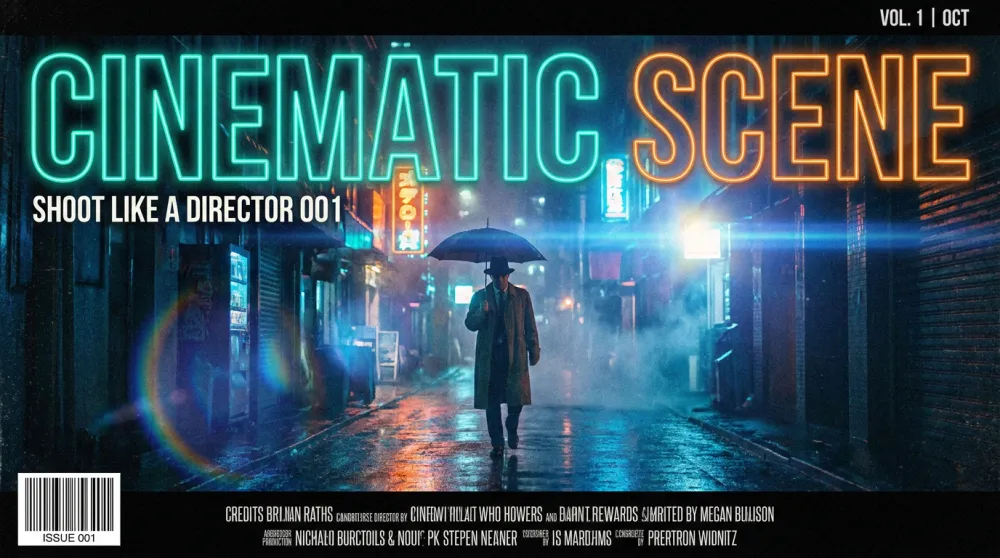
For storytelling visuals, film-inspired content, or any image that needs to feel like a still from a blockbuster or indie film.
A cinematic still from [genre: e.g. "a near-future sci-fi thriller" or "a warm indie drama"].
Scene: [describe what's happening, e.g. "a lone figure stands at the edge of a rain-soaked rooftop, city lights blurred below"].
Lighting: [e.g. "moody blue-teal color grade, practical neon signs providing fill light"].
Camera: anamorphic lens, shallow depth of field, slight lens flare on light sources, 2.39:1 aspect ratio.
Color grade: [e.g. "teal and orange Hollywood blockbuster grade"].
Atmosphere: [e.g. "heavy rain, atmospheric fog, wet reflective ground"].
Composition: wide establishing shot, subject small against environment, emphasizing isolation.
Mood: [e.g. "tense, melancholic, epic"].
Quality: IMAX-quality cinematography, film grain texture, anamorphic bokeh.

Genre: [YOUR FILM GENRE]
Scene description: [WHAT'S HAPPENING]
3 Prompt Mistakes That Kill Your Results
Mistake 1 — Contradicting yourself. "A photorealistic 3D cartoon illustration" tells the model three different styles at once. It averages them into something that is none of those things. Pick one visual language and commit to it.
Mistake 2 — Skipping the lighting spec. Most creators jump from subject straight to quality modifiers and miss lighting entirely. It's the step that makes the biggest single difference. An image with great lighting looks professional. The same image with undefined lighting looks like clip art.
Mistake 3 — No composition direction. Without framing guidance, models default to centered, mid-distance compositions — safe but rarely striking. "Wide shot, subject in the right third, dramatic sky filling the left two-thirds" turns a snapshot into a photograph.
The iMini AI Advantage: Where These Prompts Come to Life
A great prompt is only as good as the model running it. iMini AI runs the most capable image generation models available — including Nano Banana Pro and Seedream 4.0 — inside a single interface where you can iterate, compare, and refine in real time without switching tabs.
The infinite Canvas is particularly powerful for AI image prompt engineering workflows: keep your prompt templates on one side, generated outputs on the other, and iterate directly. When a template from this guide produces something close but not perfect, you're two edits away — not twenty. Paste any of the 10 templates directly into iMini AI and see the difference a structured prompt makes.
About iMini AI
iMini AI is an all-in-one AI creation platform for modern creators and marketers. It brings together best-in-class image generation models (Nano Banana Pro, Seedream 4.0), video generation (Sora 2, Kling, Seedance), and multi-model access to Claude, GPT, and Gemini in a single workspace. The infinite Canvas lets you plan, generate, compare, and publish without friction. Start free at imini.com.
Summary
Better AI images come from better structure, not longer prompts. The 5-part formula — Subject, Style, Lighting, Composition, Quality Modifiers — works across every model and every use case. The 10 templates above are your starting library: pick the one that matches your next project, fill in the placeholders, and see what a well-structured AI image prompt can actually do.