
AI Creative Asset Generator: Scale Marketing in 2026
May 25, 2026
Marketing teams are expected to produce more creative variations than ever—across more channels, in more formats, faster than before. An AI creative asset generator changes that equation: instead of one hero image per campaign, you can generate dozens of production-ready variations before your morning standup. This guide shows you exactly how to build that workflow with iMini AI.
Why AI Creative Asset Generators Are Reshaping Modern Marketing
According to research from Think with Google, 33% of marketers already use AI tools inside their creative workflows. Teams that make the shift report generating up to 6× more asset variations per campaign—without increasing headcount or creative budgets.
The real shift isn't just speed. It's leverage. AI handles the repetitive work—resizing, recoloring, generating language variations—so your creative team focuses on the decisions that actually require human judgment: strategy, tone, and storytelling.
What used to take a full design sprint over several days can now happen in a single afternoon session.
Generate Professional Marketing Images at Scale
Image production is where most creative bottlenecks begin. With iMini AI's image generation suite—powered by models including Nano Banana Pro and Seedream 4.0—you can go from a creative brief to a set of polished, production-ready visuals in minutes.
Here's what separates AI-generated assets from stock photography:
- Brand consistency at volume: Generate 10–20 image variations from a single prompt, all maintaining the same visual style, color palette, and compositional tone. No two look identical, but all look on-brand.
- Multilingual text in visuals: Need the same campaign banner localized for English, Japanese, and Traditional Chinese? iMini AI generates all three without a separate design handoff.
- Faster A/B testing: Instead of committing to one hero image, generate five variations in a session, run them simultaneously, and let audience data tell you which one wins.
The goal isn't to replace your creative director—it's to give them ten strong options by 10 AM instead of one option on Friday.
Turn Static Images Into Video Content—Without a Production Budget
Strong images are the starting point. Video is where engagement multiplies. According to Wyzowl's annual video marketing report, 91% of businesses now use video as a core marketing tool—but production cost and turnaround time remain the top barriers for smaller teams.
iMini AI's video generation tools—including Sora 2, Kling, and Seedance—let you animate existing images into short-form video content optimized for social ads, YouTube Shorts, and digital campaigns.
The workflow is straightforward:
- Generate your key image with iMini AI's image tools
- Upload it to iMini's video generator
- Write a short motion prompt describing the scene and movement
- Export and distribute across your channels
What previously required a videographer, a location, and two weeks of post-production now takes an afternoon—and the output is ready for paid media the same day.
Coordinate Multi-Format Campaigns with iMini AI Canvas
Generating individual assets is one thing. Keeping a full campaign visually coherent across formats is another challenge entirely.
iMini AI's Canvas feature brings image generation, text, and video tools into a single collaborative workspace. Think of it as a campaign command center where you can draft copy and generate matching visuals side by side, iterate on multiple creative directions simultaneously, and share the workspace with your team for review—all without exporting files or switching tools.
This is especially valuable for campaigns that need a hero image, three supporting social posts, a 15-second video, and a landing page banner—all with the same look and feel. Canvas keeps everything connected so nothing drifts off-brand between handoffs.
A Four-Step Framework for AI-Powered Creative Campaigns
Getting results from an AI creative asset generator isn't just about hitting "generate." The highest-performing AI-assisted campaigns tend to follow the same four-step logic:
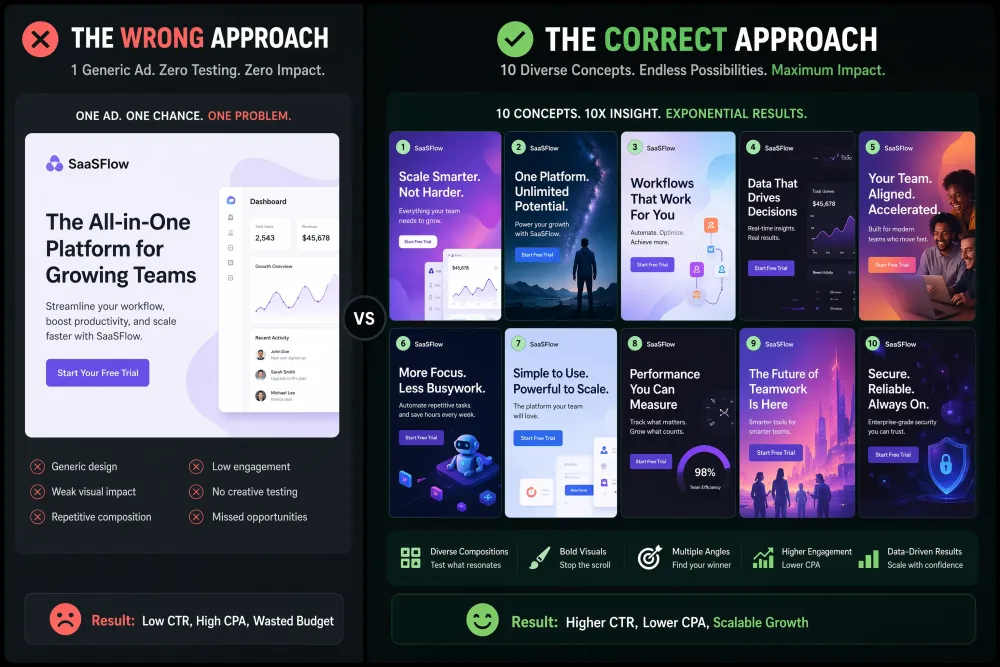
1. Attract — Generate More Options Up Front
Start every campaign by generating at least five to ten visual variations. More options at the start means richer A/B test data later—and a higher probability that one execution lands. Resist the temptation to lock in a single direction too early.
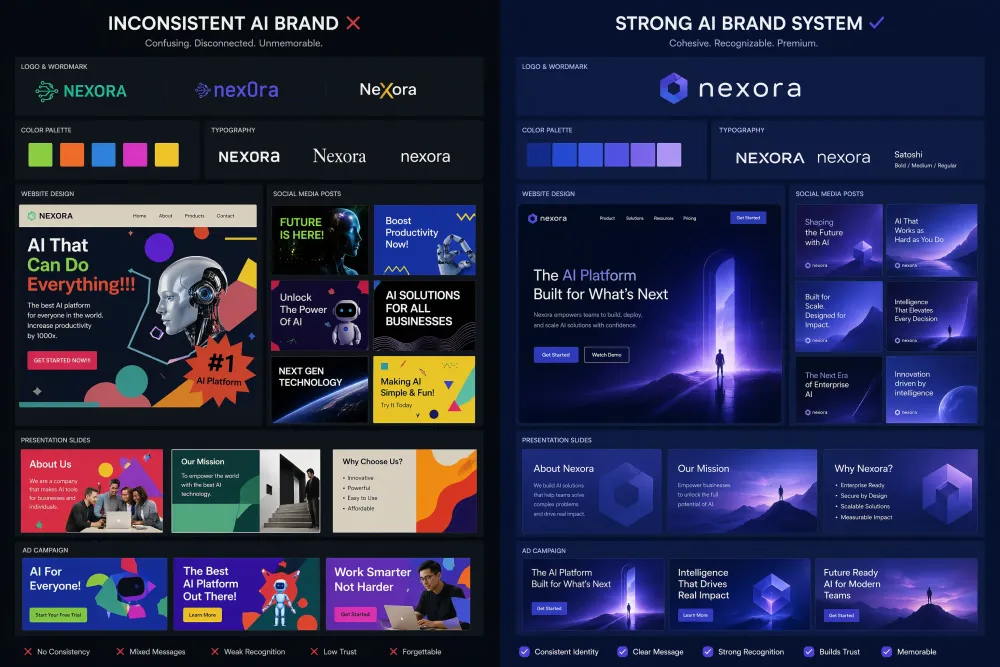
2. Brand — Set Your Style Parameters Once
Define your visual identity in your prompts—color palette, composition style, lighting tone—and reuse those parameters across every asset. Consistency compounds: audiences begin recognizing your visual language before they read your headline.
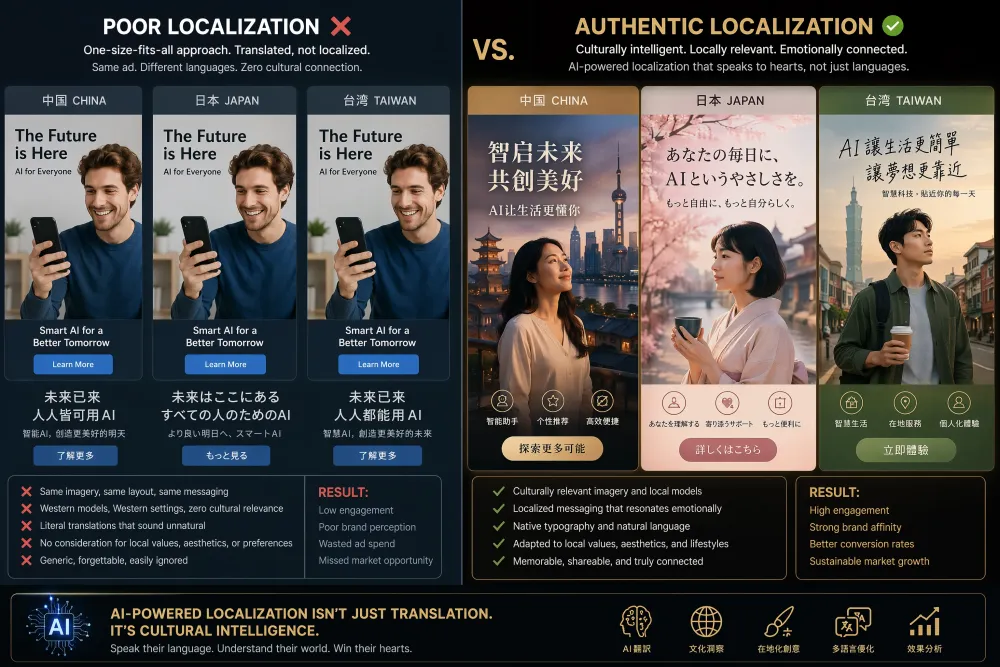
3. Connect — Localize for Each Market
A campaign visual that converts in the US may need a completely different aesthetic for Japan or Taiwan. Use iMini AI's multilingual generation and culturally aware prompting to serve visuals that feel local—not translated.
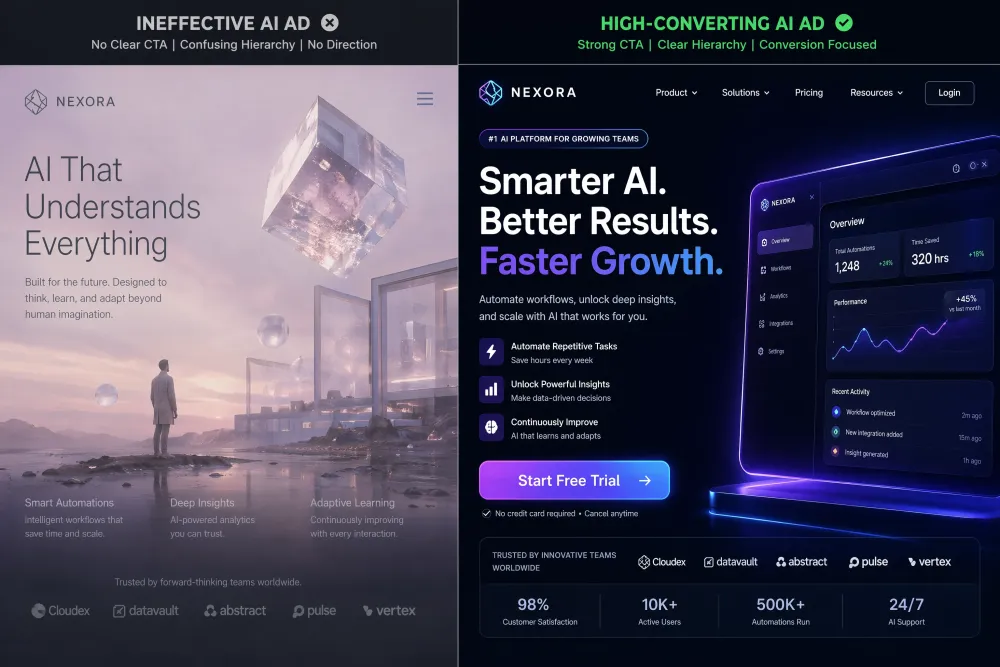
4. Direct — Build the CTA Into the Prompt
Every creative asset should point somewhere. Whether it's a product page, a free trial, or a limited offer—make sure your call to action is specified at the prompt level, not added as an afterthought in post.
Best Practices for Scaling Creative Output Without Losing Quality
Volume only matters if the quality holds. These three practices keep standards high as production scales:
- Build a prompt library: Save your best-performing prompts and reuse them across campaigns. Consistent prompts produce consistent output—and your library becomes a brand asset in itself over time.
- Review in batches: Generate ten options at once and evaluate them together. Comparing variations side by side lets you spot outliers and identify patterns in what works much faster than reviewing one at a time.
- AI generates, humans decide: AI produces the options. Your team selects the winner and writes the final brief. This division keeps the creative voice human even when the production pipeline is automated.
If your team is still spending most of its creative energy on production instead of strategy, the tools have caught up—and the gap is growing. Start scaling smarter with iMini AI today.