

Vibrant & Trendy Instagram Social Frame Aesthetic Template AI Image Generator
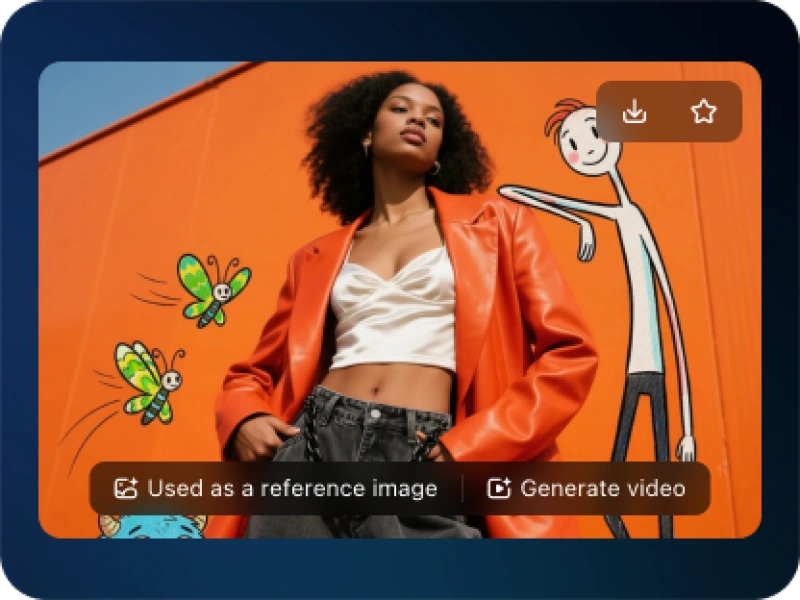
Vibrant & Trendy Instagram Social Frame Aesthetic Template AI Generator: Make trendy, immersive Instagram-style frame portraits easily.
Sign up to unlock daily free generations
Vibrant & Trendy Instagram Social Frame Aesthetic Template GALLERY
THREE SIMPLE STEPS TO CREATE
FREQUENTLY ASKED QUESTIONS
What is iMini AI?
iMini is your personal Al assistant. It supports LLM conversations, and can generate slides, Al-powered docs, images/videos with one prompt-saving hours per project and boosting productivity.
What are the advantages of iMini AI?
It aggregates full-category Agent services with the innovative "Super iMini Agent" model. All needs are solved via one chat interface, no tool switching required.
How to use iMini AI?
Describe your needs in text (e.g., "Create a new energy slide with market data"), send it, and iMini generates results quickly—simple to operate.
Why choose iMini AI?
One Max membership delivers productivity close to 4 regular employees - creating 70 presentations monthly. slides creation, deep research, report writing take only ~10 mins, saving 5 hrs on average.
What is Vibrant & Trendy Instagram Social Frame Aesthetic Template AI Generator?
Vibrant & Trendy Instagram Social Frame Aesthetic Template AI Generator is a specialized design tool that uses AI to automatically create customizable “frames” or templates for your Instagram content. These frames add stylish borders, backgrounds, text overlays, and graphic elements around your photos or videos, ensuring they have a cohesive, professional, and on-brand look perfect for Instagram’s feed, stories, and reels.
Can I customize the frame with my brand colors, logo, and fonts?
Yes, advanced generators offer deep customization. You can typically input:
Brand Color Palette: Set primary and secondary colors that the AI uses for borders, shapes, and text.
Logo Upload: Place your logo in a consistent position (e.g., corner, watermark).
Font Selection: Choose from a library or specify font styles for headings and body text that match your brand identity.
Recurring Motifs: Incorporate brand patterns or icons into the frame design.
How does the AI ensure the frame complements my photo and doesn’t hide important content?
The AI is designed with composition awareness. It typically places your photo/video in a prominent, central “content zone.” Decorative elements, text blocks, and borders are arranged to frame and highlight your media, not compete with it. For Stories/Reels, it adds padding to keep critical info away from edges and interactive elements.
Can I generate a batch of frames with the same style for a content calendar?
Yes, this is a key productivity feature. You can define a style (e.g., “Modern minimalist with blue accent and thin border”), and then generate multiple frames at once, each ready for you to drop in a different photo. This ensures visual consistency across your weekly or monthly posting schedule.