
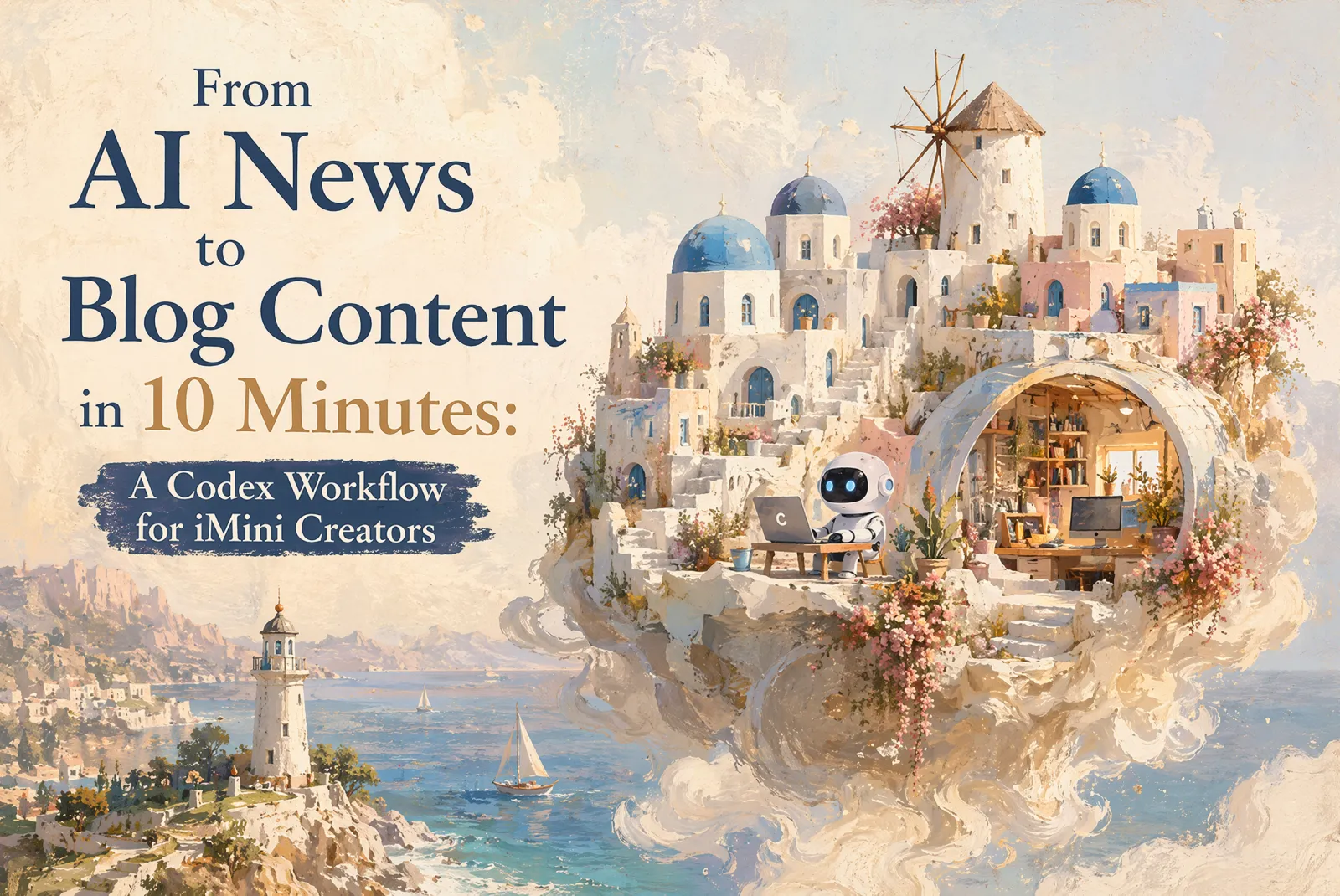
From AI News to Blog Content in 10 Minutes: A Codex Workflow for iMini Creators
Published on July 14, 2026
AI news is useful only when it becomes something your audience can act on. A model release, a copyright debate, or a new image-generation tool may be interesting on its own, but a creator still has to turn it into a clear angle, a readable article, and visuals that match the brand.
This is the workflow I am using now: Codex handles research, topic selection, outlining, and article drafting; iMini helps turn the article into visual material by borrowing style direction from the iMini Inspiration Community. The goal is not to make a generic news recap. The goal is to turn a fast-moving AI headline into a blog post that is useful, brand-aware, and ready to publish.
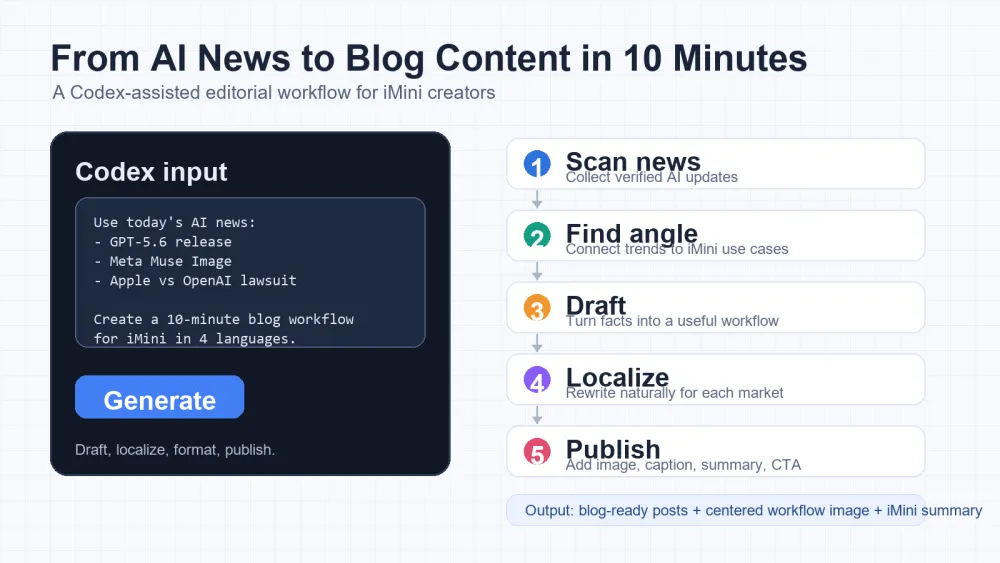
Workflow Overview
The full process has five parts. First, ask Codex to find AI news through media sources or search. Second, ask Codex to pick topics that connect naturally with your brand. Third, generate the article with a clear structure. Fourth, use the iMini Inspiration Community to choose an image style and ask Codex to call iMini's image-generation tool. Fifth, create a cover with a title-aware prompt.
For this example, the news pool can include topics such as new model releases, image-generation updates, AI hardware disputes, model distillation, and copyright conversations. The exact news changes every day, but the workflow stays reusable.
1. Ask Codex to Find AI News
Start by asking Codex to search broadly, but not endlessly. The output should be a short intelligence brief, not a pile of links. Ask for the source, why it matters, and possible creator angles.
Find today's important AI news from reliable media sources or search. Focus on model releases, image/video generation, AI creator tools, copyright, lawsuits, and practical workflow changes.\n\nReturn 8-12 items. For each item, include:\n- headline\n- source and date\n- one-sentence summary\n- why it matters to creators or marketers\n- possible blog angles for iMiniThis prompt keeps the research useful. It asks Codex to think like an editor, not just a collector. You can run it every morning and quickly see which topics have enough energy to become content.
2. Pick a Brand-Relevant Topic
After the news scan, do not write immediately. Ask Codex to filter the news through your brand. For iMini, the best angles usually connect AI news with creation, visual workflows, prompt design, image style exploration, or multi-language publishing.
From the AI news list above, choose the topics that fit the iMini brand best.\n\nFor each recommended topic, provide:\n- blog title\n- slug\n- core theme\n- target reader\n- article format, such as tutorial, trend analysis, workflow guide, opinion piece, or tool comparison\n- why this topic fits iMini\n- which news items should be woven into the article\n\nRank the top 5 topics and recommend the strongest one.This second prompt is where the article becomes strategic. A general AI story becomes a brand story only when it helps the reader understand what they can create, test, or publish next.
3. Generate the Article
Once the topic is selected, ask Codex to draft the article directly. Give it the title, slug, audience, structure, and the news items that should be woven into the piece. The important instruction is to make the news serve the workflow, rather than letting the article become a list of headlines.
Write a publish-ready blog article for iMini using the selected topic.\n\nRequirements:\n- Do not include an H1 in the body because the CMS already has the title field.\n- Use H2 and H3 sections.\n- Make the article practical and workflow-based, not a generic news recap.\n- Weave in the selected AI news naturally as examples.\n- Include copyable prompts where useful.\n- Add an About iMini section near the end.\n- Add a Summary section at the end.\n- Keep the language natural for the target locale.\n\nTitle: [paste title]\nSlug: [paste slug]\nAudience: [paste audience]\nFormat: [paste format]\nNews items to include: [paste selected news]At this stage, Codex should produce a complete article with a clear flow: why the topic matters, how the workflow works, what prompts to use, and how iMini fits into the final creative step.
4. Use iMini Inspiration Community for Article Images
The article should not rely on generic visuals. Open the iMini Inspiration Community, browse image styles, and choose a style that fits the article. Copy the style reference or description, then send it to Codex and ask it to call iMini's image-generation tool.
Use this iMini Inspiration Community style reference as the visual direction for the article images:\n\n[paste the copied image style or reference here]\n\nGenerate article images that match this style. Adjust composition, color, aspect ratio, and text placement so the images work inside a blog post. After generation, insert the final image URLs back into the article body at the right sections. Use centered images at 50% width.This is where iMini makes the workflow feel complete. The image style comes from a real visual direction you already like, while Codex helps package the request and place the finished images back into the article.
5. Create the Cover with a Title-Aware Prompt
The cover needs a stronger prompt because it has to communicate the article topic immediately. The easiest method is to choose a cover style from the iMini Inspiration Community, then combine it with a reusable cover prompt.
Use this iMini Inspiration Community style reference as the cover direction:\n\n[paste the copied cover style or reference here]\n\nUniversal cover prompt:\n"Top 8 AI Visual Workflows for Creators in 2026\n\nGenerate a cover based on this title. The cover must include this exact title text. Use the image style from my screenshot as reference. Do not use the same person; use a different subject. Do not make it black and white. Do not translate proper nouns."\n\nNow adapt the cover to the current blog title and generate a polished blog cover.You can replace the example title with the current article title, or keep the original wording when creating a visual reference for the broader iMini content series. The key is to tell the image model what text must appear, what style to follow, and what to avoid.
How This Workflow Fits Real Publishing
The strongest part of this process is that each step has a clear handoff. Codex turns open-ended news into structured decisions. iMini turns the article's visual direction into images and covers. The CMS receives a post that already has title, slug, summary, SEO description, body, and visuals.
That means the creator spends less time staring at a blank page and more time making editorial choices: which angle matters, which visual style fits, and which version is ready to publish.
About iMini
iMini is an AI creative workspace for turning ideas, prompts, and references into visual content. Creators can explore inspiration, generate images, refine styles, and build repeatable visual workflows for blogs, social posts, campaigns, and product storytelling.
Summary
A fast AI-news workflow does not start with writing. It starts with research, filtering, and brand alignment. Ask Codex to find the news, choose the topic, and draft the article. Then use the iMini Inspiration Community and iMini image generation to create article visuals and a cover. The result is a blog post that feels timely, useful, and ready to publish.
FAQ: AI Overview
Why use Codex for AI news content?
Codex can turn scattered news into an organized brief, then help choose the strongest brand-relevant angle before drafting.
Why use iMini for the visuals?
iMini helps creators move from a style reference to usable article images and covers, which makes the post feel more complete.
Should every AI news item become a blog post?
No. The best topics are the ones that connect news with a reader problem, a creative workflow, or a product use case.