
AI 圖片提示詞工程 2026:生成更好視覺的實用公式
如果你生成的 AI 圖片一直模糊、千篇一律,或就是哪裡不對勁,問題幾乎不是模型,而是提示詞的寫法。大多數人把提示詞當搜尋引擎用——打幾個關鍵字、Enter、碰運氣。那些每次都能生出讓人眼睛一亮的畫面的人,靠的是一套固定公式。這篇指南把公式交給你,加上 10 個可以直接複製的模板,涵蓋部落格封面、產品圖、社群人像到電影場景。
為什麼大多數 AI 圖片提示詞都不成功
語意模糊的提示詞只會生出模糊的結果。「一個人在用電腦」可以是任何東西——老掉牙的圖庫照、卡通插圖、陰暗的電影靜幀。模型不知道你真正想要什麼,因為你沒有告訴它那四件關鍵的事:畫面裡有什麼、整體風格是什麼、光線怎麼打、想傳達什麼情緒。
第二個常見錯誤是「提示詞寫太多」:洋洋灑灑兩百字,中途自相矛盾。模型碰到衝突訊號會取折中,最後生出一張什麼都沾一點、什麼都不像的圖。結構清晰的短提示詞,永遠比混亂的長提示詞強。
AI 圖片提示詞的五段式公式
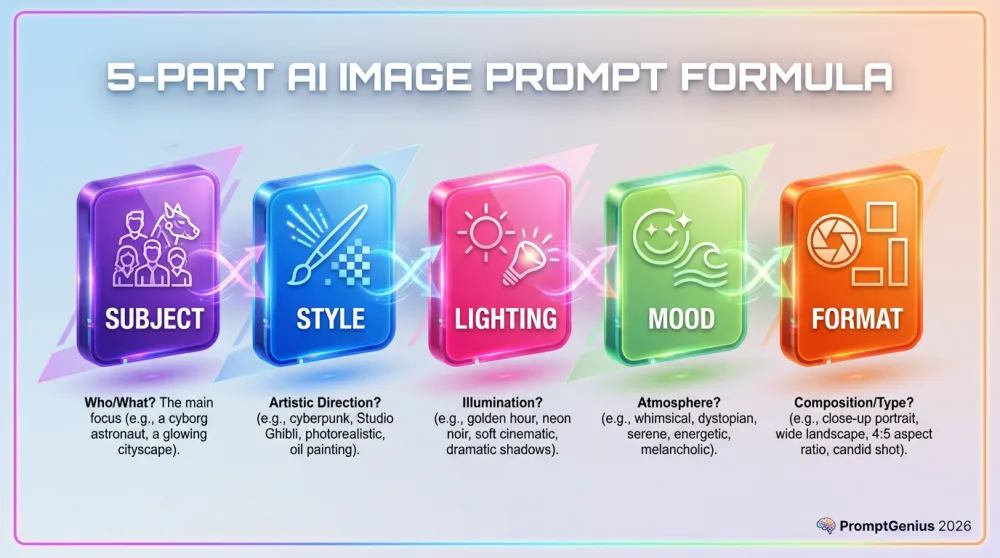
所有效果出色的 AI 圖片提示詞,都可以拆成五個部分。掌握這五段,任何場景兩分鐘內就能寫出強力提示詞。
第一段:主體——你想看到什麼
要寫得具體。不是「一個女人」,而是「一個有捲髮、神情自信、穿亮黃色夾克的 Z 世代女生」。包含數量、外觀特徵、正在做什麼。主體越具體,模型需要猜測的就越少。
第二段:風格——整體視覺感要怎樣
給模型一個明確的視覺參照:「平面向量插圖」、「超寫實商業攝影」、「時尚雜誌編輯風」、「Pixar 3D 渲染」。風格決定整張圖的視覺語言,是最不能省略的一段。
第三段:光線——氛圍的核心
光線是提示詞工程裡最常被忽略、但影響最大的變數。「柔和的漫射自然光」和「戲劇性的低調側燈加深陰影」——同樣的主體,情緒完全不同。一定要寫清楚。
第四段:構圖——怎麼安排畫面
告訴模型元素要怎麼擺:「遠景全場景」、「面部特寫」、「三分法,主體在左三分之一」、「正上方俯視角」。構圖決定觀者的目光第一眼落在哪。
第五段:品質修飾詞——最後的打磨
每個提示詞結尾都加上品質描述:「超清晰、8K 細節、專業色調調整、電影景深、商業攝影獲獎水準」。這些詞能把模型推向最高輸出水準,而且一個字都不花多——永遠要加。
10 個可直接複製的 AI 圖片提示詞模板
應用公式最快的方式,是從現成模板出發,換上自己的內容。以下每個模板都是完整的,可以直接貼入任何 AI 圖片生成工具。把方括號裡的占位符換成你的內容,直接生成。
模板 1 — 部落格封面:現代 SaaS 風格
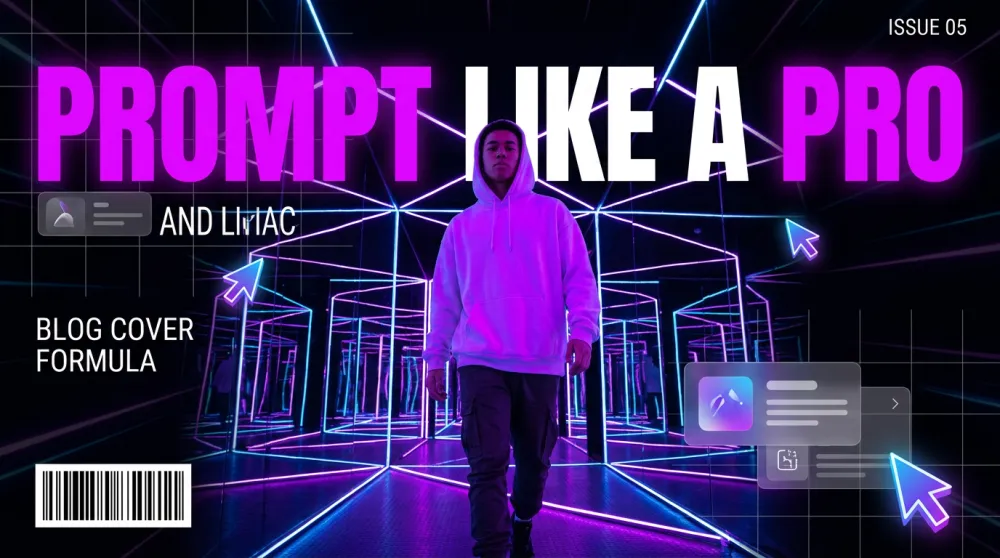
適用於任何科技或軟體類部落格,能穩定生出乾淨、有質感的封面,效果像專業設計工作室出品。
A [subject or scene] shown as a high-quality modern SaaS-style illustration.
Visual style: clean flat vector art with subtle 3D depth, glassmorphism UI elements, isometric perspective.
Color palette: [2-3 colors, e.g. "deep purple, electric blue, and white"].
Lighting: soft ambient glow with gentle depth-of-field blur on background elements.
Composition: centered subject, clean negative space on [left/right] side for text overlay.
Mood: professional, forward-thinking, confident.
Quality: ultra-sharp vector lines, 16:9 aspect ratio, professional SaaS marketing aesthetic.

Subject/Scene: [YOUR BLOG TOPIC VISUAL]
Primary color: [YOUR BRAND COLOR]
模板 2 — 產品主視覺
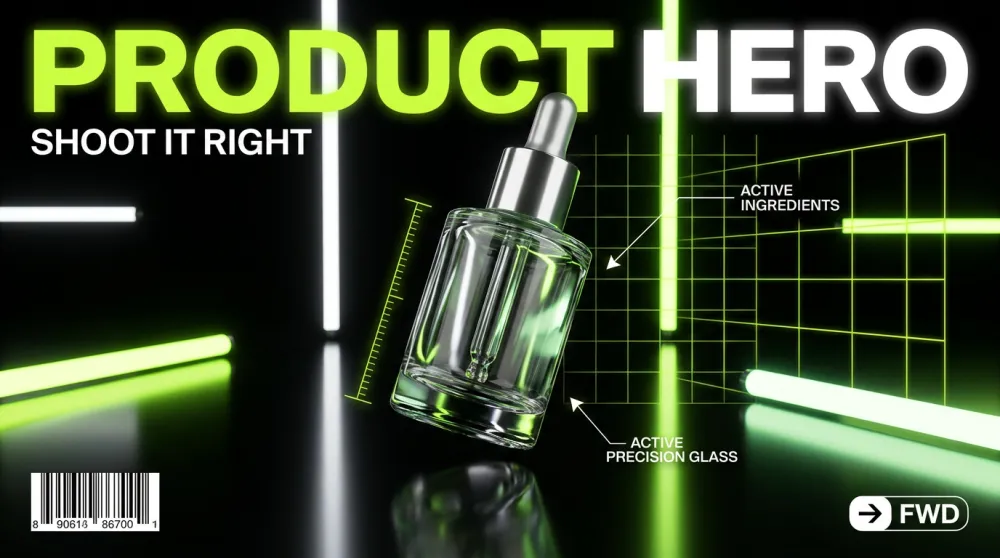
適用於電商頁面、落地頁,或任何需要讓產品看起來高端、讓人想點進去的場合。
A [product name] photographed in a [setting, e.g. "minimalist white studio"].
Style: hyper-realistic commercial product photography, shot with a high-end DSLR, crisp focus on product.
Lighting: [e.g. "soft box studio lighting with subtle rim light"].
Composition: product centered, slight three-quarter angle, floating above surface with soft shadow.
Background: [e.g. "pure white" or "blurred bokeh lifestyle environment in matching brand colors"].
Mood: premium, desirable, trustworthy.
Quality: 8K product photography, commercial-grade retouching, zero noise, studio-perfect exposure.

Product: [PRODUCT NAME]
Setting: [STUDIO / OUTDOOR / LIFESTYLE]
Brand colors: [YOUR COLORS]
模板 3 — 社群媒體人像
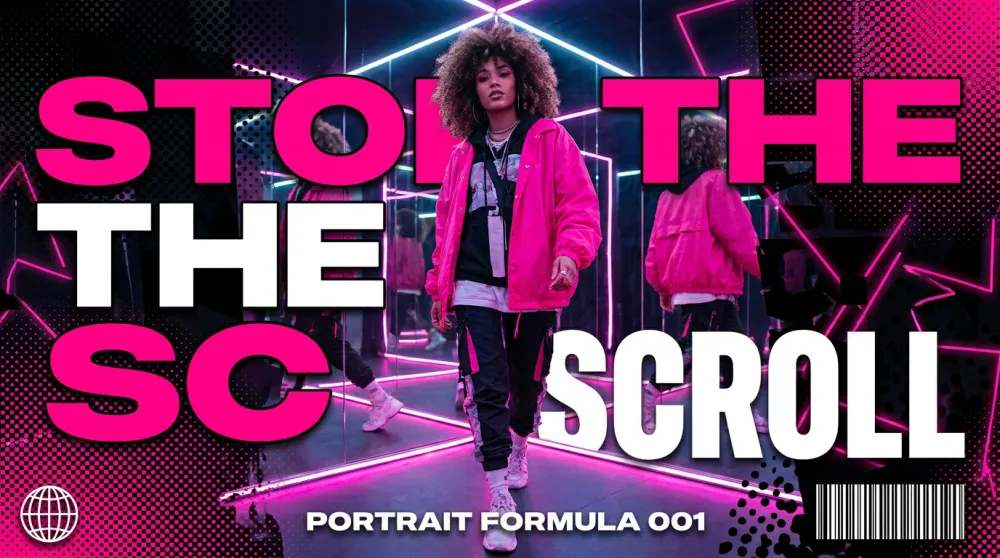
以人物為主角的畫面,在 Instagram、LinkedIn 等任何「臉比物件更能抓眼」的平台都特別有效。
A [description of person: age, style, expression] in a [setting].
Style: [e.g. "editorial lifestyle photography" or "vibrant Gen Z social media aesthetic"].
Outfit: [describe clothing and colors that match your brand palette].
Lighting: [e.g. "bright natural daylight, slightly overexposed for an airy feel"].
Composition: portrait orientation, face fills top half of frame, expressive eyes sharp in focus.
Background: [e.g. "soft pastel pink bokeh" or "graphic color block in brand color"].
Mood: [e.g. "confident, joyful, authentic"].
Quality: fashion magazine photo quality, skin texture preserved, no airbrushing artifacts.

Person description: [YOUR SUBJECT]
Brand aesthetic: [DESCRIBE YOUR VISUAL IDENTITY]
模板 4 — YouTube 縮圖
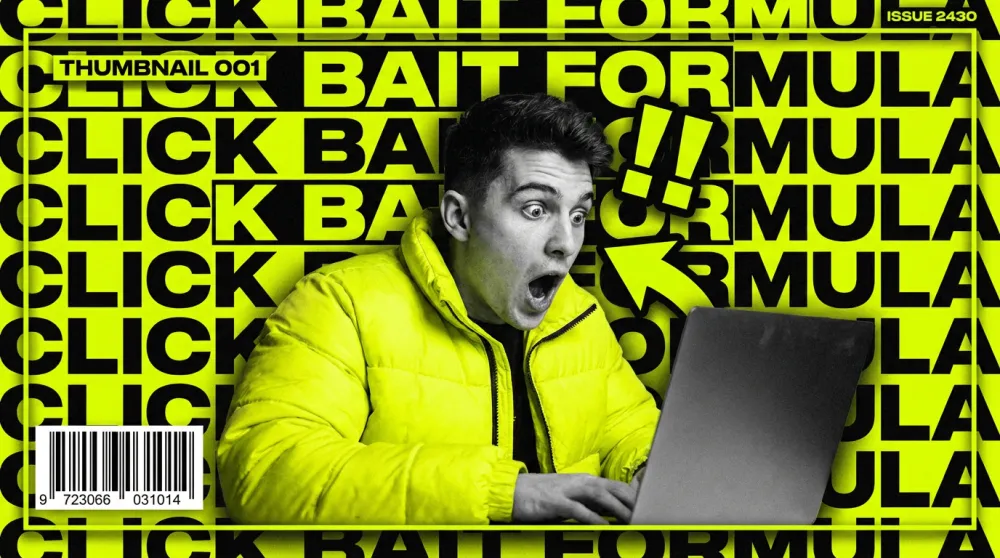
縮圖靠的是對比和情緒衝擊力,這個模板專為最大化點擊率設計。
A [subject or scene] designed as a high-impact YouTube thumbnail.
Style: bold graphic design fused with photorealistic photography, strong visual contrast.
Key elements: [main subject] + [secondary element: e.g. "large bold text overlay"].
Color palette: [high-contrast colors, e.g. "neon yellow, black, and white"].
Lighting: dramatic, high-contrast — no soft naturalistic looks.
Composition: rule of thirds, subject on [left/right], graphic element on opposite side. 16:9 ratio.
Text overlay: "[YOUR BOLD HEADLINE IN 3-5 WORDS]" in thick block font.
Mood: urgent, surprising, high-energy.
Quality: crisp edges, ultra-saturated, thumbnail-optimized contrast.

Main subject: [DESCRIBE THE KEY VISUAL]
Headline text: [3-5 WORD HOOK]
模板 5 — 平面向量插圖
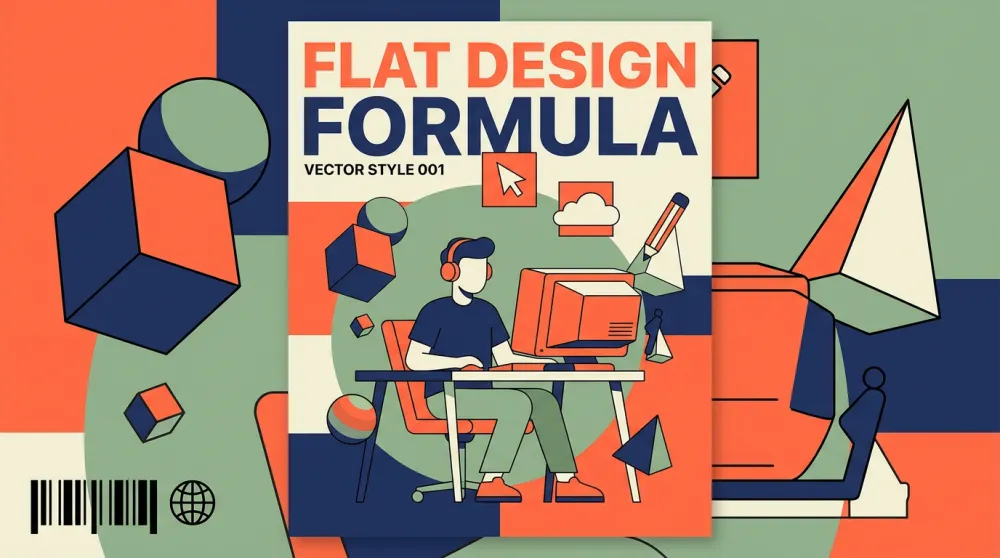
適用於資訊圖表、說明文章,或任何需要乾淨、親切、非攝影風格的視覺內容。
A flat vector illustration of [subject or concept].
Style: modern flat design with subtle 2.5D depth, clean geometric shapes, no heavy gradients.
Color palette: limited to 4-5 colors — [your palette, e.g. "coral, navy, cream, and sage green"].
Characters (if any): simple stylized figures with rounded features, diverse representation.
Composition: [e.g. "isometric layout" or "centered hero with supporting elements around it"].
Background: flat [color, e.g. "off-white"].
Mood: approachable, clear, informative.
Quality: vector-precision lines, print-ready quality, scalable flat design aesthetic.

Subject/Concept: [WHAT TO ILLUSTRATE]
Use case: [BLOG / INFOGRAPHIC / PRESENTATION]
模板 6 — 3D 角色插圖
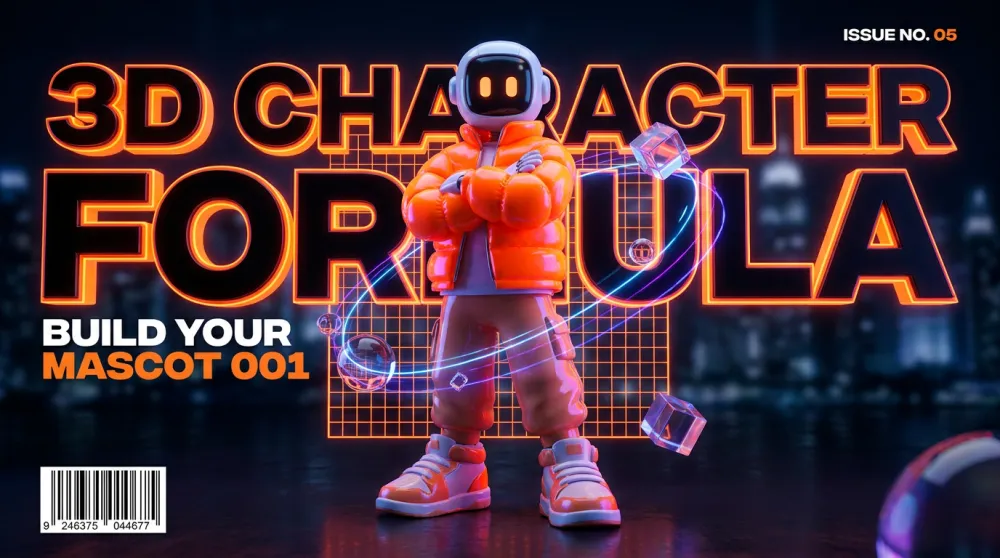
適用於品牌吉祥物、說明視覺素材,或任何需要有個性、有溫度卻不想拍攝真人的品牌資產。
A 3D character illustration of [character description].
Style: Pixar/Blender 3D render — soft subsurface scattering, realistic material textures, expressive features.
Lighting: three-point studio lighting — key light from [left/right], soft fill, rim light for depth.
Character design: [specific details: outfit, color, proportions].
Expression: [e.g. "warm smile, eyes slightly squinted with joy"].
Pose: [e.g. "three-quarter turn, one hand raised in greeting"].
Background: [e.g. "soft gradient from light blue to white"].
Mood: friendly, approachable, brand-safe.
Quality: render-quality 3D, clean anti-aliasing, professional character design.

Character: [DESCRIBE YOUR CHARACTER]
Brand colors: [YOUR COLORS]
模板 7 — 品牌生活風廣告
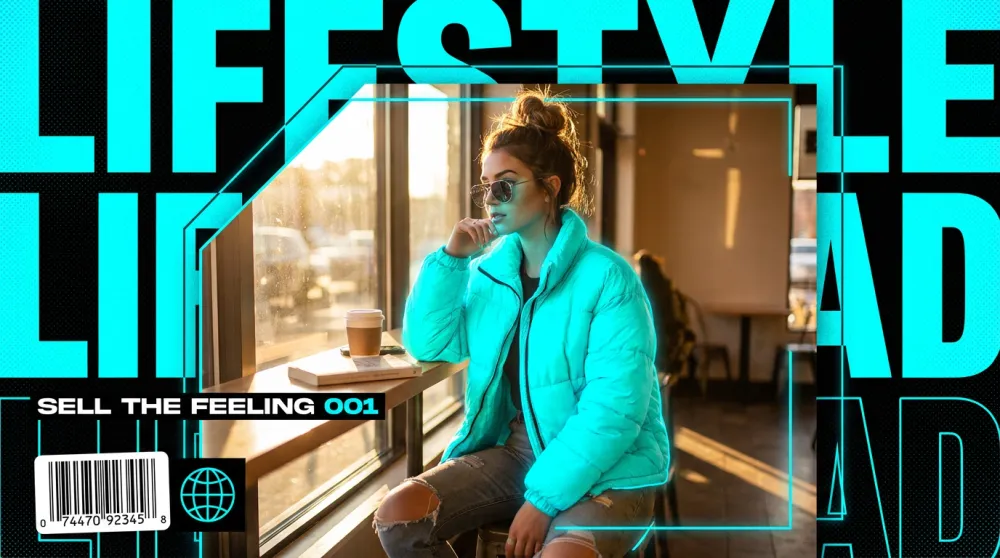
當你需要的不是展示產品規格,而是傳遞某種生活感受時,這個模板最適合用於社群廣告、主視覺橫幅和 Email 頁首。
A lifestyle advertisement image for [brand or product category].
Style: high-end commercial photography with subtle graphic design elements — think Glossier or Apple campaign aesthetic.
Scene: [describe the lifestyle scenario, e.g. "young professional enjoying morning coffee in a bright apartment"].
Subject interaction: person naturally engaging with [product or concept] — never posed stiffly.
Color palette: [brand palette].
Lighting: [e.g. "golden morning window light, soft and warm, slight lens flare"].
Composition: wide shot, subject occupies left two-thirds, negative space for text on right.
Mood: [e.g. "aspirational, calm, modern luxury"].
Quality: fashion editorial quality, natural skin tones, zero stock photo feel.

Brand/Product: [YOUR BRAND]
Lifestyle moment: [DESCRIBE THE SCENE]
模板 8 — 科技資訊圖表
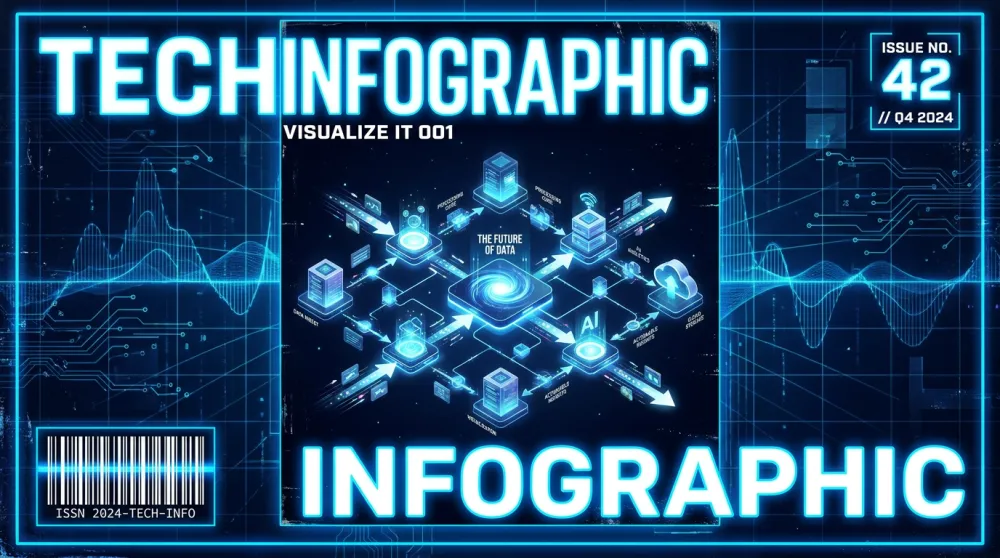
適用於說明文章、流程圖解,或任何需要清楚傳達系統架構或工作流程的視覺。
A technical infographic of [subject or process].
Style: isometric 3D illustration combined with flat icon elements and bold typographic labels.
Layout: [e.g. "horizontal flow left to right" or "circular process diagram"].
Color coding: each step uses a distinct color from: [your palette].
Elements: labeled icons representing [list key concepts or steps].
Typography: bold sans-serif for step names, smaller weight for descriptions.
Lines/connectors: clean arrows showing flow/relationships.
Background: [e.g. "deep navy" or "clean white"].
Mood: authoritative, clear, modern.
Quality: crisp vector-style precision, professional data visualization aesthetic.

Topic: [YOUR SUBJECT OR PROCESS]
Number of steps: [NUMBER]
模板 9 — 時尚編輯風
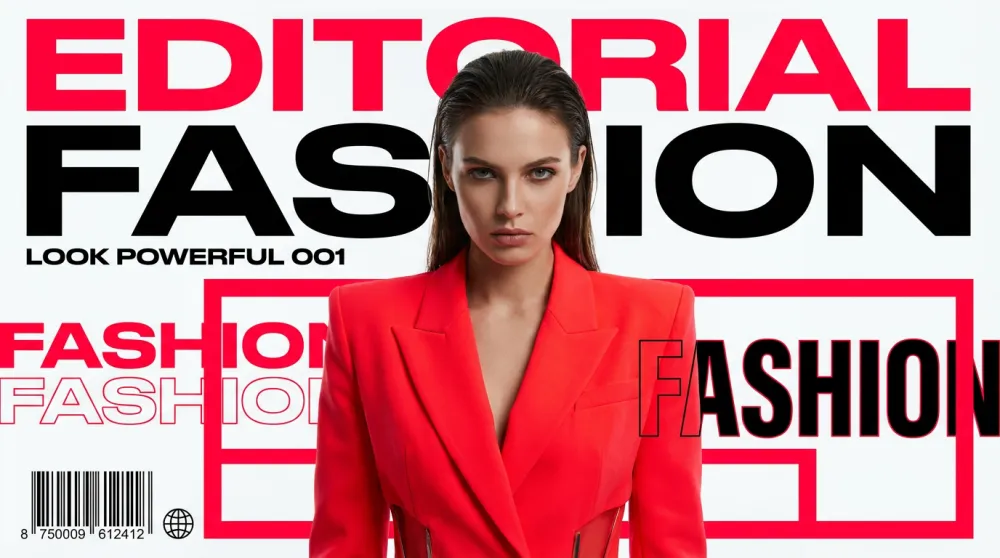
適用於時尚品牌、創意代理商,或任何需要強烈編輯感與視覺震撼力的內容。
An editorial fashion photograph of [subject].
Style: high-fashion editorial — referencing [style direction, e.g. "Vogue Italia minimalism" or "Y2K Dazed and Confused aesthetic"].
Outfit: [describe clothing in detail — silhouette, fabric, color, key styling details].
Lighting: [e.g. "dramatic single-source key light casting bold shadows"].
Makeup/Hair: [e.g. "bold graphic liner, slicked-back hair"].
Pose: [e.g. "confrontational direct gaze, slight chin tilt, strong posture"].
Background: [e.g. "stark white studio" or "brutalist concrete"].
Composition: full-length portrait, centered, generous breathing room around subject.
Mood: [e.g. "powerful, avant-garde, unapologetic"].
Quality: medium-format editorial quality, razor-sharp clothing texture, fashion-week production level.

Subject: [DESCRIBE PERSON / MODEL TYPE]
Style direction: [YOUR AESTHETIC REFERENCE]
模板 10 — 電影場景
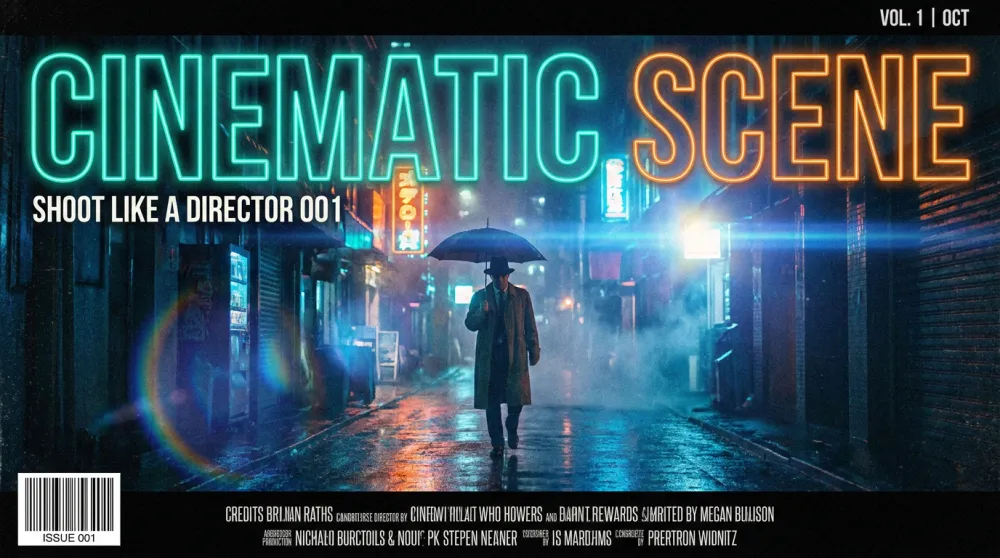
適用於敘事類視覺、電影風格內容,或任何想讓圖片有大片或獨立電影靜幀質感的場合。
A cinematic still from [genre: e.g. "a near-future sci-fi thriller" or "a warm indie drama"].
Scene: [describe what's happening, e.g. "a lone figure stands at the edge of a rain-soaked rooftop, city lights blurred below"].
Lighting: [e.g. "moody blue-teal color grade, practical neon signs providing fill light"].
Camera: anamorphic lens, shallow depth of field, slight lens flare on light sources, 2.39:1 aspect ratio.
Color grade: [e.g. "teal and orange Hollywood blockbuster grade"].
Atmosphere: [e.g. "heavy rain, atmospheric fog, wet reflective ground"].
Composition: wide establishing shot, subject small against environment, emphasizing isolation.
Mood: [e.g. "tense, melancholic, epic"].
Quality: IMAX-quality cinematography, film grain texture, anamorphic bokeh.

Genre: [YOUR FILM GENRE]
Scene description: [WHAT'S HAPPENING]
3 個最常見的提示詞錯誤
錯誤 1 — 自相矛盾。「超寫實 3D 卡通插圖」同時告訴模型三種不同風格,模型會取折中,生出一張什麼都不像的圖。選定一種視覺語言,貫徹到底。
錯誤 2 — 跳過光線。大多數人從主體直接跳到品質修飾詞,把光線完全略過。偏偏光線是影響最大的單一變數。有好光線的圖看起來專業;沒有光線描述的圖看起來像剪貼畫。
錯誤 3 — 沒有構圖指引。沒有構圖指示,模型預設會生出居中、中景的安全構圖——不差但也不驚豔。「寬景,主體在右三分之一,戲劇性天空佔左三分之二」——這一句就能把快照變成真正的攝影作品。
iMini AI:讓提示詞真正發揮效果的地方
再好的提示詞也需要配得上它的模型。iMini AI 搭載了目前最強的圖片生成模型,包括 Nano Banana Pro 和 Seedream 4.0,在單一介面內讓你即時迭代、並排比對、快速調整,完全不需要切換視窗。
無限 Canvas 特別適合提示詞工程工作流:一側固定模板,一側看生成結果,直接在同一個畫面裡修改迭代。這份指南的任何一個模板,都可以直接貼入 iMini AI 試跑,感受結構化提示詞和隨手打幾個字的差距。
關於 iMini AI
iMini AI 是面向現代創作者與行銷人的一站式 AI 創作平台,整合了頂尖圖片生成模型(Nano Banana Pro、Seedream 4.0)、影片生成(Sora 2、Kling、Seedance),以及在同一工作區使用 Claude、GPT、Gemini 的多模型功能。無限 Canvas 讓你規劃、生成、比對、發布,一氣呵成。免費開始:imini.com。
總結
更好的 AI 圖片來自更好的結構,不是更長的提示詞。五段式公式——主體、風格、光線、構圖、品質修飾詞——適用於所有模型和所有使用場景。上面 10 個模板是你的起手式:選一個最符合當前需求的,填入占位符,跑一次,看看一個有結構的提示詞能做到什麼。