
AIイメージプロンプトエンジニアリング2026:より良いビジュアルのための実践的な公式
AIで生成した画像がぼやけていたり、どこか平凡だったり、なんとなく違和感があったりするなら、問題はほぼ確実にモデルではなくプロンプトにあります。多くのクリエイターはプロンプトを検索ワードのように扱っています——キーワードをいくつか入れて、Enterを押して、あとは運任せ。毎回スクロールが止まるような画像を生み出している人たちには、共通の「型」があります。このガイドではその型を解説し、すぐにコピーして使える10個のテンプレートをお届けします。ブログカバーから映画風シーンまで、あらゆる用途に対応しています。
なぜほとんどのAI画像プロンプトはうまくいかないのか
曖昧なプロンプトからは曖昧な画像しか生まれません。「ノートパソコンで作業している人」はどんな画像にでもなりえます——よくあるストック写真、アニメ調のイラスト、シネマティックな暗い静止画。モデルはあなたの意図を知りません。なぜなら、「何が映っているか」「どんなスタイルか」「どんな照明か」「どんな雰囲気を出したいか」という4つの核心情報を伝えていないからです。
もう一つのよくある失敗は「書きすぎ」です。200文字にわたる指示が途中で矛盾し始める。モデルは相反する情報を平均化して処理するため、どれでもない中途半端な画像が出来上がります。短くても構造がはっきりしたプロンプトは、長くても散漫なプロンプトに常に勝ります。
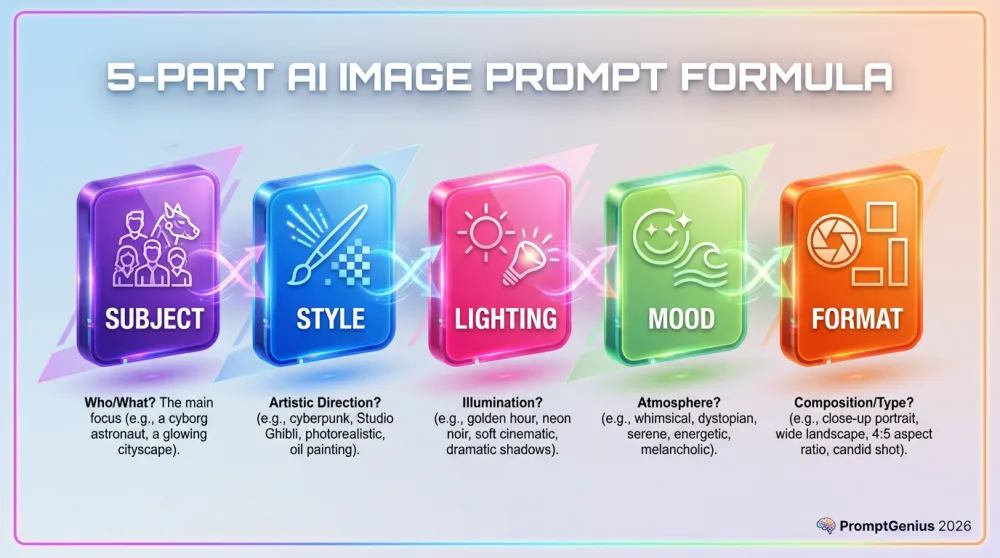
AI画像プロンプトエンジニアリングの5パート公式
優れたAI画像プロンプトはすべて5つの要素に分解できます。この5つを身につければ、どんな用途でも2分以内に強力なプロンプトが書けるようになります。
パート1:主体——何を見せたいか
具体的に書いてください。「女性」ではなく、「カールした髪で自信に満ちた表情の、鮮やかな黄色のジャケットを着たZ世代の女性」と書きましょう。人数、外見の特徴、何をしているかを含めてください。主体が具体的なほど、モデルの推測の余地がなくなります。
パート2:スタイル——どんなビジュアルにしたいか
モデルが参照できる明確なビジュアルの基準を示してください。「フラットベクターイラスト」「ハイパーリアルな商業写真」「ファッション誌のエディトリアル」「Pixar 3Dレンダー」など。スタイルが画像全体のビジュアル言語を決定します。
パート3:照明——雰囲気をつくるもの
照明はAIプロンプトエンジニアリングの中で最も見落とされがちでありながら、最も大きな影響を持つ要素です。「柔らかな拡散日光」と「深い影を落とすドラマチックなローキースタジオ照明」では、同じ主体でもまったく異なる印象になります。必ず指定しましょう。
パート4:構図——画面をどう構成するか
要素の配置をモデルに伝えましょう。「ワイドな全景ショット」「顔のクローズアップ」「三分割法で主体を左三分の一に」「真上からの俯瞰」など。構図によって、見る人の目が最初にどこへ向かうかが決まります。
パート5:クオリティ修飾子——仕上げの一押し
プロンプトの最後には必ずクオリティシグナルを加えましょう。「超シャープ、8K、プロの色調整、シネマティックな被写界深度、受賞歴のある商業写真」など。これらの言葉がモデルを最高品質の出力へと引き上げます。コストはゼロなので、常に入れてください。
すぐにコピーして使えるAI画像プロンプトテンプレート10選
公式を最速で活用する方法は、実績のあるテンプレートを出発点にして、自分の内容に置き換えることです。以下の各テンプレートはそのまま完成しており、任意のAI画像生成ツールに貼り付けるだけで使えます。角括弧内のプレースホルダーを自分のコンテンツに変えて、実行してください。
テンプレート1 — ブログカバー:モダンSaaSスタイル
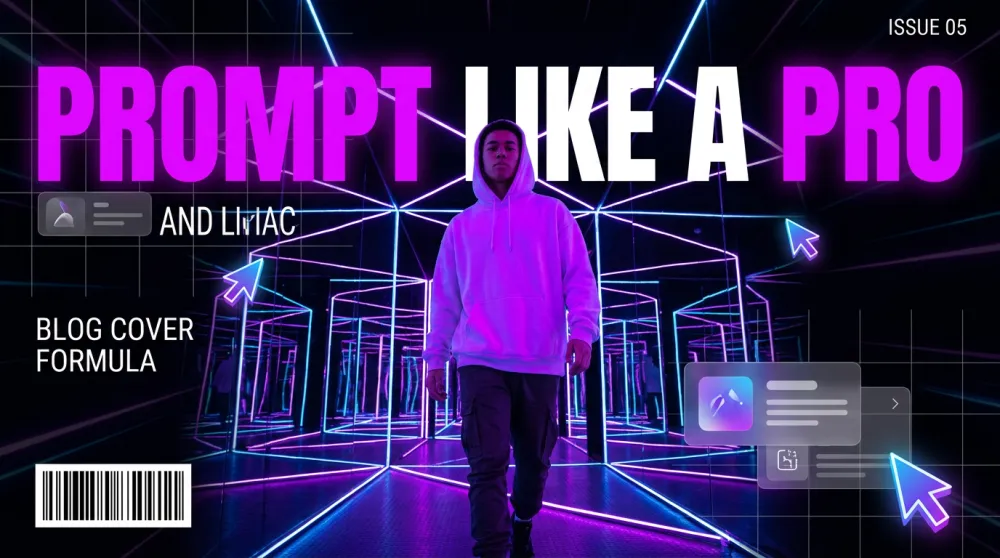
テクノロジーやソフトウェア系のブログに最適です。時給$500のデザインスタジオが作ったようなクリーンでプロフェッショナルなカバーを安定して生成できます。
A [subject or scene] shown as a high-quality modern SaaS-style illustration.
Visual style: clean flat vector art with subtle 3D depth, glassmorphism UI elements, isometric perspective.
Color palette: [2-3 colors, e.g. "deep purple, electric blue, and white"].
Lighting: soft ambient glow with gentle depth-of-field blur on background elements.
Composition: centered subject, clean negative space on [left/right] side for text overlay.
Mood: professional, forward-thinking, confident.
Quality: ultra-sharp vector lines, 16:9 aspect ratio, professional SaaS marketing aesthetic.

Subject/Scene: [YOUR BLOG TOPIC VISUAL]
Primary color: [YOUR BRAND COLOR]
テンプレート2 — プロダクトヒーローショット
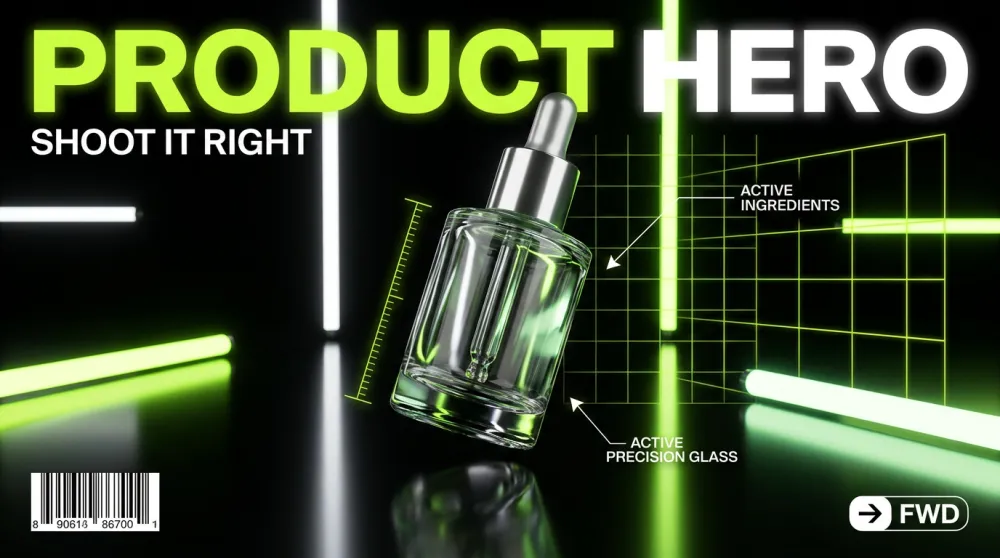
ECサイトのリスト、ランディングページ、または製品を魅力的に見せたいあらゆる場面に対応します。
A [product name] photographed in a [setting, e.g. "minimalist white studio"].
Style: hyper-realistic commercial product photography, shot with a high-end DSLR, crisp focus on product.
Lighting: [e.g. "soft box studio lighting with subtle rim light"].
Composition: product centered, slight three-quarter angle, floating above surface with soft shadow.
Background: [e.g. "pure white" or "blurred bokeh lifestyle environment in matching brand colors"].
Mood: premium, desirable, trustworthy.
Quality: 8K product photography, commercial-grade retouching, zero noise, studio-perfect exposure.

Product: [PRODUCT NAME]
Setting: [STUDIO / OUTDOOR / LIFESTYLE]
Brand colors: [YOUR COLORS]
テンプレート3 — SNS用ポートレート
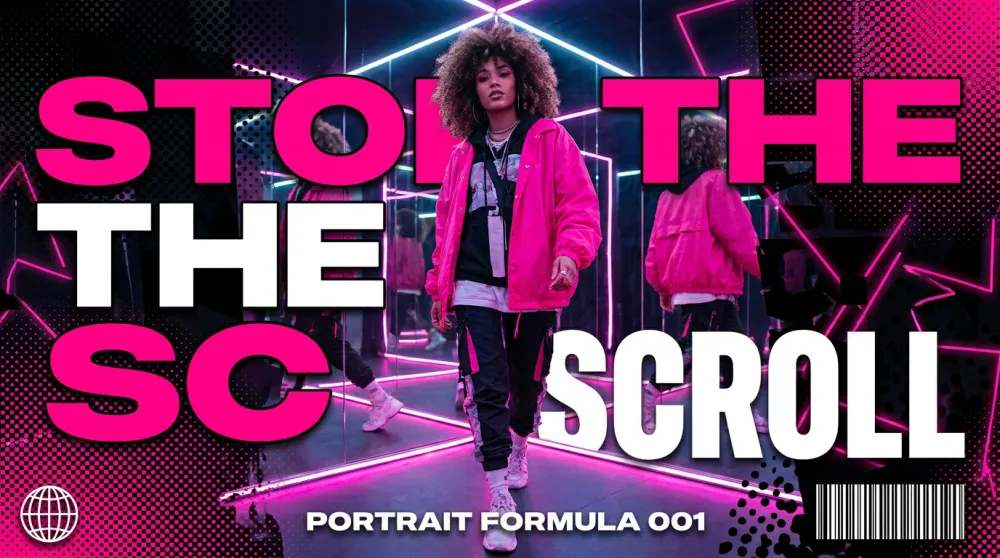
人物中心の画像は、Instagram、LinkedIn、その他「顔が物より目を引く」プラットフォームで特に効果的です。
A [description of person: age, style, expression] in a [setting].
Style: [e.g. "editorial lifestyle photography" or "vibrant Gen Z social media aesthetic"].
Outfit: [describe clothing and colors that match your brand palette].
Lighting: [e.g. "bright natural daylight, slightly overexposed for an airy feel"].
Composition: portrait orientation, face fills top half of frame, expressive eyes sharp in focus.
Background: [e.g. "soft pastel pink bokeh" or "graphic color block in brand color"].
Mood: [e.g. "confident, joyful, authentic"].
Quality: fashion magazine photo quality, skin texture preserved, no airbrushing artifacts.

Person description: [YOUR SUBJECT]
Brand aesthetic: [DESCRIBE YOUR VISUAL IDENTITY]
テンプレート4 — YouTubeサムネイル
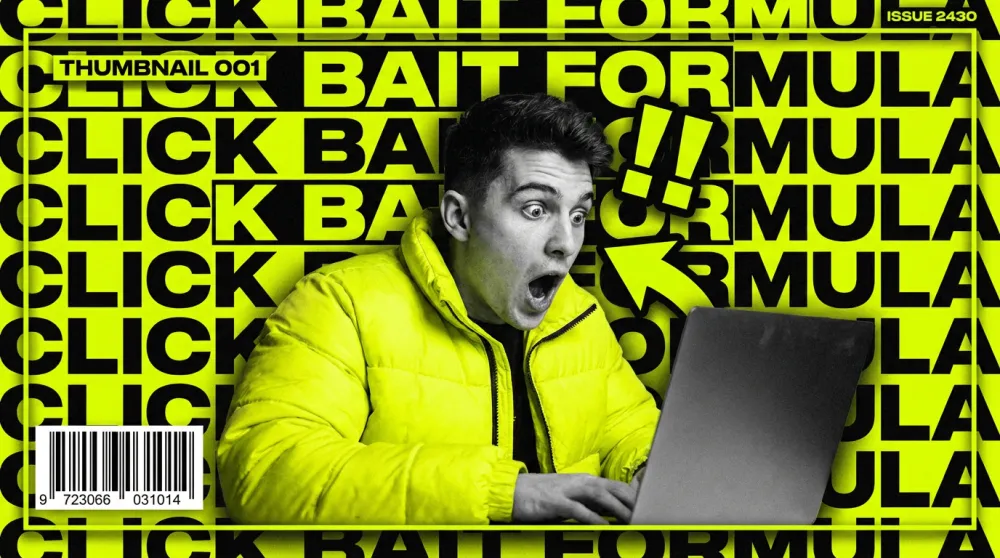
サムネイルの良し悪いはコントラストと感情的インパクトで決まります。このテンプレートはクリック率を最大化するために設計されています。
A [subject or scene] designed as a high-impact YouTube thumbnail.
Style: bold graphic design fused with photorealistic photography, strong visual contrast.
Key elements: [main subject] + [secondary element: e.g. "large bold text overlay"].
Color palette: [high-contrast colors, e.g. "neon yellow, black, and white"].
Lighting: dramatic, high-contrast — no soft naturalistic looks.
Composition: rule of thirds, subject on [left/right], graphic element on opposite side. 16:9 ratio.
Text overlay: "[YOUR BOLD HEADLINE IN 3-5 WORDS]" in thick block font.
Mood: urgent, surprising, high-energy.
Quality: crisp edges, ultra-saturated, thumbnail-optimized contrast.

Main subject: [DESCRIBE THE KEY VISUAL]
Headline text: [3-5 WORD HOOK]
テンプレート5 — フラットベクターイラスト
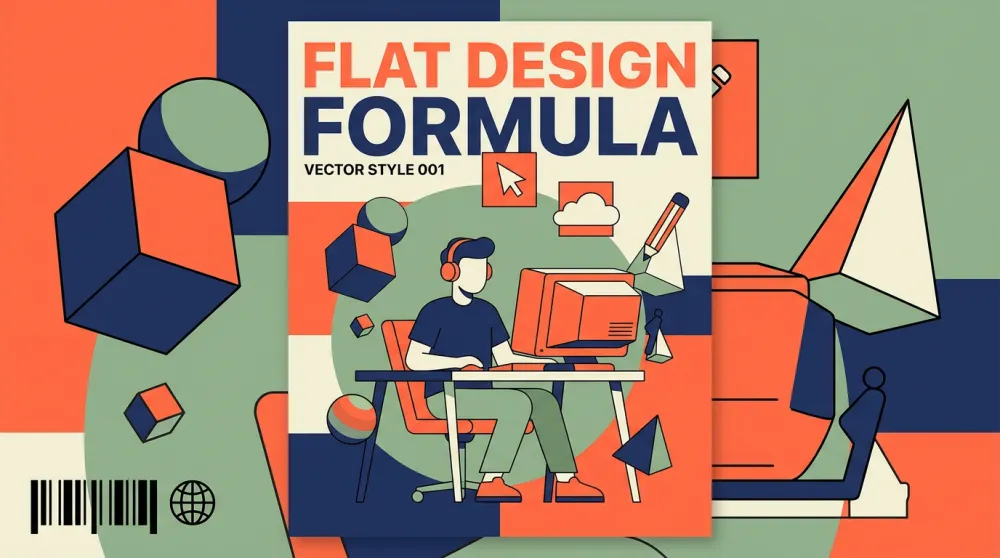
インフォグラフィック、解説記事、または写真ではなくクリーンでフレンドリーなビジュアルが必要なコンテンツに最適です。
A flat vector illustration of [subject or concept].
Style: modern flat design with subtle 2.5D depth, clean geometric shapes, no heavy gradients.
Color palette: limited to 4-5 colors — [your palette, e.g. "coral, navy, cream, and sage green"].
Characters (if any): simple stylized figures with rounded features, diverse representation.
Composition: [e.g. "isometric layout" or "centered hero with supporting elements around it"].
Background: flat [color, e.g. "off-white"].
Mood: approachable, clear, informative.
Quality: vector-precision lines, print-ready quality, scalable flat design aesthetic.

Subject/Concept: [WHAT TO ILLUSTRATE]
Use case: [BLOG / INFOGRAPHIC / PRESENTATION]
テンプレート6 — 3Dキャラクターイラスト
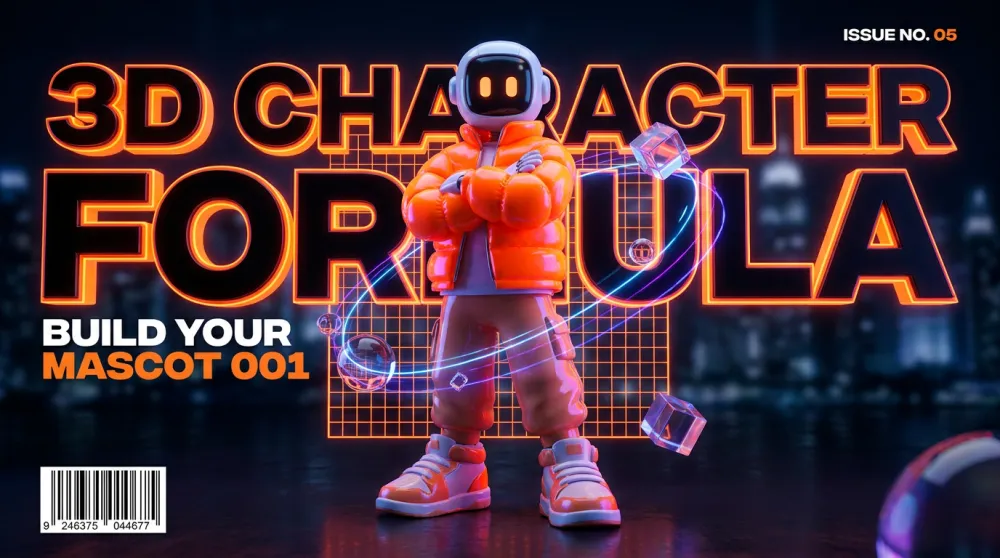
マスコット、解説ビジュアル、または実際の撮影なしに個性と温かみを持たせたいブランド素材に最適です。
A 3D character illustration of [character description].
Style: Pixar/Blender 3D render — soft subsurface scattering, realistic material textures, expressive features.
Lighting: three-point studio lighting — key light from [left/right], soft fill, rim light for depth.
Character design: [specific details: outfit, color, proportions].
Expression: [e.g. "warm smile, eyes slightly squinted with joy"].
Pose: [e.g. "three-quarter turn, one hand raised in greeting"].
Background: [e.g. "soft gradient from light blue to white"].
Mood: friendly, approachable, brand-safe.
Quality: render-quality 3D, clean anti-aliasing, professional character design.

Character: [DESCRIBE YOUR CHARACTER]
Brand colors: [YOUR COLORS]
テンプレート7 — ブランドライフスタイル広告
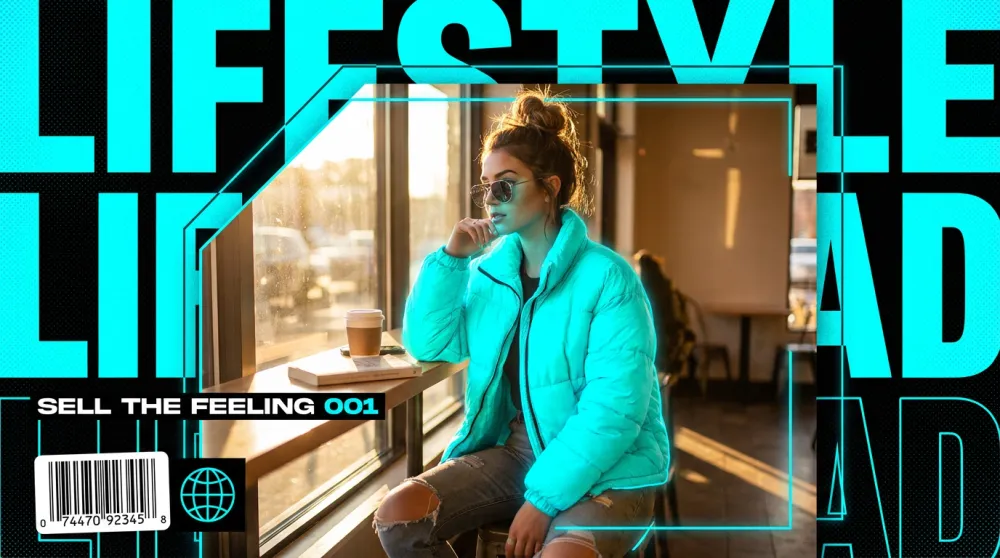
製品スペックではなく「感覚」を伝えたいとき。SNS広告、ヒーローバナー、メールヘッダーに最適です。
A lifestyle advertisement image for [brand or product category].
Style: high-end commercial photography with subtle graphic design elements — think Glossier or Apple campaign aesthetic.
Scene: [describe the lifestyle scenario, e.g. "young professional enjoying morning coffee in a bright apartment"].
Subject interaction: person naturally engaging with [product or concept] — never posed stiffly.
Color palette: [brand palette].
Lighting: [e.g. "golden morning window light, soft and warm, slight lens flare"].
Composition: wide shot, subject occupies left two-thirds, negative space for text on right.
Mood: [e.g. "aspirational, calm, modern luxury"].
Quality: fashion editorial quality, natural skin tones, zero stock photo feel.

Brand/Product: [YOUR BRAND]
Lifestyle moment: [DESCRIBE THE SCENE]
テンプレート8 — テクノロジーインフォグラフィック
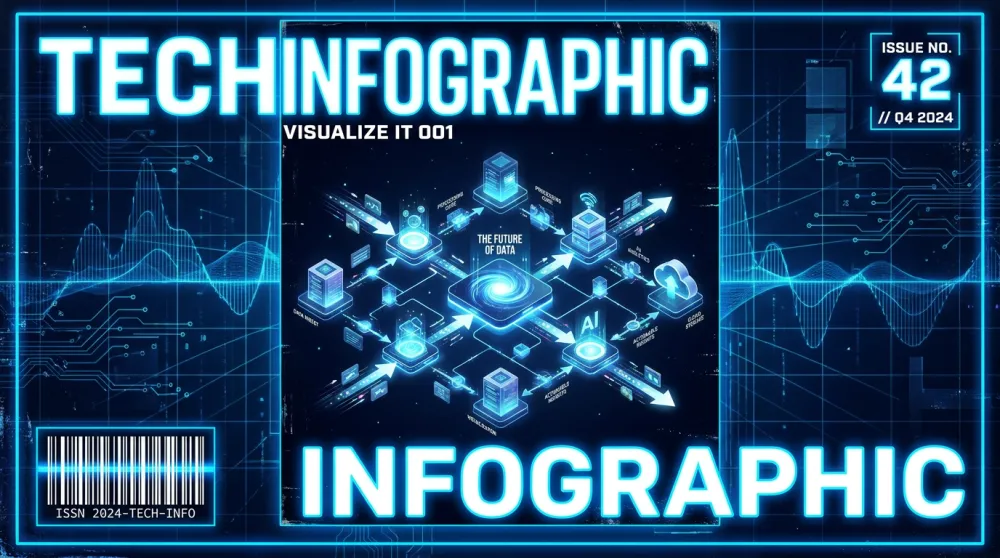
解説記事、仕組みの図解、またはシステムやプロセスをわかりやすく伝えるビジュアルに最適です。
A technical infographic of [subject or process].
Style: isometric 3D illustration combined with flat icon elements and bold typographic labels.
Layout: [e.g. "horizontal flow left to right" or "circular process diagram"].
Color coding: each step uses a distinct color from: [your palette].
Elements: labeled icons representing [list key concepts or steps].
Typography: bold sans-serif for step names, smaller weight for descriptions.
Lines/connectors: clean arrows showing flow/relationships.
Background: [e.g. "deep navy" or "clean white"].
Mood: authoritative, clear, modern.
Quality: crisp vector-style precision, professional data visualization aesthetic.

Topic: [YOUR SUBJECT OR PROCESS]
Number of steps: [NUMBER]
テンプレート9 — エディトリアルファッション
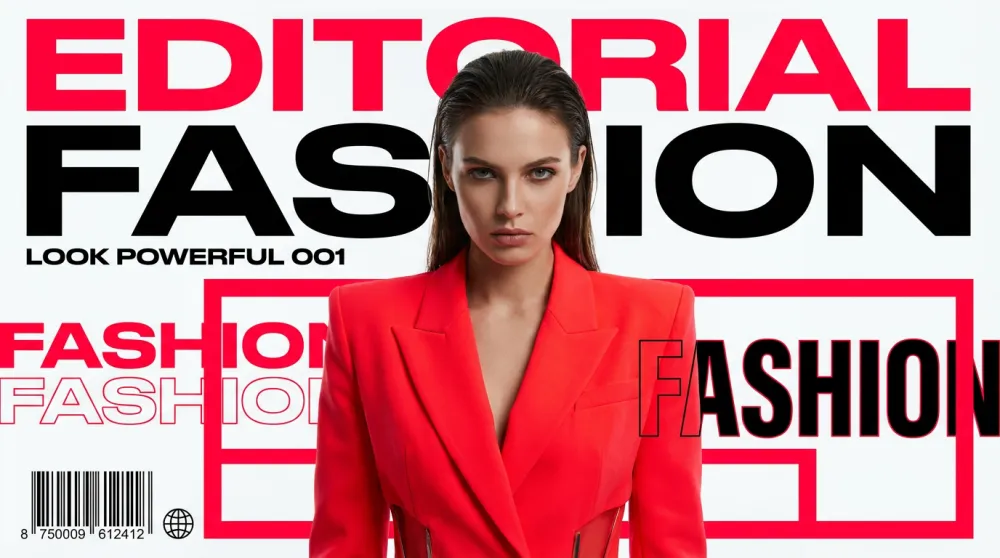
ファッションブランド、クリエイティブエージェンシー、または強いエディトリアル感と視覚的インパクトが必要なコンテンツに最適です。
An editorial fashion photograph of [subject].
Style: high-fashion editorial — referencing [style direction, e.g. "Vogue Italia minimalism" or "Y2K Dazed and Confused aesthetic"].
Outfit: [describe clothing in detail — silhouette, fabric, color, key styling details].
Lighting: [e.g. "dramatic single-source key light casting bold shadows"].
Makeup/Hair: [e.g. "bold graphic liner, slicked-back hair"].
Pose: [e.g. "confrontational direct gaze, slight chin tilt, strong posture"].
Background: [e.g. "stark white studio" or "brutalist concrete"].
Composition: full-length portrait, centered, generous breathing room around subject.
Mood: [e.g. "powerful, avant-garde, unapologetic"].
Quality: medium-format editorial quality, razor-sharp clothing texture, fashion-week production level.

Subject: [DESCRIBE PERSON / MODEL TYPE]
Style direction: [YOUR AESTHETIC REFERENCE]
テンプレート10 — シネマティックシーン
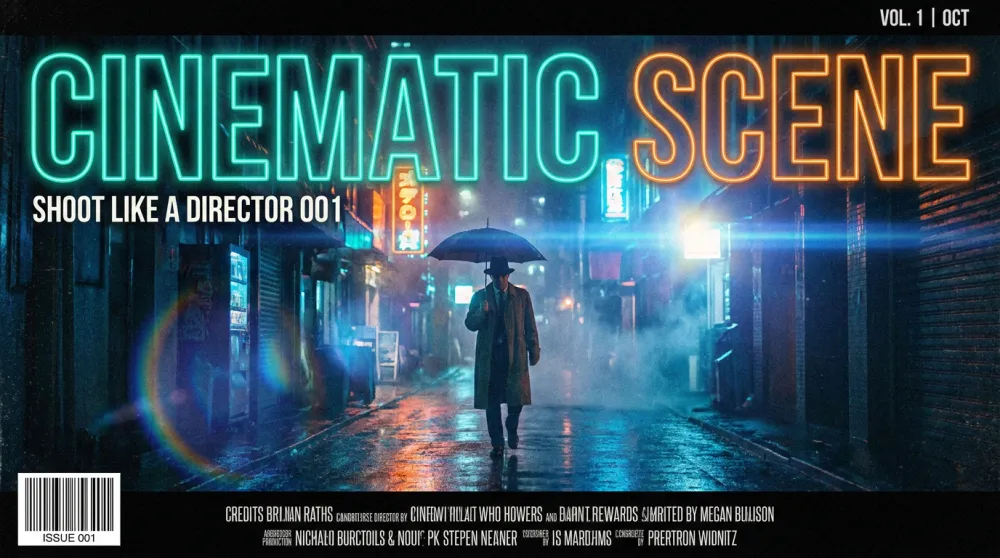
ストーリーテリングビジュアル、映画インスパイアのコンテンツ、または大作映画やインディーフィルムのスチルのような質感が必要な画像に最適です。
A cinematic still from [genre: e.g. "a near-future sci-fi thriller" or "a warm indie drama"].
Scene: [describe what's happening, e.g. "a lone figure stands at the edge of a rain-soaked rooftop, city lights blurred below"].
Lighting: [e.g. "moody blue-teal color grade, practical neon signs providing fill light"].
Camera: anamorphic lens, shallow depth of field, slight lens flare on light sources, 2.39:1 aspect ratio.
Color grade: [e.g. "teal and orange Hollywood blockbuster grade"].
Atmosphere: [e.g. "heavy rain, atmospheric fog, wet reflective ground"].
Composition: wide establishing shot, subject small against environment, emphasizing isolation.
Mood: [e.g. "tense, melancholic, epic"].
Quality: IMAX-quality cinematography, film grain texture, anamorphic bokeh.

Genre: [YOUR FILM GENRE]
Scene description: [WHAT'S HAPPENING]
やりがちなプロンプトミス3選
ミス1 — 自己矛盾。「フォトリアリスティックな3Dカートゥーンイラスト」は3つのスタイルを同時に指示しています。モデルはそれを平均化し、どれでもない画像を生成します。1つのビジュアル言語を選び、それを貫いてください。
ミス2 — 照明の指定を省く。多くのクリエイターが主体からクオリティ修飾子へ直接飛んで、照明を丸ごとスキップします。でも照明こそが、単一要素として最大の差を生み出すポイントです。照明が決まっている画像はプロらしく見える。照明が未定義の同じ画像はクリップアートのように見えます。
ミス3 — 構図の指示がない。フレーミングの指示がなければ、モデルはデフォルトで安全な中央・中景の構図を選びます。悪くはないですが、印象的でもありません。「ワイドショット、主体を右三分の一に、ドラマチックな空が左三分の二を占める」——この一文だけで、スナップショットが本物の写真になります。
iMini AI:これらのプロンプトが本領を発揮する場所
優れたプロンプトも、それに見合ったモデルがあってこそです。iMini AIは、Nano Banana ProやSeedream 4.0をはじめとする最高水準の画像生成モデルを、タブを切り替えることなく1つのインターフェースでリアルタイムに反復・比較・調整できる環境で動かしています。
無限Canvasはプロンプトエンジニアリングのワークフローに特に効果的です。一方にテンプレートを固定し、もう一方に生成結果を表示させながら、同じ画面で直接修正できます。このガイドの10個のテンプレートをそのままiMini AIに貼り付けて、構造化されたプロンプトの違いを体感してみてください。
iMini AIについて
iMini AIは、現代のクリエイターやマーケター向けのオールインワンAI創作プラットフォームです。最先端の画像生成モデル(Nano Banana Pro、Seedream 4.0)、動画生成(Sora 2、Kling、Seedance)、そしてClaude・GPT・Geminiを1つのワークスペースで使えるマルチモデル機能を統合しています。無限Canvasで企画・生成・比較・公開を一気通貫で行えます。無料で始めましょう:imini.com。
まとめ
より良いAI画像は、長いプロンプトではなく、より良い構造から生まれます。5パート公式——主体・スタイル・照明・構図・クオリティ修飾子——はすべてのモデルとすべてのユースケースで通用します。上の10個のテンプレートはあなたのスタートキットです。次のプロジェクトに合うものを1つ選んで、プレースホルダーを埋めて実行してみてください。構造化されたAIイメージプロンプトが実際に何をできるか、すぐにわかります。