Introduction
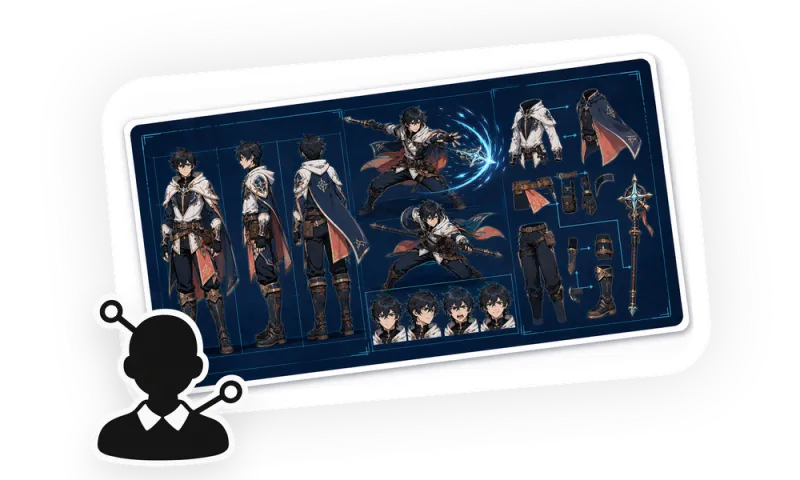
Upload character images, sketches, reference materials, or text ideas to establish a unified identity, body type, hairstyle, costume, color scheme, and prop lock, then generate character references for games, animation, comics, film, or consistent image generation. Each batch output uses only three fixed image formats, and before generation, the required images, full prompts, reference images, models, and parameters are re-confirmed. Sides, back, and internal structures not shown in the original image are explicitly treated as inferred design.
Use Cases
Image 1 uses a strict 2x2 grid to present front, 45 degrees, precise side, and back. Image 2 presents standing, walking, running, hands-on-hips idle, and two to three grounded character typical actions, combined with emotions, special micro-expressions, and film scene interactions; the default action template does not include flying, hovering, floating, or aerial movement. Image 3 combines the character's three views to detail hairstyle, costume layers, stitching, closures, materials, accessories, footwear, connection structures, color palettes, and key prop states. Image 2 and Image 3 use hand-drawn titles, arrows, leader lines, circle annotations, and short notes in the user's language.
Usage Template
Upload character reference materials and select one or more of Image 1, Image 2, Image 3. You may add specified sides, character purpose, key props, costume states, scenes, and annotation language; if information is insufficient, the Skill will ask key choices that change identity, silhouette, or structure. After confirming the generation list, the Skill uses the current iMini image generation capability to complete the selected images and checks each item by identity, perspective, costume, props, layout, and text readability.