🎬 Limited Time Flash Sale: Save $160 on the Yearly Max Plan! Ends in 2d 06h 45m 48s

Try iMini AI Now

The hardest part of making a viral post isn't the writing — it's everything that comes before it. Finding the right accounts to study, figuring out what makes their content work, then translating all of that into something you can actually publish. Most people spend more time researching than creating.

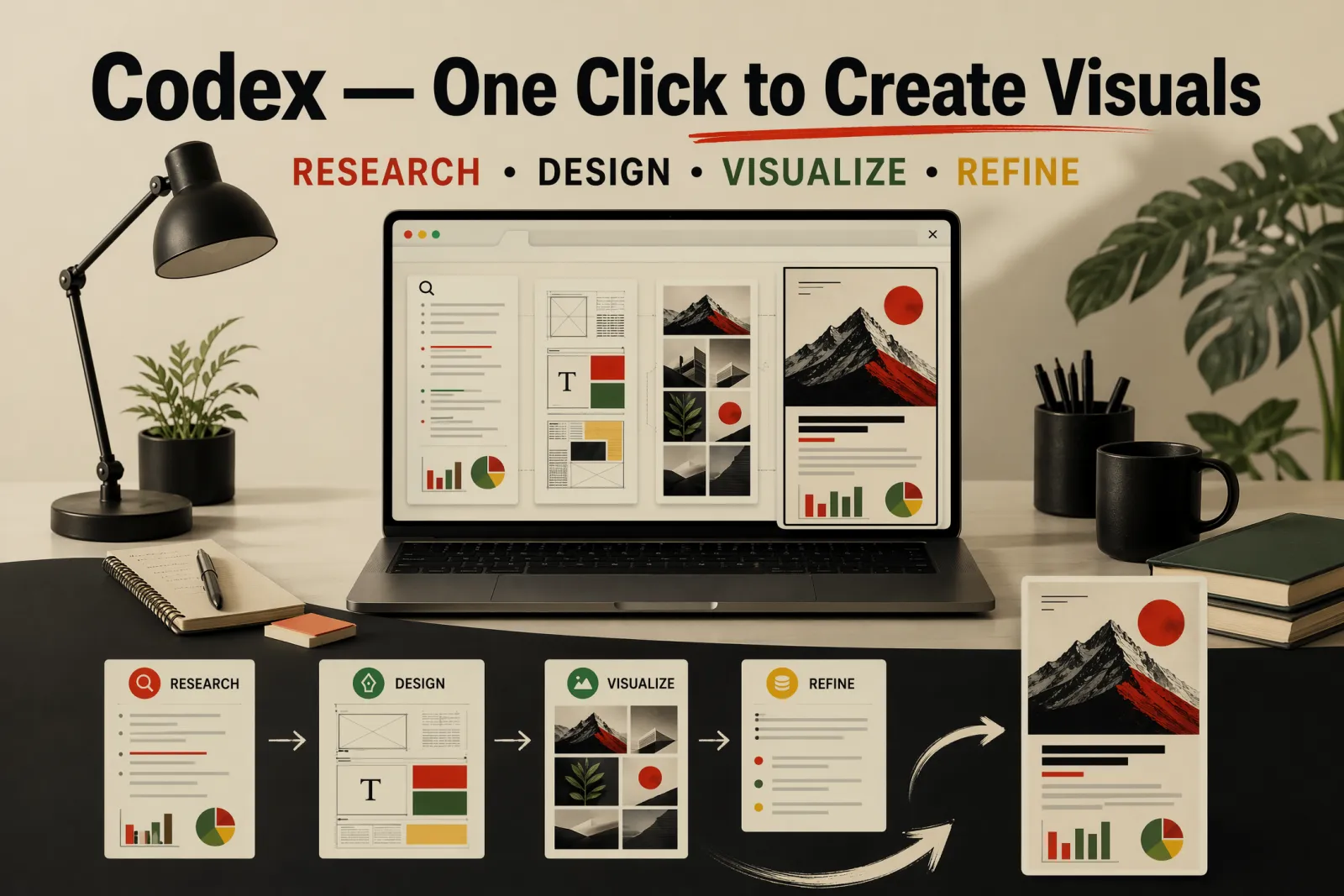
Codex changes that. It can browse pages, read content, analyze screenshots, run multiple subagents in parallel, and use iMini AI to generate polished image layouts — all in a single workflow. Here are 7 steps to build that pipeline.

Step 1: Find Your Benchmark Accounts

Start with a clear direction — an industry, content format, platform style, or a list of accounts you already follow. Give Codex that context and ask it to research comparable creators worth studying.

The output here is a reference list. Focus on patterns: how they open posts, how they create information gaps, how they structure titles, and what makes someone click through.

Finding viral benchmark accounts with Codex

Research benchmark accounts or content sources I can reference.

Content direction: [describe your content direction]
Target platform: [platform name]
Target audience: [audience type]
Style preference: [style keywords]

For each account or source, provide:
- Account positioning and niche
- Common topic angles
- Cover visual characteristics
- How titles are written
- Body content structure
- What's worth borrowing
- What to avoid


Step 2: Scrape the Source Material

Once you have benchmark accounts, have Codex pull their standout content. Sources can include web pages, product pages, articles, screenshots, public reports, comment sections, and post archives. Sort by engagement data where possible.

Ask Codex to surface: high-frequency keywords, high-traffic topic angles, quotable lines that could become titles, content that is naturally visual, and content suited to step-by-step format.

Scraping and analyzing top-performing content with Codex

Based on the benchmark account links below, use browser tools or computer use to scrape their standout content. Sort by engagement data, then analyze their topic strategy and visual choices in depth.

Sources:
- [paste account link or describe source 1]

Surface the following:
- High-frequency keywords
- High-traffic topic angles
- Lines that could become post titles
- Content naturally suited to visualization
- Content suited to step-by-step format
- Elements suited as cover hero visuals
- Claims that need fact-checking

Social Media Posts Instructions

Step 3: Decode the Visual Style

Don't settle for vague guidance like "clean and modern." Ask Codex to break the style down into executable rules. For the top-performing posts from your benchmarks, have it analyze: image proportions, title placement, character count ranges, information density, primary and accent colors, text-to-image ratios, whitespace patterns, recurring visual elements, and what drives each cover's stopping power.

The goal is a visual rulebook, not a mood board.

Decoding visual style rules from benchmark posts

Analyze the visual style and layout patterns of the top-performing posts from this benchmark account.

Reference material:
[paste screenshots, images, or links]

Break down each of the following:
Image aspect ratio
Title placement
Title character count range
Body information density
Primary and accent colors
Text-to-image relationship
Whitespace approach
Recurring visual elements
What drives cover stopping power
Layout rules worth reusing

Step 4: Evaluate Topics with a Subagent Team

Don't choose topics by gut feel. Codex can assign multiple subagents to evaluate candidate topics simultaneously, each from a different angle: virality potential, audience need fit, visual execution feasibility, title appeal, and source material depth.

Each subagent scores independently. Codex then consolidates and ranks. Topics that score well across every dimension — not just one — are the ones worth building.

Subagent team scoring viral topic candidates in parallel

Assign multiple subagents to evaluate the following topic candidates.

Content direction: [describe your content direction]
Target audience: [audience type]

Candidate topics:
[Topic 1]
[Topic 2]
[Topic 3]
[Topic 4]

Evaluation assignments:
Virality potential assessment
Audience need fit assessment
Visual execution feasibility assessment
Title appeal assessment
Source material depth assessment

Score each topic and provide a recommended ranking.

Step 5: Prepare Your Reference Images for iMini AI

Before generating any visuals, organize your reference images with clearly defined roles. Every image you pass to iMini AI should have a documented purpose: one for overall layout structure, one for the main visual subject, one for color palette and mood.

For each image, note what to keep (composition, visual hierarchy, color relationships) and what to strip (original text, platform logos, watermarks, unrelated elements). This gives iMini AI a precise brief — and prevents it from copying the wrong things.

Organizing reference images for iMini AI

Read these reference images and document their roles in the image generation brief.

Reference images:
Image 1: [upload image or describe it]
Role: Overall layout structure reference
Keep: Title placement, information hierarchy, whitespace approach
Strip: Actual text, platform logos, subject identity

Image 2: [upload image or describe it]
Role: Main visual subject reference
Keep: Subject form, compositional relationships, visual center of gravity
Strip: Watermarks, unrelated background, original text overlay

Image 3: [upload image or describe it]
Role: Color palette and mood reference
Keep: Primary color, accent color, light-to-dark relationships
Strip: Specific patterns and brand elements

Output:
What each image is useful for referencing
What to avoid from each image
The final visual rules the generated image should follow

Step 6: Generate Cover and Body Layouts with iMini AI

Think of your iMini AI prompt as a design brief, not a description. Specify: the content theme, main title, subtitle, aspect ratio, which reference image does what job, how to divide the frame, exactly which text strings to render, visual style keywords, color requirements, and a clear list of hard constraints — no watermarks, no overlapping text, no platform logos, keep all characters legible.

Generating viral post cover image with iMini AI

Use iMini AI to generate a post cover image.

Content theme: [describe the content theme]
Main title: [main title text]
Subtitle: [subtitle text]
Aspect ratio: [e.g. 3:4 or 4:5]

Reference images:
Image 1 — layout structure reference
Image 2 — main visual subject reference
Image 3 — color palette and mood reference

Frame structure:
Top zone: [title and hero visual arrangement]
Middle zone: [core information arrangement]
Bottom zone: [supporting information arrangement]

Source material rules:
Reference the composition and visual relationships from the source images
Retain the core visual elements from the source
Do not copy original text directly
Do not replicate platform branding
Do not introduce new subjects unrelated to the source material

Text rules:
Only render the following text:
[Main title]
[Subtitle]
[Tag 1]
[Tag 2]

Visual requirements:
[style keywords]
[color requirements]
[typography and layout requirements]

Constraints:
All text must be clearly legible
No extra text
No platform logos
No watermarks
No overlapping text
No information overload

For body infographics, structure the brief around information zones: each block gets one short sentence, title hierarchy stays clear, and the layout is optimized for mobile reading. According to Sprout Social's research, posts with custom visuals consistently outperform text-only content across every major platform.

Use iMini AI to generate a body infographic.

Content theme: [describe the content theme]
Page title: [page title text]
Aspect ratio: [aspect ratio]

Reference images:
Image 1 — information zone layout reference
Image 2 — icon or visual element style reference
Image 3 — color palette and mood reference

Key points:
[Point 1]
[Point 2]
[Point 3]
[Point 4]

Layout requirements:
Use clear information zones
Each block gets one short sentence only
Title hierarchy must be obvious
Maintain sufficient spacing between images and text
Layout optimized for mobile reading

Source material rules:
Reference the visual language of the source images
Retain elements from source images that suit the theme
Do not copy original text from source images
Do not add decorative elements unrelated to the content

Constraints:
All text must be legible
No long paragraphs
No unrelated icons
No watermarks

Body infographic layout created with iMini AI

Step 7: Save the Workflow as a Skill

Once the full pipeline runs successfully, save it as a reusable Skill in Codex. A well-built Skill stores: topic research steps, material scraping flow, image reference classification rules, visual style templates, subagent evaluation setup, iMini AI cover prompt template (with default specs), iMini AI body image prompt template (with default specs), and a final quality checklist.

Saving content production workflow as reusable Codex Skill

Compile this content production workflow into a reusable Codex Skill.

Skill name: [skill name]
Content direction: [describe direction]
Target platform: [platform name]

Include the following:
- Topic research workflow
- Source material scraping workflow
- Image reference classification rules
- Visual style analysis template
- Subagents evaluation setup
- iMini AI cover prompt template (with default specs)
- iMini AI body image prompt template (with default specs)
- Final quality checklist

Image reference classification rules must cover:
- How to categorize source images
- The reference role of each image category
- Which elements can be retained
- Which elements must be excluded
- How to prevent the generated image from directly copying the source

Complete viral content pipeline built with Codex and iMini AI

Next time you create content, just swap in the new direction, benchmark accounts, reference images, and titles. The rest of the system is already built.

Codex handles research and organization. Subagents handle parallel evaluation. iMini AI handles image generation and layout. The Skill stores what worked. One content run builds the production line for every run that follows.